Fish Finder vs Depth Finder: What’s Actually Different (and Which One You Need)
A plain-English breakdown of what each device actually does under the hood, where the line between them has blurred, and how to pick the right one for the kind of fishing you actually do.
If you’ve spent any time shopping for boat electronics, you’ve probably noticed something strange: the terms “fish finder” and “depth finder” get used almost interchangeably in some listings, and treated like two completely different tools in others. Walk into a tackle shop and ask which one you need, and you might get three different answers depending on who’s behind the counter. That confusion is understandable, because the line between these two categories has genuinely blurred over the last couple of decades — but it hasn’t disappeared entirely, and understanding where it still exists will save you money and frustration.
This guide exists to clear that up once and for all. We’ll walk through what each term actually refers to, how the underlying sonar technology works, where a dedicated depth finder still makes sense, where a modern fish finder pulls ahead, and how to think about the decision based on the kind of fishing you actually do — not the kind of fishing the marketing copy assumes you do. If you’re brand new to this world, we’ll also point you toward our deeper guides on how to read a fish finder and how to use a fish finder once you’re ready to go further. Further down, we’ll also cover frequency and beam angle, portable and castable units, ice fishing flashers, saltwater versus freshwater demands, power and waterproofing, networked multi-display setups, phone-based sonar apps, maintenance and winterization, troubleshooting, warranty and resale considerations, and sonar etiquette — all areas that tend to get skipped in shorter comparison posts but matter once you actually own a unit.
1. What “Fish Finder” and “Depth Finder” Actually Mean
Let’s start with definitions, because a lot of the confusion in this space comes from the fact that both devices are built on the exact same core technology: sonar. Both send sound waves down through the water and listen for the echo that bounces back off the bottom, off structure, or off anything suspended in the water column — including fish.
A depth finder, in the strictest and oldest sense of the term, is a device built to do one job well: tell you how far it is from the transducer to the bottom. That’s it. Early depth finders were essentially glorified echo-sounders — a number on a screen, sometimes a simple flasher dial, telling you “you are in 14 feet of water” and nothing more. Depth finders are still sold today, usually as budget units aimed at small boats, kayaks, or as backup instruments on larger boats that already have a primary chartplotter.
A fish finder is, functionally, a depth finder that has been extended with additional interpretation layers. It still measures depth using the same sonar principle, but it also processes the returning echoes to estimate the size, density, and position of objects in the water column, and it displays that information in a way that’s meant to help you distinguish “that’s probably a fish” from “that’s a rock” or “that’s thermocline clutter.”
Here’s the part that trips people up: because a fish finder does everything a depth finder does plus more, nearly every fish finder on the market today can also be used purely as a depth finder. The reverse isn’t true — a basic depth finder generally cannot show you fish arches, structure detail, or anything resembling a picture of what’s beneath the boat. So in a real sense, “fish finder vs depth finder” isn’t a fight between two equally matched categories. It’s a question of whether you need the extra interpretation layer or not.
| Attribute | Depth Finder | Fish Finder |
|---|---|---|
| Primary function | Measures distance to bottom | Measures depth + interprets targets in water column |
| Display type | Numeric readout or basic flasher | Graphical sonar image, often color |
| Fish detection | Not designed for this | Core feature — arches, icons, or raw returns |
| Typical price range | Lower | Wide range, low to very high |
| Common use case | Backup instrument, minimalist setups | Primary fishing electronics |

Want a unit that handles both jobs without overcomplicating things? The Garmin Striker 4 is one of the most consistently recommended entry-level fish finders for exactly this reason.
Check Price on Amazon2. A Short History of How These Two Terms Split Apart
It helps to understand why this naming confusion exists in the first place, because it isn’t arbitrary. Sonar depth-sounding technology for boats predates recreational fish-finding electronics by decades. Commercial vessels and early recreational boaters used simple echo sounders to avoid running aground, well before anyone had figured out how to reliably distinguish a fish echo from noise.
Those early depth sounders used a rotating light or needle — the “flasher” — to show a rough band representing the bottom. Anglers quickly noticed that other, fainter marks sometimes showed up between the surface and the bottom band, and old-timers learned to interpret those marks as fish, bait balls, or weed lines through experience rather than any built-in feature. In other words, the earliest “fish finding” was really just experienced humans reading a depth finder cleverly.
As transducer and processing technology improved through the 1970s and 80s, manufacturers began building dedicated circuitry and display logic specifically to highlight likely fish targets — arches on a graph, and eventually dedicated fish icons. That’s the moment the category genuinely split: devices marketed as “fish finders” started doing active interpretation work, while “depth finder” stuck around as a term for the simpler, cheaper instruments that stayed close to their sounding roots.
Today, the term “depth finder” survives mostly in two places: as a synonym some retailers and older anglers still use loosely for any sonar unit (which is where the confusion creeps back in), and as an accurate label for genuinely stripped-down, numeric-only sounders still sold for small craft, sailboats, and safety-focused installations where fish detection isn’t the point at all.
3. How the Technology Works Underneath
Both devices rely on a transducer — a small puck-shaped or in-hull sensor that converts electrical pulses into sound waves and converts the returning echoes back into electrical signals. The transducer sends a “ping” straight down (or, on more advanced units, at multiple angles), and the onboard electronics measure how long it takes for the echo to return.
Sound travels at a fairly predictable and known speed through water — roughly 4,921 feet per second, though this varies slightly with temperature and salinity. Because that speed is known, the device can calculate distance using simple time-of-flight math: measure the round-trip time, divide by two, multiply by the speed of sound in water, and you have your depth. This calculation is the entire basis of depth finding, and it hasn’t fundamentally changed since sonar was invented.
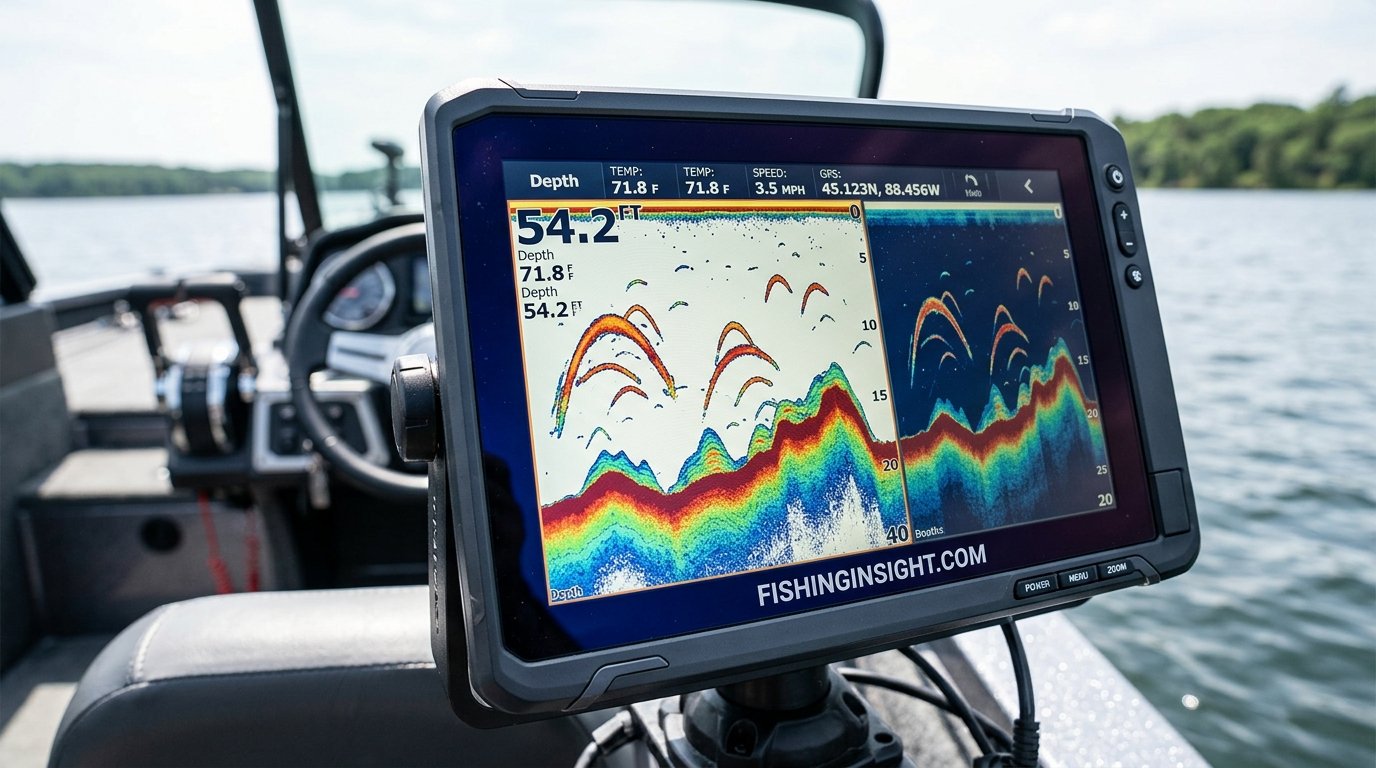
Where fish finders diverge is in what they do with the strength, shape, and duration of the returning echo, not just its timing. A hard, flat bottom returns a strong, sharp echo. A soft, muddy bottom returns a weaker, more spread-out echo. A fish returns a much smaller, often curved echo as the boat passes over it and the sonar cone catches it at different angles — this is the source of the classic “arch” shape anglers learn to recognize.
Modern fish finders add several technology layers on top of this baseline:
- CHIRP sonar — sends a sweep of frequencies rather than a single pulse, dramatically improving target separation and resolution.
- Down imaging and side imaging — use wider, flatter sonar beams to produce photo-like images of structure and the bottom, rather than a simple traditional cone-return graph.
- Fish ID processing — algorithms that convert raw arches into simplified fish icons, useful for beginners but sometimes less accurate than reading raw arches directly.
- GPS and mapping integration — many modern fish finder/chartplotter combos overlay sonar returns onto a map, letting you mark waypoints over productive structure.
A basic depth finder typically uses none of these layers. It sends a single-frequency ping, measures time-of-flight, and displays a number. There’s an elegance to that simplicity — less to configure, less to misread, and often a screen that’s easier to glance at in bright sun. But it’s also the reason a depth finder can’t tell you whether that blip is bait or a keeper bass.

If CHIRP and down imaging sound like the layer you actually want, the Lowrance HOOK Reveal is a well-regarded mid-tier option that adds both without a steep learning curve.
Check Price on Amazon4. Side-by-Side Feature Comparison
Rather than comparing abstract categories, it’s more useful to compare specific features you’ll actually see listed on a product page. Here’s how a typical entry-level depth finder stacks up against a typical entry-level and mid-tier fish finder.
| Feature | Basic Depth Finder | Entry Fish Finder | Mid/High-Tier Fish Finder |
|---|---|---|---|
| Depth reading | Yes | Yes | Yes |
| Water temperature | Sometimes | Usually | Yes |
| Fish arches / icons | No | Basic | Detailed, adjustable |
| CHIRP sonar | No | Sometimes | Usually |
| Down/side imaging | No | Rarely | Often |
| GPS / mapping | No | Sometimes | Usually |
| Screen type | Numeric/segment | Small color LCD | Large high-res color |
| Typical use case | Safety, backup, minimalist boats | Casual and budget-conscious anglers | Serious and tournament anglers |
Notice the pattern: as you move right across this table, you’re not losing any depth-finding capability, you’re only adding layers on top of it. This is exactly why so many anglers who start out thinking they only need “a depth finder” end up buying an entry-level fish finder instead — it costs a little more, but it covers the same baseline job while leaving the door open for more advanced use later.
5. What a Depth Finder Is Actually Good At
It would be a mistake to treat this article as a case for “always buy the fish finder.” There are real, practical reasons a dedicated depth finder still makes sense for certain anglers and certain boats, and it’s worth being honest about them.
Simplicity and speed of reading
A numeric depth finder is about as close to “glance and know” as marine electronics get. There’s no display mode to configure, no sensitivity setting to fight with, and no risk of misreading clutter as a fish. For sailors, cruisers, and anglers who mainly care about not running aground, that simplicity is a genuine feature, not a limitation.
Lower cost and lower power draw
Stripped-down depth finders are cheap, often a fraction of the cost of even a basic fish finder, and they draw very little power — a real consideration on a small jon boat or kayak running off a modest battery.
Redundancy as a safety backup
Many larger boats already run a full fish finder/chartplotter combo at the helm, but still install a small standalone depth gauge near the console as a simple, always-on redundant safety instrument. If the main unit ever glitches or needs a restart, the backup keeps showing depth without interruption.
Depth Finder — Pros
- Very affordable
- Simple, glanceable display
- Low power draw
- Good as a backup safety instrument
- Minimal setup or learning curve
Depth Finder — Cons
- No fish detection capability
- No structure or bottom detail
- Little to no GPS/mapping integration
- Limited long-term usefulness as skills grow
- Often lacks CHIRP resolution
6. What a Fish Finder Adds on Top
Once you move to a fish finder, you’re not replacing the depth-reading function — you’re layering a lot more interpretive power onto it. This is where the category earns its name.
Target separation
CHIRP-equipped fish finders can distinguish between two fish holding close together, or a fish sitting just off the bottom, in ways a basic single-frequency depth finder simply can’t resolve. That separation is often the difference between seeing “a blob near the bottom” and seeing “two distinct fish stacked six inches apart.”
Structure and cover identification
Down imaging and side imaging let you identify brush piles, rock piles, drop-offs, and submerged timber with a level of clarity that looks almost photographic. This is a genuinely different category of usefulness from depth alone — it turns the sonar from “how deep is it here” into “where exactly should I cast.”
History and mapping
Many fish finders let you mark waypoints directly on productive spots, build a mental (or literal, saved) map of a lake over multiple trips, and in higher-end units, even lay down your own bathymetric maps as you fish new water.
Fish Finder — Pros
- Everything a depth finder does, plus more
- Identifies fish, structure, and bottom composition
- CHIRP and imaging options at multiple price points
- GPS/mapping on most modern models
- Scales with your skill level over time
Fish Finder — Cons
- Higher cost, especially with imaging and GPS
- Steeper learning curve to read well
- More power draw on larger color displays
- Easy to misread clutter as fish when new to it

For anglers who want side imaging and mapping in one package, the Humminbird HELIX series is consistently one of the best-reviewed setups for serious freshwater and inshore anglers.
Check Price on Amazon7. Screen, Display, and Readability Differences
Screen quality is one of the most underrated differences between these two categories, and it affects how usable the device is in actual on-the-water conditions, not just how nice it looks in a store.
Basic depth finders typically use small segmented or monochrome LCD screens, similar to a calculator display. They’re extremely readable in direct sunlight because there’s no backlight glare to fight and nothing but a number or simple bar graph to parse. The tradeoff is that there’s no room to display anything more complex.
Fish finder screens range widely — from small 3.5-inch color LCDs on budget units to large 9-inch-plus high-resolution touchscreens on premium combo units. Larger, higher-resolution screens make it dramatically easier to distinguish individual fish arches from bottom clutter, read side imaging detail, and view chart overlays at the same time. But bigger, brighter color screens also mean more glare risk in direct sun unless the unit has strong anti-glare coating, and they draw meaningfully more power.
If screen visibility in bright, open water is your top priority, look specifically for units advertising high-nit daylight-readable displays rather than assuming “bigger is automatically better.”
8. Price and Value: Are You Paying for Features You’ll Use?
Price is where the fish finder vs depth finder question gets genuinely practical. It’s tempting to assume more features always equal more value, but that’s only true if you’ll actually use those features.
| Budget Tier | What You Typically Get | Best For |
|---|---|---|
| Entry (basic depth finder) | Depth, sometimes temperature, no fish ID | Small boats, kayaks, safety backup |
| Budget fish finder | Depth + basic fish icons/arches, small color screen | Casual anglers, first-time buyers |
| Mid-tier fish finder | CHIRP, down imaging, GPS, larger screen | Regular anglers wanting real structure detail |
| High-tier fish finder | Side imaging, live sonar, networked chartplotter integration | Tournament and serious multi-species anglers |
A good rule of thumb: buy for the fishing you actually do most often, not the fishing you occasionally aspire to. If 90% of your trips are casual panfish outings on a small lake, a mid-tier CHIRP fish finder will likely serve you better and longer than either a bare-bones depth finder or a tournament-grade live-sonar setup. For a broader look at models across every price bracket, our best fish finder roundup breaks down specific picks by budget and boat type.
9. Which One Fits Your Type of Fishing
Different fishing styles genuinely benefit from different tools here. Let’s break this down by scenario rather than by spec sheet.
Kayak and small-boat anglers
Weight, power draw, and simplicity matter more than raw features. A compact fish finder like the Garmin Striker 4 hits a sweet spot — small footprint, low draw, but still gives you basic fish arches and CHIRP on some models, which a pure depth finder can’t.
Bank and dock anglers
If you’re not on a boat at all, portable castable fish finders (a different subcategory entirely, covered in detail further down) may be worth a separate look.
Bass and structure-focused freshwater anglers
This is where down/side imaging genuinely earns its keep. Structure identification directly translates into more precise casts, so a mid- or high-tier fish finder tends to pay for itself in results.
Offshore and deep-water anglers
Depth range and CHIRP power matter more than screen size here. Look specifically at maximum depth rating and transducer power (wattage), since weaker units may lose the bottom signal in very deep water.
Sailors and cruisers without an active fishing focus
This is genuinely the one group where a plain depth finder remains the right call — you want reliable grounding avoidance, not fish detection, and the simplicity is a feature.

For kayak and small-boat setups specifically, compact CHIRP units are usually the better long-term buy over a bare depth finder.
Check Price on Amazon10. Installation and Transducer Considerations
Regardless of which category you land on, the transducer — not the display head — is what actually determines the quality of your readings. A high-end fish finder with a poorly mounted transducer will underperform a modest depth finder with a clean, properly angled install.
- Transom mount — the most common DIY option, straightforward to install but sensitive to turbulence and angle.
- Through-hull mount — cleaner readings at speed, but requires drilling and is best left to a professional install on fiberglass hulls.
- In-hull (shoot-through) mount — no hole in the hull at all, glued to the inside of the hull, but only works well on solid fiberglass, not cored or aluminum hulls.
Whichever mount you choose, keep the transducer face level, positioned away from turbulence created by the motor’s lower unit, and free of air bubbles along the hull. Poor transducer placement is, by a wide margin, the most common reason anglers complain about “bad” sonar performance — often the unit itself is fine.
11. Common Myths and Misconceptions
“A fish finder shows you exactly where every fish is in real time.”
Not quite. Traditional sonar shows a history of what has passed under or near the transducer cone, not a live wide-area view. Only specialized live-sonar systems (a distinct, pricier technology) show truly real-time, forward-looking fish movement.
“Depth finders are obsolete.”
Not true for every use case — they remain genuinely useful as low-cost, low-power, glanceable safety instruments, particularly as secondary units.
“Bigger screen always means better fish detection.”
Screen size affects readability, not detection accuracy. Detection quality comes from transducer power, frequency, CHIRP capability, and installation quality — not pixel count alone.
“Fish icons are more accurate than raw arches.”
Fish ID algorithms are convenient for beginners but can misidentify debris, thermoclines, or bait as fish. Most experienced anglers eventually switch fish ID off and learn to read raw sonar returns directly, which is covered in detail in our guide on how to read a fish finder.
12. How to Choose: A Practical Decision Framework
If you’ve read this far and still aren’t sure which way to go, run through these questions in order:
- Do you ever intentionally target fish, or is this purely a navigation/safety tool? If it’s purely navigation, a depth finder is genuinely enough.
- What’s your total electronics budget? If it’s very tight, an entry fish finder still generally beats a plain depth finder for long-term value, since it does everything a depth finder does plus more, often for a modest price difference.
- What’s your boat type and power setup? Small kayaks and jon boats favor compact, low-draw fish finders; larger boats can support bigger screens and higher-power CHIRP units.
- Do you fish primarily open water, or structure-heavy water? Structure-heavy fishing strongly favors down/side imaging.
- Are you already comfortable reading sonar, or completely new? Beginners often benefit from starting with a simpler fish finder and growing into advanced imaging rather than starting at the top tier.
In almost every practical scenario except pure navigation-only use, an entry-level fish finder is the more future-proof choice — it’s rarely much more expensive than a dedicated depth finder, and it removes the ceiling on what you can learn to do with it. For a complete walkthrough of using one on the water from first power-on, our guide on how to use a fish finder is a good next stop.
Still undecided? The Lowrance HOOK Reveal remains one of the safest all-around picks — it covers the depth-finder basics cleanly while leaving room to grow into CHIRP and imaging.
Check Price on Amazon13. Frequency, kHz, and Beam Angle Explained
One of the biggest gaps in most “fish finder vs depth finder” comparisons is any real discussion of frequency, and it’s arguably the single spec that determines how well either device actually performs in your specific water. Every transducer is rated for one or more operating frequencies, measured in kilohertz (kHz), and that number controls two things at once: how much detail the returning signal carries, and how far that signal can travel before it fades out.
Low frequencies, typically in the 50 kHz range, use a wider cone angle and can punch through a lot of water column before losing strength. That makes them the right choice for deep offshore work, where you might be reading bottom 300, 600, or even 1,000-plus feet down. The tradeoff is resolution: at 50 kHz, small targets like individual baitfish or thin structure tend to blur together, and the wide cone picks up a larger area at once, which is useful for scanning but less precise for pinpointing.
High frequencies, commonly 200 kHz on traditional sonar and considerably higher on imaging sonar (down and side imaging units often run in the 455 kHz to 800 kHz-plus range, sometimes higher on premium imaging modes), use a narrower cone and produce dramatically sharper detail. The cost is range — high-frequency signals attenuate faster in the water, so they lose effectiveness in very deep water. This is exactly why side imaging and down imaging, which rely on high frequency for their photo-like clarity, are usually most effective in water under roughly 100 to 150 feet, and why offshore anglers chasing bottom in deep canyons still lean on lower-frequency traditional CHIRP rather than imaging alone.
Dual-frequency and multi-frequency units let you switch between a low-frequency wide view for general scanning and a high-frequency narrow view for detail work, without needing two separate transducers. CHIRP sonar takes this further by sweeping continuously across a frequency range in a single pulse rather than transmitting one fixed frequency, which is why CHIRP units tend to outperform single-frequency units of similar price at separating tightly grouped targets.
Basic depth finders almost always run a single fixed frequency, most commonly somewhere in the 190–200 kHz range for shallow to moderate freshwater use, or a lower frequency variant for boats that regularly fish deeper water. Because they’re not trying to resolve fine detail — just measure round-trip time to the strongest return — frequency choice matters less for a depth finder than it does for a fish finder, but it’s still worth checking that a depth finder’s rated frequency matches the depths you typically fish; a unit optimized for shallow lakes can struggle to hold bottom lock in deep, clear offshore water.
Beam angle, usually listed in degrees, works alongside frequency to determine your coverage area at a given depth. A 60-degree cone at 50 feet of depth covers a noticeably wider circle of bottom than a 20-degree cone at the same depth, but that wider coverage comes at the cost of precision — you’ll see more total activity, but with less certainty about exactly where within that circle a given target sits. As a rough rule, wider beam angles suit trolling and general scanning, while narrower beam angles suit precision jigging and vertical presentation over specific structure.
14. Portable and Castable Fish Finders
Everything discussed so far assumes a boat-mounted transducer, but a meaningful and fast-growing segment of the market doesn’t involve a boat at all. Portable and castable fish finders exist specifically for bank anglers, dock fishermen, ice anglers without a permanent setup, and boat owners who want a backup unit that doesn’t require permanent installation.
Clip-on and suction-cup portables
These units include a small transducer on a cable or pole that clips to the side of a kayak, canoe, float tube, or even a bucket, paired with a battery-powered display. They function essentially like a compact fish finder — many include basic CHIRP and even down imaging in the more advanced models — but without any permanent hull mounting. This makes them popular with anglers who rent boats, fish from multiple craft, or want to try electronics before committing to a permanent transom or through-hull install.
Castable sonar balls
A castable fish finder is a small waterproof, floating sonar puck that you literally cast out on your fishing line or a separate cord, and which transmits sonar data wirelessly (almost always via Bluetooth or Wi-Fi) to a smartphone app rather than a dedicated display screen. These are the closest thing to a true depth-finder-only tool in the portable space for bank anglers, since many budget castable units focus mainly on depth and basic fish presence rather than full imaging. More advanced castable units do offer surprisingly capable side-scan-style views given their size and price.
Castable units solve a real problem — a bank or dock angler has no hull to mount a transducer on — but they come with real limitations worth knowing before buying one instead of a traditional unit:
- Battery life is typically measured in hours, not days, and often can’t be swapped in the field.
- Range from the phone is usually limited to somewhere between 100 and 300 feet, depending on the model and water conditions.
- They’re more exposed to loss or snagging than a permanently mounted transducer, especially around structure or current.
- Screen quality depends entirely on your phone, which is a mixed blessing — great in bright conditions with a good phone, frustrating with a dim or older screen.
For occasional bank fishing or as a lightweight travel option, a castable unit is a genuinely useful middle ground between a plain depth finder and a full boat-mounted fish finder. For anglers who fish from the bank regularly and want more reliable, repeatable performance, a small portable clip-on unit with its own dedicated screen tends to hold up better over a season than a phone-dependent castable ball.
15. Ice Fishing Flashers vs Fish Finders vs Depth Finders
Ice fishing introduces a third device into this conversation that often gets lumped in incorrectly with one of the other two: the flasher. Understanding where a flasher fits relative to a fish finder and a depth finder clears up a lot of confusion for anglers moving between open-water and hard-water seasons.
A flasher is, in effect, a real-time analog display of sonar returns using a rotating light band around a dial, rather than a scrolling graph on a screen. Depth is shown by the position of a lit segment around the dial, and targets — including fish, your jig, and the bottom — appear as separate bands of light at their respective depths, updating essentially instantly as they move. This near-instant update rate is why ice anglers overwhelmingly prefer flashers for vertical jigging: you can watch a fish rise toward your lure and react to its behavior in real time in a way that a scrolling fish finder display, which shows history rather than an instantaneous snapshot, doesn’t do as naturally.
Functionally, a flasher sits closer to a fish finder than a depth finder, since it clearly shows fish presence, not just bottom depth — but it displays that information completely differently, using color-coded light intensity rather than arches or icons. Stronger returns (bigger fish, harder bottom) appear as brighter or thicker bands; weaker returns appear thinner or dimmer.
Many modern ice units are actually hybrids: a flasher-style dial display combined with an underlying CHIRP sonar engine, or a dual-purpose unit that can switch between a traditional scrolling fish finder graph and a flasher dial depending on angler preference. Some higher-end multi-season units are designed to be used as a full-featured open-water fish finder all summer, then repurposed with a portable ice fishing shuttle kit (battery, carrying case, and sometimes a flasher-style display mode) for winter — a practical way to avoid buying two completely separate pieces of electronics for two seasons.
A plain depth finder, by contrast, has essentially no place in serious ice fishing. Ice anglers need to see fish behavior and jig position in real time far more than they need a simple bottom number, so even budget-conscious ice anglers tend to buy at minimum an entry flasher or fish finder rather than a stripped-down depth-only unit.
16. Saltwater vs Freshwater: Different Demands on the Same Technology
The core sonar principle behind both devices doesn’t change between saltwater and freshwater, but the practical demands placed on the equipment do, and this is another area shorter comparison articles tend to skip entirely.
Corrosion resistance and housing quality
Saltwater is far more corrosive than freshwater, so units intended for ocean or brackish use need marine-grade housings, corrosion-resistant connectors, and stainless or coated mounting hardware. A freshwater-oriented budget depth finder or fish finder run in saltwater without those protections can corrode noticeably faster, particularly around the transducer cable connection and transom mounting screws.
Depth range requirements
Freshwater lakes rarely exceed a few hundred feet, and most recreational freshwater fishing happens in under 60 feet of water. Saltwater, especially offshore, routinely involves depths of 500, 1,000, or several thousand feet. This is one of the most consequential practical differences: a depth finder or fish finder that performs perfectly on a freshwater lake may simply fail to hold bottom signal at all in deep offshore water, because it lacks the transducer wattage and low-frequency capability needed to punch that far down. Offshore-focused buyers should specifically check maximum-depth ratings and transducer power output (often listed in watts, sometimes as peak-to-peak or RMS) rather than assuming a general-purpose unit will scale up.
Salinity and speed of sound differences
Sound travels slightly faster through saltwater than freshwater due to higher density and mineral content, and higher-end units account for this automatically in their depth calculations; cheaper units sometimes use a fixed freshwater assumption, which can introduce a small but real depth-reading error in saltwater use. This is rarely a large error, but it’s worth knowing about if a saltwater angler notices depth readings that seem consistently a foot or two off from known chart depth.
Target species and clutter differences
Saltwater environments often present far denser bait and structure clutter — reef, wrecks, kelp, and large bait schools — which places a bigger premium on CHIRP target separation and sensitivity/noise-rejection adjustment than typical freshwater use does. Freshwater anglers, by contrast, more often deal with thermocline layers and weed clutter, which are usually easier to filter out with basic sensitivity adjustments alone.
The practical takeaway: a depth finder or fish finder marketed generically as “for boats” will usually work fine in calm, shallow freshwater, but saltwater and offshore buyers specifically should prioritize marine-grade housing, higher transducer wattage, and genuine deep-water frequency support over screen size or extra imaging modes.
17. Battery, Power Draw, and Waterproof Ratings
Power requirements and waterproofing rarely make it onto a spec sheet comparison, but they directly affect whether a unit actually survives and performs well on your specific boat.
Power draw in practice
A basic numeric depth finder typically draws well under half an amp, which is negligible even on a small sealed battery. Entry-level fish finders with small color screens generally draw somewhere in the range of a few hundred milliamps to around one amp. Larger units with big high-resolution touchscreens, active GPS, networked accessories, and CHIRP processing running continuously can draw several amps, which adds up meaningfully over a full day on the water — worth factoring into battery sizing on kayaks, small jon boats, or any craft without an alternator constantly topping off the battery.
Battery type considerations
Boats with an engine and alternator generally don’t need to think hard about this, since the battery is continuously recharged while running. Kayak, canoe, and float-tube anglers running electronics off a dedicated battery should size that battery around the unit’s rated draw and their expected trip length, and should also account for colder weather, which reduces effective battery capacity, particularly for late-fall and winter trips.
Waterproof and ingress protection ratings
Most quality marine electronics list an IPX or IP waterproof rating — commonly IPX6 or IPX7 for display heads, meaning the unit can handle heavy spray, rain, and brief submersion respectively. Depth finders and fish finders alike should carry at least an IPX6 rating for open-boat use; anything lower is really only appropriate for a fully enclosed helm station protected from spray and rain. Portable and castable units marketed for kayak or bank use often push higher, toward IPX7 or IPX8, since brief full submersion is a realistic risk in that context — worth checking specifically if you plan to fish from an unstable or easily swamped craft.
18. Networking, Split-Screen, and Multi-Display Setups
On larger boats, the fish finder vs depth finder question often isn’t really about choosing one device at all — it’s about how multiple displays and transducers work together as a networked system, which is a topic that rarely comes up in beginner-focused comparisons but matters a great deal once a boat has more than one helm station or display.
Networked multifunction displays
Many mid-tier and high-tier fish finders are built as networked multifunction displays (MFDs) that can share data — sonar, GPS position, radar, engine data — over a proprietary network (such as Garmin’s Marine Network or Lowrance/Simrad’s NMEA 2000 and Ethernet backbones) with other compatible displays on the same boat. This means a boat can run one primary display at the helm and a second, smaller display at another station, both showing live sonar from the same transducer, without needing two separate transducers or two separate purchases of full sonar hardware.
Split-screen views
Most fish finders above entry level support split-screen layouts, letting you view traditional sonar, down imaging, side imaging, chart/GPS, and numeric data (depth, speed, water temperature) simultaneously rather than switching between full-screen modes. This is genuinely useful for anglers who want to keep an eye on structure detail and navigation at the same time, though it does mean each individual panel is smaller and can be harder to read at a glance — something to consider if you fish primarily alone and need to process information quickly.
Where a plain depth finder fits into a networked setup
A basic depth finder is, almost by definition, a standalone instrument — it isn’t designed to feed data into a larger networked system, and it doesn’t need to be, since its entire job is a single glanceable number. This is precisely why boats with a full networked fish finder/chartplotter system at the helm still often add a small standalone depth gauge near a second station (like a bow casting deck or a flybridge) rather than running an expensive networked cable and second full display purely for a depth number.
19. Smartphone Sonar Apps and Wireless Fish Finders
A growing subcategory worth addressing directly: wireless, phone-paired sonar systems that skip a dedicated display screen entirely and use a smartphone or tablet as the interface, running a manufacturer’s companion app over Bluetooth or Wi-Fi Direct.
These systems typically consist of a small transducer — either a castable puck (covered above) or a compact transom/trolling-motor-mount transducer — paired wirelessly to an app that renders sonar data, GPS mapping, and sometimes weather overlays on your phone’s screen. The appeal is obvious: no dedicated display to buy, mount, or wire, and a screen you’re already comfortable using every day.
The tradeoffs are just as real. Phone screens, even good ones, struggle with direct sunlight glare compared to purpose-built daylight-readable marine displays. Wireless range and connection stability can degrade with distance from the transducer or interference from other devices. Battery drain on the phone itself becomes a genuine concern on longer trips, especially if you’re also using the phone for navigation, photos, or communication. And a wet, cold, or gloved hand interacting with a capacitive touchscreen in rough conditions is a real practical annoyance that a physical-button marine unit doesn’t have.
That said, for casual anglers, budget-conscious kayak fishermen, or as a lightweight backup to a primary hardwired system, phone-based sonar apps have become genuinely capable, and several manufacturers now offer app-based extensions of their standard product lines that mirror or supplement a boat’s main networked display, letting an angler check sonar from the bow or from a second seat without installing a second physical screen at all.
20. Maintenance, Winterization, and Long-Term Care
Whichever category you land on, a little routine care meaningfully extends the working life of the unit, and neglecting it is a common reason otherwise good electronics fail early.
Seasonal transducer care
Check the transducer face periodically for marine growth, especially if the boat sits in the water for extended periods rather than being trailered. Even a thin layer of algae or barnacle growth on the transducer face can noticeably degrade sonar performance, sometimes mimicking the symptoms of a failing unit. A soft cloth and mild soap are usually enough; avoid abrasive scrubbing that could scratch the transducer face coating.
Connector and cable inspection
Inspect the transducer cable connector and any power connectors for corrosion or looseness at the start and end of each season, particularly on saltwater boats. A light application of dielectric grease on connector pins helps prevent corrosion buildup over time and makes future disconnection easier.
Winterization for cold climates
In freezing climates, display heads should be removed from an exposed helm and stored somewhere temperature-stable over winter if the unit isn’t rated for extreme cold storage, since repeated freeze-thaw cycling can stress screens and internal seals over multiple seasons. Batteries dedicated to portable units should be removed, brought to room temperature storage, and ideally kept at a partial charge rather than fully drained or fully charged for long-term winter storage, which extends battery lifespan.
Firmware updates
Most modern fish finders receive periodic firmware updates from the manufacturer that can improve chart data, fix display bugs, and occasionally add new features to existing hardware. Basic depth finders rarely if ever receive firmware updates, since their fixed, simple function doesn’t typically need revision — another small but real difference in long-term ownership between the two categories.
21. Troubleshooting Common Sonar Problems
A short practical troubleshooting reference saves a lot of frustration, since most “my fish finder isn’t working right” complaints trace back to a small handful of recurring causes.
No bottom signal or erratic depth readings
Almost always a transducer placement or aeration issue rather than a defective unit. Check that the transducer face is fully submerged, angled correctly, and not sitting in turbulent water directly behind the motor’s prop wash. Growth or damage on the transducer face is the next most likely cause.
Excessive clutter or noise on screen
Usually a sensitivity setting that’s too high for the current conditions, or genuine interference from another nearby sonar unit, an engine, or a trolling motor running at the same frequency. Lowering sensitivity slightly, adjusting noise rejection settings, or switching CHIRP frequency range can often clear this up without touching any hardware.
Weak or “ghost” targets that disappear on second pass
Often thermocline layers, bait clouds, or aeration/bubbles rather than actual fish, especially in warm, stratified lake water during summer. This is one of the most common beginner misreadings and is covered in more depth in our how to read a fish finder guide.
Display won’t power on
Check power connector corrosion and fuse condition before assuming the head unit itself has failed; a corroded ground connection is a very common culprit, particularly on saltwater boats or units that have sat unused over winter without cable protection.
Intermittent dropout at higher boat speeds
Typically caused by the transducer briefly lifting out of clean water due to hull turbulence, aeration from the prop, or the transducer being mounted slightly too high relative to the hull’s running surface. This is a mounting and positioning problem far more often than an electronics problem.
22. Warranty, Support, and Resale Value
Ownership costs extend beyond the sticker price, and warranty and resale considerations differ meaningfully between the two categories.
Typical warranty terms
Most major marine electronics brands offer a standard one to two year limited warranty covering manufacturing defects on both depth finders and fish finders, though premium fish finder lines from established brands sometimes extend coverage slightly longer on the display head than on the transducer, which is treated as a more consumable part. Always register a new unit promptly and retain the purchase receipt, since warranty claims without proof of purchase date are far harder to process.
Support and community resources
Established fish finder brands generally offer more extensive customer support infrastructure — firmware update channels, active user forums, and detailed manuals — simply because the units are more complex and the user base larger. Basic depth finders, being simpler and often from smaller or budget-focused manufacturers, sometimes have thinner support resources, though there’s also proportionally less that can go wrong or need explaining.
Resale value
Fish finders, particularly recognizable mid-tier and high-tier models from major brands, tend to hold resale value reasonably well on the used market for several years after purchase, especially if GPS mapping and imaging remain current and functional. Basic depth finders have comparatively little resale market, both because they’re inexpensive to begin with and because there’s little differentiation between models for a used buyer to care about. If long-term value retention matters to your purchase decision, a recognized mid-tier fish finder from an established brand is generally the safer bet over either a bargain-bin depth finder or a lesser-known off-brand fish finder.
23. Regulations, Etiquette, and Sonar Interference
A final area worth covering, since it rarely appears in product-focused comparisons but affects how these devices actually get used on the water.
Regulatory considerations
In most recreational freshwater and inshore saltwater fishing, both depth finders and fish finders are entirely unrestricted consumer electronics with no license or registration requirement. A small number of specific competitive tournament formats and some strictly regulated fisheries do place limits on live-sonar or forward-facing sonar use during competition, on fairness grounds rather than general equipment restriction, so tournament anglers should check the specific rules of any event they’re entering rather than assuming all sonar technology is universally allowed in competition.
On-water etiquette around shared water
In crowded fishing areas, particularly for anglers using side imaging or scanning sonar to locate productive structure, it’s considered good etiquette to avoid running your boat directly and repeatedly over water another angler is actively fishing, both to avoid spooking fish for them and out of general courtesy. This isn’t a regulation so much as an unwritten norm that experienced anglers generally appreciate newcomers picking up on.
Sonar interference between nearby boats
When multiple boats run sonar in close proximity — common in tournament fishing and crowded launch areas — units can occasionally pick up interference from a nearby boat’s transducer operating on a similar frequency, appearing as extra noise or false returns on screen. Most modern fish finders include an interference rejection setting specifically designed to filter this out; basic depth finders, using a single fixed frequency and simpler processing, sometimes have no such filtering and can be more susceptible to this kind of interference in crowded conditions, though it rarely causes more than temporary display noise rather than any lasting problem.
Frequently Asked Questions
Is a fish finder the same thing as a depth finder?
Not exactly. Every fish finder can function as a depth finder, since depth measurement is the core sonar function both share, but a plain depth finder lacks the fish detection, imaging, and mapping features that define a fish finder.
Can I use a fish finder just to check depth?
Yes. Most fish finders display a simple numeric depth readout at all times, even while running more advanced sonar modes, so you never lose that basic function.
Do I need GPS on a fish finder, or is that a separate purchase?
Many modern fish finders include built-in GPS for waypoint marking and basic mapping, but some entry-level models don’t. Check the product listing specifically for “GPS” or “chartplotter” if that feature matters to you.
Why do some depth finders cost almost as much as fish finders?
Higher-end depth-only instruments sometimes add extras like digital displays, alarms, or marine-grade housing that push the price up without adding fish detection, which can make the price gap look smaller than the feature gap actually is.
Will a fish finder work in shallow water?
Yes, though very shallow water (a few feet or less) can create a phenomenon called surface clutter or a “false bottom” reading on some units. Most modern fish finders handle shallow water reasonably well with sensitivity adjustments.
Does CHIRP sonar matter for casual fishing?
It helps even casual anglers by making arches and structure clearer and easier to interpret, but it’s not strictly necessary if you’re just starting out and want to keep things simple.
What’s the difference between down imaging and side imaging?
Down imaging shows a detailed, photo-like view of what’s directly beneath the boat. Side imaging extends that view outward to both sides, letting you scan a much wider area without running directly over it.
Can a depth finder be upgraded into a fish finder later?
Generally no. Depth finders are typically self-contained, fixed-function units without the processing hardware needed for imaging or fish ID, so there’s no firmware upgrade path to add those features.
Is a bigger transducer always better?
Not necessarily bigger, but higher wattage and the right frequency for your typical water depth matter a lot. A transducer mismatched to your boat and water type can underperform even a well-built display unit.
Do I need a fish finder for kayak fishing?
It’s not required, but a compact, low-power fish finder can meaningfully improve results on unfamiliar water by revealing depth changes and structure you can’t see from the surface.
How deep can typical consumer fish finders read?
Entry-level units often max out somewhere in the 300–800 foot range in freshwater, while higher-power CHIRP units can read considerably deeper, especially important for offshore saltwater use.
Should I turn off fish ID and read raw arches instead?
Many experienced anglers eventually do, since raw arches provide more accurate detail than simplified fish icons, but it takes some practice to read confidently. Our guide on how to read a fish finder walks through this step by step.
What frequency should I look for if I mostly fish deep offshore water?
Prioritize lower frequencies, generally in the 50 kHz range, along with higher transducer wattage, since low frequency and stronger output are what let a signal reach and return from very deep water. High-frequency imaging modes lose effectiveness well before offshore depths of several hundred feet.
Are castable fish finders accurate enough to rely on?
For basic depth and general fish presence, yes, within their limited range from the phone. For precise structure identification or reliable performance over a full day of fishing, a traditional mounted unit with its own dedicated screen and battery is generally more consistent.
Is a flasher better than a regular fish finder for ice fishing?
Most dedicated ice anglers prefer a flasher’s real-time dial display for vertical jigging, since it updates essentially instantly compared to a scrolling fish finder graph. Many current units offer both modes in one device.
Conclusion: Which One Should You Actually Buy?
The short version: if fishing is any real part of why you’re on the water, a fish finder is almost always the better long-term purchase, because it includes everything a depth finder does and adds the interpretive tools that actually help you catch more fish. A dedicated depth finder still earns its place for pure navigation and safety-focused boaters, or as a low-cost backup instrument alongside a more capable primary unit.
Whichever direction you go, the transducer install and a bit of practice reading your display will matter more than any single spec on the box. Start simple, learn the display, and upgrade features as your fishing style demands them rather than trying to buy every capability on day one.
Browse Fish Finders on Amazon