Humminbird Helix Review: Everything You Need to Know Before Buying
An in-depth look at the Humminbird Helix lineup — features, performance, comparisons, and real-world fishing insights
Why the Humminbird Helix Deserves Your Attention
Finding the right fish finder can feel overwhelming. The market is flooded with options, each claiming to be the best thing since sliced bread. But every now and then, a product line comes along that genuinely earns its reputation through consistent performance, thoughtful design, and real value for the money. The Humminbird Helix series is one of those product lines.
Whether you are a weekend angler who fishes local lakes or a dedicated tournament competitor who needs every possible edge on the water, the Helix lineup has something to offer. In this comprehensive review, we are going to break down everything you need to know about two of the most popular models in the current Helix family — the Humminbird Helix 7 G4 and the Humminbird Helix 7 G4N. We will cover their features, compare them head to head, discuss real-world performance, and help you figure out which one is the right fit for your fishing style and budget.
Humminbird has been a household name in marine electronics for decades. They were among the first companies to bring side imaging technology to recreational anglers, and they have continued to push the envelope with innovations like MEGA Imaging and Dual Spectrum CHIRP sonar. The Helix series sits in the sweet spot of their lineup — advanced enough to satisfy serious anglers, yet accessible enough that newcomers will not feel lost trying to navigate the menus.
What makes this review different from the dozens of others you might find online? We are not just going to list specs and call it a day. We are going to dig into what those specs actually mean when you are out on the water at dawn, trying to locate a school of crappie suspended over a brush pile in twenty feet of water. We will talk about the user interface, the learning curve, the mounting options, and the small details that separate a good fish finder from a great one.
By the time you finish reading this review, you will have a clear understanding of what each model brings to the table, where they shine, where they fall short, and ultimately, which one deserves a spot on your boat. So grab a cup of coffee, settle in, and let us dive deep into the world of Humminbird Helix.

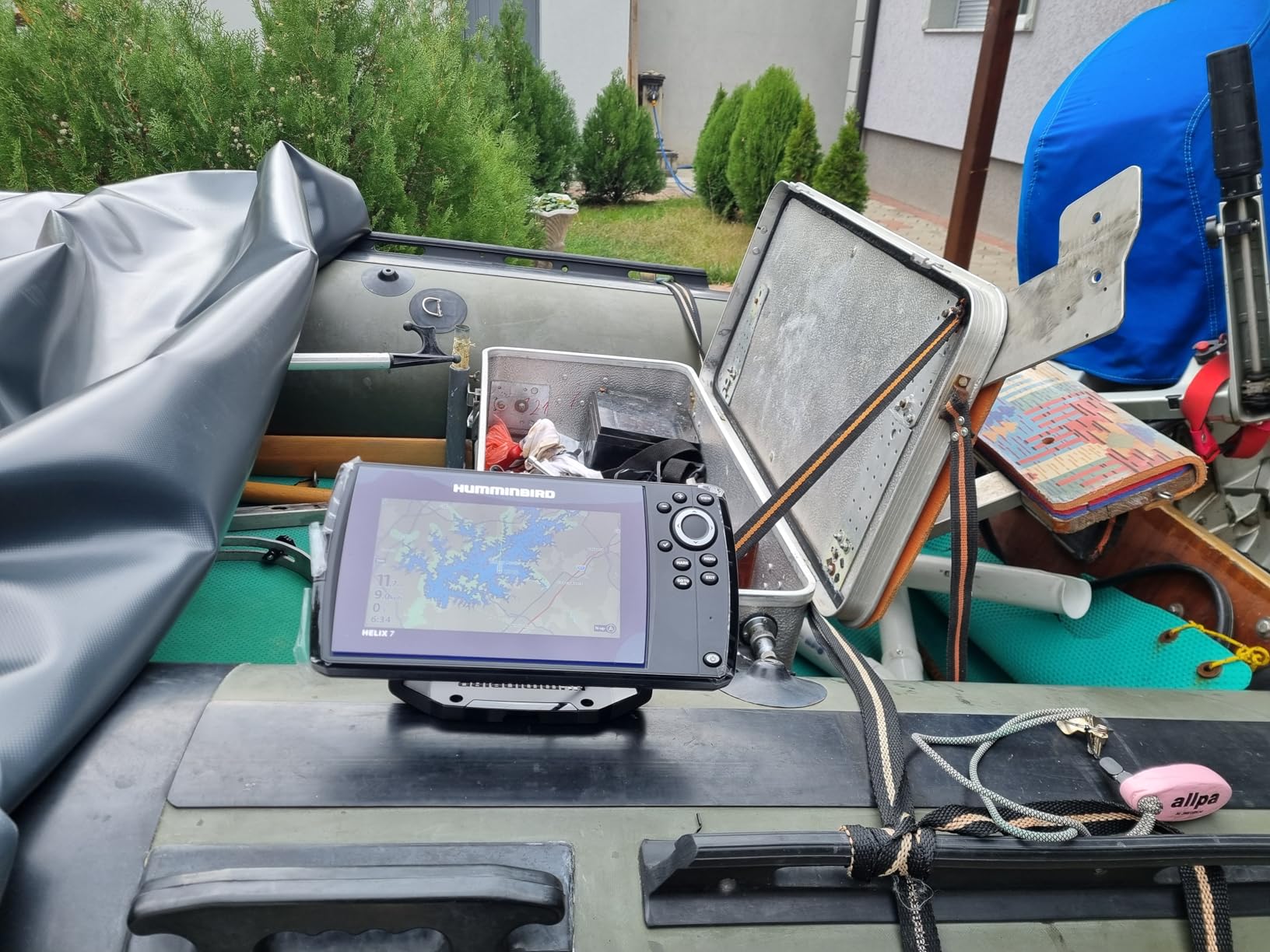
Humminbird Helix 7 G4 GPS Fish Finder with Transducer
Reliable sonar, crisp display, and easy-to-use GPS — the perfect upgrade for any angler.
View on AmazonHumminbird Helix Series — A Complete Overview
Before we zoom in on the specific models, it helps to understand where the Helix series fits within the broader Humminbird ecosystem. Humminbird organizes its product lines into several tiers. At the top, you have the SOLIX and APEX series — these are the flagship units with massive screens, full networking capabilities, and price tags that reflect their premium positioning. At the entry level, you have the PIRANHAMAX series — simple, affordable units that get the job done for casual anglers.
The Helix series sits right in the middle, and that is precisely why it is so popular. It offers a meaningful step up from basic fish finders without requiring you to take out a second mortgage. The Helix lineup includes models ranging from the compact Helix 5 all the way up to the Helix 15, with screen sizes and feature sets scaling accordingly. For most recreational and semi-professional anglers, the Helix 7 models represent the sweet spot — large enough to read comfortably, feature-rich enough to handle serious fish-finding duties, and priced within reach of the average angler.
The G4 Generation
The “G4” designation refers to the fourth generation of Helix units. Each generation has brought meaningful improvements in processing speed, display quality, sonar performance, and user interface design. The G4 models feature faster refresh rates, improved sonar clarity, and a redesigned menu system that is noticeably more intuitive than previous generations. If you are upgrading from an older Helix — say a G2 or G3 — the difference is immediately apparent.
The G4N models take things a step further by adding networking capabilities. The “N” stands for networking, which means these units can communicate with other Humminbird devices on your boat via an Ethernet connection. This opens up possibilities like sharing sonar data between multiple displays, connecting to Minn Kota trolling motors with i-Pilot Link, and accessing premium features like AutoChart Live.
What is in the Box
When you purchase a Helix 7 G4, you can expect to find the following items in the box:
- The Helix 7 display unit
- A transducer (specific model varies by package)
- Transom mounting hardware and bracket
- Power cable
- Gimbal mounting bracket and knobs
- Documentation and quick-start guide
The G4N package is similar but may include additional networking cables depending on the specific SKU. It is always worth double-checking the exact package contents before purchasing, as Humminbird sometimes offers different bundle configurations.
Pro Tip: If you are buying your first fish finder, consider picking up a unit that comes with a transducer included. Buying the transducer separately can add significant cost, and the bundled transducers are perfectly capable for most fishing situations.
The Helix Ecosystem
One of the things that sets Humminbird apart from some competitors is the strength of its broader ecosystem. The Helix units integrate seamlessly with Minn Kota trolling motors, Cannon downriggers, and Humminbird’s own LakeMaster and Navionics chart options. If you already own other Humminbird-compatible equipment, stepping into the Helix family is a natural progression that lets you leverage your existing investment.
The ecosystem also extends to software. Humminbird’s OneBoat Network allows compatible devices to share data, and the FishSmart app lets you update firmware, download charts, and even plan trips from your phone. This kind of integration is increasingly important in a world where anglers expect their electronics to work together seamlessly.
Humminbird Helix 7 G4 — Detailed Review
The Helix 7 G4 is the more affordable of the two models we are examining, but do not let the lower price tag fool you. This is a capable, well-designed fish finder that will serve the vast majority of anglers extremely well. Let us break down what it offers.
Display Quality
The Helix 7 G4 features a 7-inch diagonal display with a resolution of 800 by 480 pixels. While this is not the highest resolution on the market, it is more than adequate for the screen size. Text is crisp and readable, fish arches are clearly defined, and the color palette does a good job of distinguishing between different bottom types, structure, and fish.
The display uses a backlit LED panel that performs well in a variety of lighting conditions. On bright, sunny days, you may need to crank the brightness up to maximum, and you might still find yourself cupping your hand around the screen to reduce glare. This is a common challenge with fish finders in this price range, and it is not unique to Humminbird. An anti-glare screen protector can help, and positioning the unit in a shaded area of your console makes a significant difference.
In low-light conditions — early morning, late evening, or overcast days — the display really shines. The colors are vibrant without being garish, and the adjustable backlight lets you dial in the perfect brightness level to avoid eye strain during long days on the water.
Sonar Capabilities
The Helix 7 G4 comes equipped with Standard Sonar, which operates at 200 kHz. This is the workhorse frequency that most anglers are familiar with. It provides reliable fish detection, accurate depth readings, and good bottom contour detail. For most freshwater applications — bass fishing, crappie fishing, walleye fishing — standard sonar is perfectly capable.
The included transducer is designed for transom mounting, which is the most common installation method for recreational boats. It sends sonar pulses down and to the sides, painting a picture of what is beneath your boat as you move across the water. The sonar cone angle is wide enough to provide good coverage without sacrificing too much detail at the edges.
One thing to note is that the G4 does not include CHIRP sonar or down imaging in its base configuration. If you want those features, you will need to step up to the G4N or purchase an upgraded transducer separately. For many anglers, standard sonar is perfectly adequate. But if you fish in deep water, target suspended fish, or want the clearest possible picture of structure and cover, CHIRP and down imaging are worth the investment.
GPS and Mapping
Built-in GPS is one of the Helix 7 G4’s strongest selling points. The internal GPS receiver is fast and accurate, locking onto satellites quickly even in challenging conditions like heavy tree cover or deep valleys. Once locked, it provides reliable position data that you can use for waypoint marking, route creation, and navigation.
The G4 comes with a built-in UniMap base map, which provides basic cartographic coverage of coastal and inland waters. While UniMap is functional, most serious anglers will want to upgrade to a premium chart option like LakeMaster or Navionics for more detailed contour lines, bottom hardness information, and other features that help you find fish-holding structure.
Waypoint management is straightforward. You can mark up to 2,500 waypoints, which is more than enough for even the most dedicated angler. The waypoint icons are customizable, making it easy to distinguish between different types of spots — brush piles, rock piles, creek channels, and so on.
Humminbird Helix 7 G4 GPS Fish Finder with Transducer
Get the reliable Helix 7 G4 with built-in GPS and quality sonar performance.
View on AmazonUser Interface and Menu System
Humminbird has put considerable effort into refining the Helix user interface over the generations, and the G4 represents their best work yet in this price range. The menu system is organized logically, with clearly labeled icons and a straightforward navigation scheme. You use a combination of the keypad and the rotary dial to move through menus, adjust settings, and switch between views.
The customizable page layouts are a standout feature. You can configure the screen to show a single full-screen view or split it into multiple panels — for example, showing traditional sonar on one side and the map on the other. The split-screen options are flexible enough to accommodate different fishing scenarios, and switching between saved layouts is quick and easy.
For anglers who are new to fish finders, there is a bit of a learning curve. But Humminbird does a good job of providing sensible default settings that work well out of the box. You can start using the unit effectively within minutes of powering it on, and then gradually explore the more advanced features as you become comfortable.
Build Quality and Durability
The Helix 7 G4 is built to withstand the rigors of life on the water. The housing is made from rugged plastic that feels solid without being excessively heavy. The keypad buttons have a satisfying tactile response and are sealed against water intrusion. The unit carries an IPX7 waterproof rating, which means it can survive temporary submersion in up to one meter of water for 30 minutes.
In practice, this means you do not need to panic if a wave splashes over the console or if you get caught in a sudden rainstorm. The unit is designed to handle these situations without missing a beat. That said, it is always a good idea to protect your investment with a cover when the boat is not in use, especially if it is stored outdoors.
Humminbird Helix 7 G4N — Detailed Review
The Helix 7 G4N is the more feature-rich sibling of the G4. It shares the same basic form factor and display size, but adds several significant capabilities that make it the better choice for anglers who want maximum performance and flexibility. Let us explore what sets it apart.
Dual Spectrum CHIRP Sonar
This is where the G4N starts to pull ahead of the G4. Dual Spectrum CHIRP sonar is a significant upgrade over standard sonar. Instead of transmitting at a single frequency, CHIRP (Compressed High-Intensity Radiated Pulse) sweeps across a range of frequencies. The result is dramatically improved target separation, meaning you can distinguish between individual fish, bait schools, and structure with much greater clarity.
In practical terms, this means you can see individual fish in a school rather than just a blob of color. You can tell the difference between a fish and a submerged log. You can identify the precise depth at which fish are suspended. These are the kinds of details that can make the difference between a productive day on the water and a frustrating one.
Dual Spectrum CHIRP offers two modes: Wide Mode and Narrow Mode. Wide Mode covers a broader frequency range and is great for general searching and covering water. Narrow Mode focuses on a tighter frequency range and provides even better target separation for precise presentations. Switching between the two is as simple as pressing a button.
MEGA Down Imaging
MEGA Down Imaging is another feature exclusive to the G4N, and it is a game-changer for anglers who fish around structure. Down imaging uses high-frequency sonar to produce near-photographic images of the bottom and the objects on it. Think of it as looking straight down with an underwater camera, except the “camera” works at any depth and in any water clarity.
The “MEGA” designation means the unit operates at 1.2 MHz, which is significantly higher than standard down imaging frequencies. Higher frequency means more detail, and the difference is immediately apparent. With MEGA Down Imaging, you can see the individual branches of a brush pile, distinguish between boulders and stumps, and even identify the texture of the bottom — sand, gravel, rock, mud, or vegetation.
This level of detail is incredibly valuable when you are trying to understand a piece of structure. A brush pile might look like a simple blob on standard sonar, but MEGA Down Imaging reveals its exact dimensions, density, and orientation. This information helps you position your boat more precisely and present your bait more effectively.
Networking Capabilities
The “N” in G4N stands for networking, and this is a feature that opens up a world of possibilities. The G4N includes an Ethernet port that allows you to connect multiple Humminbird units together. This means you can share sonar data, waypoints, and other information between displays on your boat.
For anglers with multi-screen setups, networking is essential. Imagine having a Helix 7 at the console for navigation and sonar, and another Helix 7 at the bow for targeting specific fish. With networking, both units share the same sonar data and waypoints, so you are always looking at the same information regardless of which screen you are checking.
Networking also enables integration with Minn Kota trolling motors equipped with i-Pilot Link. This allows your fish finder to control your trolling motor, automatically navigating to waypoints, following depth contours, and even holding your position over a productive spot. It is the kind of integration that once seemed like science fiction but is now available to any angler willing to invest in the ecosystem.
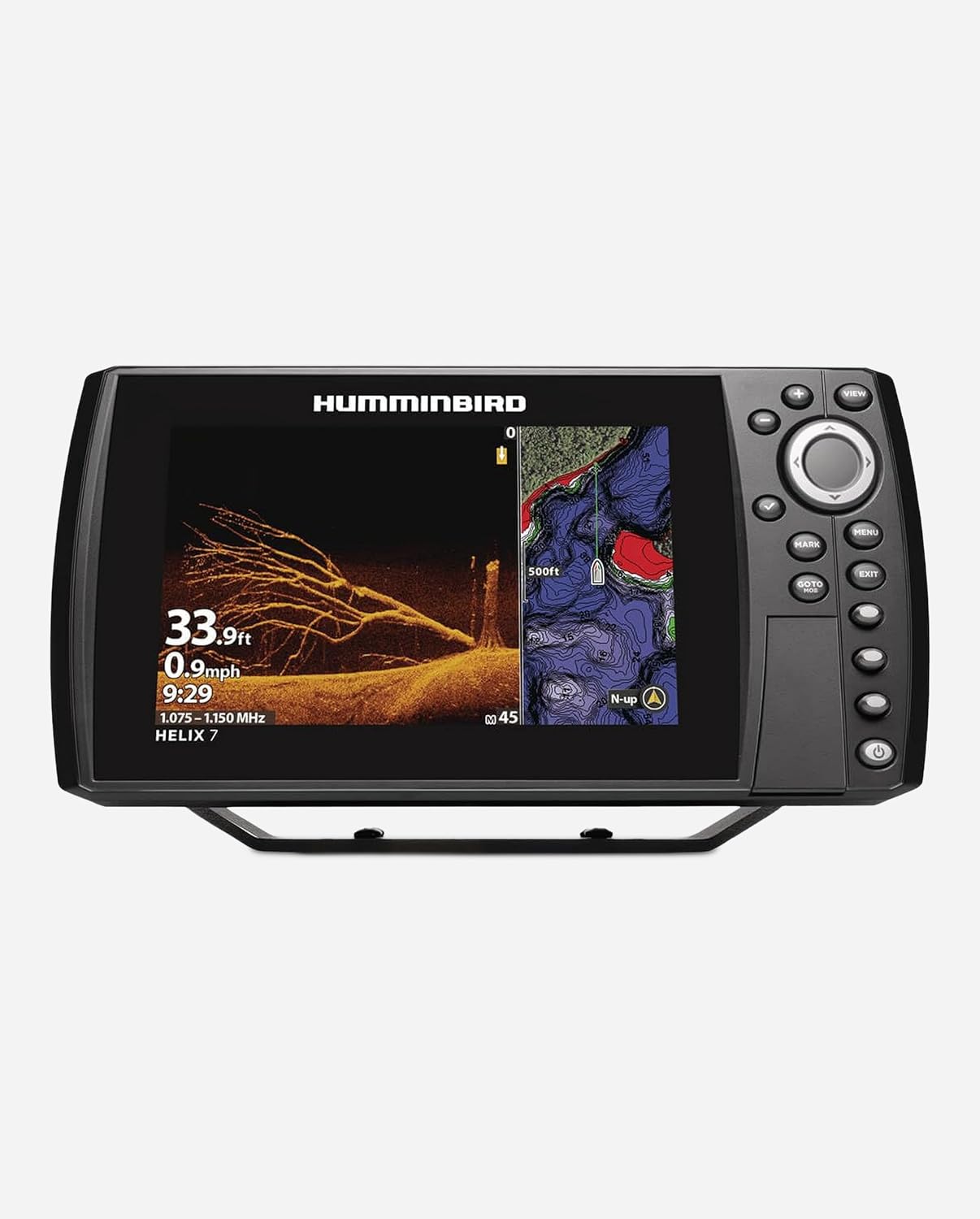
Humminbird Helix 7 G4N — Dual Spectrum CHIRP & MEGA Down Imaging
Step up to CHIRP sonar, MEGA Down Imaging, and full networking capability.
View on AmazonAutoChart Live
One of the most powerful features available on the G4N is AutoChart Live. This feature allows you to create your own detailed maps of uncharted waters in real time. As you drive your boat across a lake or river, the unit records depth data and bottom hardness information, building a custom map that you can use for future fishing trips.
This is particularly valuable for anglers who fish smaller bodies of water that are not well-covered by commercial chart products. Many farm ponds, private lakes, and lesser-known rivers have minimal cartographic coverage. With AutoChart Live, you can create detailed maps of these waters and gain an advantage over other anglers who are fishing blind.
The maps you create are stored on an SD card and can be viewed, edited, and shared just like commercial charts. You can even export them to share with fishing buddies or contribute to community mapping projects.
Enhanced Display Features
While the G4N shares the same physical display as the G4 — same 7-inch screen, same 800 by 480 resolution — the additional sonar and networking capabilities give you more ways to use that screen real estate. With CHIRP sonar, MEGA Down Imaging, and standard sonar all available simultaneously, you can configure split-screen layouts that provide an incredibly comprehensive view of the underwater world.
A popular configuration is a three-way split showing traditional sonar, MEGA Down Imaging, and the chart view all at once. This gives you a complete picture — where you are, what is below you, and what the bottom structure looks like — all on a single screen. It is the kind of setup that makes you feel like you have a serious tactical advantage on the water.
Humminbird Helix 7 G4 vs G4N — Head-to-Head Comparison
Now that we have examined each model individually, let us put them side by side and see how they stack up against each other. This comparison will help you understand exactly what you gain — and what you give up — by choosing one model over the other.
| Feature | Helix 7 G4 | Helix 7 G4N |
|---|---|---|
| Display Size | 7 inches | 7 inches |
| Resolution | 800 x 480 | 800 x 480 |
| Sonar Type | Standard Sonar | Dual Spectrum CHIRP |
| Down Imaging | No | MEGA Down Imaging (1.2 MHz) |
| Side Imaging | No | No (available on larger models) |
| Networking | No | Yes (Ethernet) |
| AutoChart Live | No | Yes |
| GPS | Built-in | Built-in |
| Waypoints | 2,500 | 2,500 |
| Chart Compatibility | LakeMaster, Navionics, UniMap | LakeMaster, Navionics, UniMap |
| Transducer Included | Yes | Yes |
| Waterproof Rating | IPX7 | IPX7 |
| Best For | Budget-conscious anglers, casual fishing | Serious anglers, tournament fishing |
What You Gain with the G4N
The jump from G4 to G4N gives you three major advantages: Dual Spectrum CHIRP sonar, MEGA Down Imaging, and networking capabilities. Each of these features provides a tangible benefit on the water.
CHIRP sonar gives you better fish identification and target separation. MEGA Down Imaging gives you near-photographic views of structure and cover. Networking lets you build a multi-unit system and integrate with other Humminbird-compatible devices. If any of these capabilities are important to your fishing, the G4N is worth the extra investment.
What You Save with the G4
The G4 is the more affordable option, and it still delivers solid performance. You get reliable sonar, accurate GPS, and the same excellent display and user interface as the G4N. For anglers who primarily fish shallow water, target easily-identified species, or do not need networking, the G4 is a perfectly capable choice that saves you money that could be spent on other tackle and gear.
The Price-to-Performance Equation
The price difference between the G4 and G4N is significant but not enormous. When you consider the additional capabilities you get — CHIRP sonar alone is worth the upgrade for many anglers — the G4N represents excellent value. However, if budget is your primary concern, the G4 will not leave you disappointed. It is a solid fish finder that does its job well.
Think of it this way: the G4 is like a reliable sedan that gets you where you need to go comfortably and efficiently. The G4N is like the same sedan with a more powerful engine, better suspension, and a premium sound system. Both will get you to the lake, but the G4N makes the journey a bit more enjoyable and gives you more tools to work with once you arrive.
Upgrade to the Helix 7 G4N
Get CHIRP sonar, MEGA Down Imaging, and networking — the complete package for serious anglers.
View on AmazonKey Features Deep Dive
Let us take a closer look at the features that define the Humminbird Helix experience. Understanding these features in detail will help you make the most of whichever model you choose.
Dual Spectrum CHIRP
Sweeps across a range of frequencies for superior target separation and fish identification. Available on G4N only.
MEGA Down Imaging
1.2 MHz sonar produces near-photographic images of bottom structure, cover, and fish. G4N exclusive.
Built-in GPS
Fast, accurate GPS receiver for waypoint marking, route creation, and navigation. Available on both models.
Customizable Pages
Configure single or multi-panel layouts to display the information most relevant to your fishing situation.
Chart Compatibility
Works with LakeMaster, Navionics, and UniMap charts for detailed mapping of your favorite waters.
AutoChart Live
Create custom maps of uncharted waters in real time. G4N only, requires SD card.
Ethernet Networking
Connect multiple units for data sharing and integration with Minn Kota trolling motors. G4N only.
Keypad Control
Intuitive keypad and rotary dial interface for easy navigation through menus and settings.
Sonar Sensitivity and Filtering
Both models offer adjustable sonar sensitivity, which controls how much detail the unit displays. Higher sensitivity shows more detail but can also introduce noise and clutter. Lower sensitivity provides a cleaner display but may miss subtle returns. Finding the right balance is one of the key skills in using a fish finder effectively.
The Helix units also include various filtering options that help you manage the display. Surface clutter removal reduces interference from waves and turbulence. Bottom lock keeps the bottom of the display anchored to a consistent depth range, making it easier to read structure and fish signals near the bottom. These filters are adjustable and can be fine-tuned to match your specific fishing conditions.
Alarms and Alerts
Both the G4 and G4N include configurable alarms for fish detection, shallow water, deep water, and water temperature. The fish alarm is particularly useful when you are trolling or sitting on a spot — it beeps when the unit detects a fish, so you do not have to stare at the screen constantly. The shallow water alarm is a safety feature that warns you when you are entering dangerously shallow areas.
Software Updates
Humminbird regularly releases firmware updates for the Helix series that add features, fix bugs, and improve performance. Updating the firmware is straightforward — you download the update to an SD card, insert it into the unit, and follow the on-screen prompts. Keeping your unit updated ensures you have access to the latest improvements and features.
You can check for updates through the FishSmart app or by visiting the Humminbird website. It is a good habit to check for updates at the beginning of each fishing season.
Understanding the Sonar Technology
To truly appreciate what the Helix series offers, it helps to understand the underlying sonar technology. Whether you are a tech-savvy angler or someone who just wants to catch more fish, a basic understanding of how sonar works will help you get better results from your fish finder.
How Traditional Sonar Works
Traditional sonar — also called 2D sonar or conventional sonar — works by sending a cone-shaped beam of sound waves straight down from the transducer mounted on your boat. These sound waves travel through the water, bounce off objects like fish, structure, and the bottom, and return to the transducer. The unit measures the time it takes for the sound to travel down and back, which tells it the depth of the object. It also measures the strength of the returning signal, which tells it something about the size and density of the object.
The result is the familiar fish finder display — a scrolling screen that shows the bottom contour, fish arches, structure, and other underwater features. Traditional sonar is the foundation of fish-finding technology, and it remains incredibly useful even with all the advanced options available today.
CHIRP Sonar — The Next Step
CHIRP sonar represents a significant advancement over traditional sonar. Instead of sending a single-frequency pulse, CHIRP sweeps across a range of frequencies — for example, from 150 kHz to 250 kHz. This sweep provides much more information than a single-frequency pulse, resulting in dramatically improved target separation and clarity.
Think of it like the difference between a flashlight and a spotlight. A traditional sonar pulse is like a flashlight — it illuminates what is in front of it, but the image is somewhat flat and lacks detail. A CHIRP pulse is like a spotlight with adjustable focus — it provides a much richer, more detailed image that reveals subtle features and distinctions.
The Dual Spectrum CHIRP on the G4N offers two modes. Wide mode covers a broader frequency range and is ideal for searching and covering water. Narrow mode focuses on a tighter range and provides even better detail for precise presentations. Experienced anglers often switch between modes depending on the situation — using wide mode while searching and narrow mode when they have found fish and want to study them closely.
Down Imaging — Seeing the Bottom
Down imaging takes a fundamentally different approach to sonar. Instead of sending a single cone-shaped beam, down imaging sends a thin, fan-shaped beam that sweeps side to side as the boat moves. The result is a picture-like image of the bottom and the objects on it, similar to what you might see from an underwater camera.
MEGA Down Imaging on the G4N operates at 1.2 MHz, which is significantly higher than standard down imaging frequencies. Higher frequency means shorter wavelength, which means more detail. The difference is immediately apparent — MEGA Down Imaging reveals textures, contours, and fine details that are simply invisible on standard sonar.
For anglers who fish around structure — brush piles, rock piles, standing timber, docks — down imaging is incredibly valuable. It helps you understand the exact layout and dimensions of the structure, which in turn helps you position your boat and present your bait more effectively. If you have ever pulled up to a brush pile and wondered exactly where the fish are holding within it, down imaging can give you the answer.
Understanding Sonar Frequencies: Lower frequencies (like 50 kHz) penetrate deeper but provide less detail. Higher frequencies (like 200 kHz and above) provide more detail but do not penetrate as deep. CHIRP technology bridges this gap by sweeping across multiple frequencies, giving you both depth and detail. MEGA frequencies (1.2 MHz) prioritize extreme detail at moderate depths.
Reading Sonar Returns
Learning to read your fish finder display is a skill that develops over time. Fish typically appear as arches on traditional sonar — the arch shape is created as the fish passes through the sonar cone. The size of the arch indicates the size of the fish, and the thickness indicates how close the fish was to the center of the beam.
With CHIRP sonar, fish arches are more defined and easier to read. Individual fish in a school are more clearly separated, making it easier to count fish and identify the largest individuals. Bait schools appear as dense clouds or clusters, and predator fish often show up as distinct marks near or within the bait.
Bottom composition is another important element to read. A hard bottom (rock, gravel, concrete) produces a thin, strong return that appears as a bright, narrow line. A soft bottom (mud, silt, sand) produces a wider, more diffuse return. Being able to distinguish between bottom types helps you identify fish-holding areas, as many species prefer specific bottom compositions.
For more detailed guidance on interpreting your fish finder display, check out our complete guide on how to read a fish finder.
Display and User Interface In-Depth
The display is your window into the underwater world, and the quality of that window matters. Let us take a closer look at what the Helix 7 display offers and how the user interface works in practice.
Screen Technology
Both the G4 and G4N use a 7-inch TFT color display with LED backlighting. TFT (Thin Film Transistor) technology provides good color reproduction, decent viewing angles, and reasonable performance in direct sunlight. The 800 by 480 pixel resolution works out to approximately 133 pixels per inch, which is adequate for the screen size — text is readable, icons are clear, and sonar returns are well-defined.
The display supports multiple color palettes for sonar views. You can choose from several options depending on your preference and the lighting conditions. Some anglers prefer high-contrast palettes for bright conditions, while others prefer more nuanced palettes that reveal subtle differences in signal strength.
Customizable Page Layouts
One of the Helix series’ strongest features is its flexible page layout system. You can create multiple custom pages, each with its own combination of views and layouts. Common configurations include:
- Full-screen sonar: Maximum detail for focused fish-finding work
- Split sonar/map: See both the underwater world and your position on the water
- Triple split: Traditional sonar, down imaging, and map all visible at once
- Full-screen map: For navigation and waypoint management
- Down imaging + sonar: Compare the two views side by side for maximum information
Switching between pages is as simple as pressing the PAGE button. You can have up to eight custom pages saved, which is more than enough for any fishing situation. The ability to quickly switch between views is invaluable when conditions change or when you move from searching mode to targeting mode.
Menu Navigation
The Helix interface is built around a combination of dedicated buttons and a rotary dial. The main menu is accessed by pressing the MENU button, and you navigate through options using the arrow keys and the rotary dial. The rotary dial is particularly well-implemented — it provides smooth, precise control that makes scrolling through long lists of options quick and easy.
Context-sensitive menus appear when you press MENU while in a specific view. For example, pressing MENU while viewing the sonar screen brings up sonar-specific options like sensitivity, chart speed, and color palette. This context-sensitive approach keeps the interface clean and ensures that the options you need are always just a button press away.
Keypad Design
The physical keypad is well-designed, with clearly labeled buttons that are easy to locate by feel. This is important because you will often be operating the unit while fishing — you do not want to take your eyes off the water to find a button. The buttons have a satisfying tactile click and are spaced far enough apart to prevent accidental presses.
The POWER button doubles as a brightness control — a quick press turns the unit on or off, while a longer press brings up the brightness slider. The PAGES button cycles through your saved page layouts. The MARK button creates a waypoint at your current location with a single press. These dedicated buttons for common functions make the unit efficient to use on the water.
Installation and Setup Guide
Getting your Helix fish finder installed and configured properly is essential for optimal performance. While the process is straightforward, there are some important considerations that can make the difference between a frustrating experience and a smooth one.
Choosing a Mounting Location
The first decision you need to make is where to mount the display unit. The most common locations are the console (for boats with a steering console), the bow (for bow-mount trolling motor setups), or a portable mount for smaller boats and kayaks. Consider the following factors when choosing a location:
- Visibility: You should be able to see the screen clearly from your normal fishing position without straining
- Accessibility: You should be able to reach the keypad comfortably while fishing
- Sun exposure: Minimize direct sunlight on the screen to reduce glare
- Cable routing: Ensure you can route the power cable and transducer cable cleanly to the unit
- Protection: The unit should be protected from direct wave impact and excessive spray
Transducer Placement
Transducer placement is arguably the most critical aspect of installation. The transducer needs a clear, unobstructed view of the water below and behind the boat. For transom-mounted transducers, the ideal position is on the starboard (right) side of the hull, near the centerline, where the water flow is smoothest.
The transducer should be mounted so that its face is parallel to the water surface when the boat is at rest. A common mistake is mounting the transducer too deep, which creates turbulence and air bubbles that interfere with the sonar signal. The bottom of the transducer should be even with or slightly below the bottom of the hull.
If your boat has a stepped hull, an inboard motor, or other features that create unusual water flow patterns, you may need to experiment with transducer placement to find the sweet spot. Humminbird provides detailed installation guides with their transducers, and there are many helpful videos and forum posts from other anglers who have solved similar installation challenges.
Wiring and Power
The Helix units run on 12-volt DC power, which is standard for marine electronics. The power cable should be connected directly to the boat’s battery or to a dedicated electronics bus bar. Avoid connecting the fish finder to a shared circuit with other high-draw devices like trolling motors or livewell pumps, as voltage fluctuations from these devices can cause the fish finder to malfunction or produce noisy sonar returns.
Use appropriately sized wire for the power run — 16-gauge wire is typically sufficient for runs under 15 feet, but longer runs may require 14-gauge or even 12-gauge wire to prevent voltage drop. Always include an inline fuse (typically 3-amp) close to the power source to protect the unit from electrical faults.
Initial Configuration
Once the unit is installed and powered on, there are a few configuration steps you should complete before hitting the water:
- Set your units: Choose feet or meters for depth, Fahrenheit or Celsius for temperature
- Set your sonar frequency: 200 kHz is the default and works well for most situations
- Adjust sensitivity: Start at the default setting and fine-tune once you are on the water
- Configure your pages: Set up your preferred page layouts for the type of fishing you do
- Load charts: If you have LakeMaster or Navionics charts on SD cards, insert them and verify they load correctly
- Update firmware: Check for and install any available firmware updates
Taking the time to configure your unit properly before your first fishing trip will save you from fumbling with menus on the water and ensure you get the best possible performance from day one.
Ready to Upgrade Your Fish Finder?
The Humminbird Helix 7 G4 comes with everything you need to get started — display, transducer, and mounting hardware.
View on AmazonReal-World Performance on the Water
Specs and features are important, but what really matters is how these fish finders perform when you are actually out fishing. Let us talk about what you can expect from the Helix 7 models in real-world conditions.
Freshwater Performance
In freshwater environments — lakes, rivers, reservoirs, and ponds — both Helix 7 models perform admirably. The standard sonar on the G4 provides reliable fish detection and accurate depth readings in typical freshwater conditions. You will see fish arches, identify bottom structure, and navigate with confidence.
The G4N takes freshwater performance to another level with CHIRP sonar and MEGA Down Imaging. In a typical bass fishing scenario, CHIRP sonar helps you identify individual fish holding on a brush pile, while MEGA Down Imaging shows you the exact layout of the brush pile itself. This combination of information is incredibly powerful for making tactical decisions about how to approach a piece of structure.
Walleye anglers will appreciate the CHIRP sonar’s ability to separate fish from the bottom. Walleye are notorious for hugging the bottom, and on standard sonar they can be difficult to distinguish from the bottom return itself. CHIRP’s superior target separation makes these bottom-hugging fish much easier to identify.
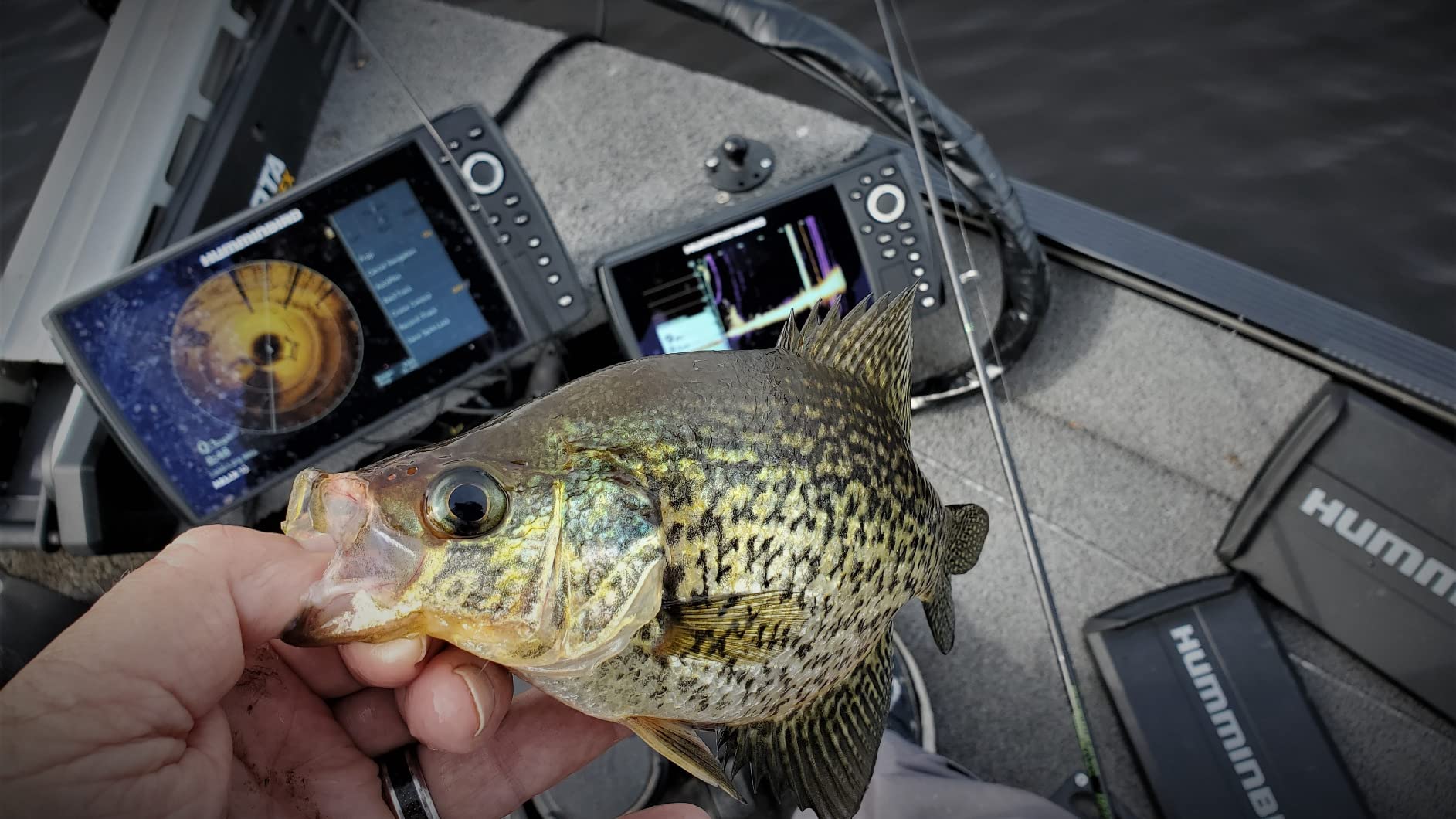
Crappie anglers will find the G4N’s MEGA Down Imaging particularly valuable for fishing brush piles and standing timber. Crappie tend to orient to specific parts of structure — often suspending at a particular depth within a brush pile rather than sitting right on the bottom. MEGA Down Imaging reveals exactly where within the structure the fish are holding, allowing you to target them with precision.
Saltwater Performance
While the Helix 7 models are primarily marketed toward freshwater anglers, they are fully capable of handling saltwater environments. The sonar technology works the same in salt water as it does in fresh water, and the GPS and chart functions are equally useful for coastal navigation and fishing.
Inshore saltwater anglers — those targeting redfish, speckled trout, flounder, and snook in bays, estuaries, and coastal flats — will find the Helix 7 to be a capable companion. The GPS is particularly valuable for navigating complex coastal waterways and marking productive fishing spots that may not be obvious from the surface.
Offshore anglers may find the 7-inch screen a bit small for blue-water applications, where larger displays are preferred for reading the bottom in deep water and managing multiple sonar views simultaneously. For offshore use, stepping up to a Helix 9 or Helix 10 might be worth considering.
Performance in Challenging Conditions
No fish finder performs perfectly in all conditions, and the Helix 7 is no exception. Here is what you can expect in some common challenging scenarios:
Deep water: Standard sonar on the G4 works well to depths of several hundred feet, which covers the vast majority of freshwater fishing situations. CHIRP sonar on the G4N provides even better deep-water performance, with improved target separation at depth. MEGA Down Imaging is most effective at moderate depths — typically under 100 feet — because the high-frequency signal attenuates more quickly in deeper water.
High speed: Both units provide useful sonar readings at trolling speeds (2-8 mph). At higher speeds, the sonar signal becomes less reliable due to turbulence and air bubbles around the transducer. This is normal for all transom-mounted sonar systems, not just Humminbird.
Weedy areas: Heavy vegetation can create cluttered sonar returns that make it difficult to identify fish. The adjustable sensitivity and filtering options on both units help manage this, but some manual tuning is usually required. Reducing sensitivity and enabling surface clutter removal can help clean up the display in weedy conditions.
Muddy water: Sonar works perfectly well in muddy water because it uses sound waves, not light. In fact, fish finders are most valuable in low-visibility conditions where you cannot see the bottom. Both Helix 7 models provide clear readings regardless of water clarity.
Battery Life and Power Consumption
The Helix 7 units are relatively efficient in terms of power consumption. At typical brightness settings, they draw around 1 to 1.5 amps, which means a fully charged 12-volt marine battery can power the unit for an entire day of fishing — and then some. If you are running multiple electronics (trolling motor, livewell, lights, etc.), make sure your battery system has sufficient capacity to handle the combined load.
A useful tip is to reduce the display brightness to the minimum level that is still comfortable to read. This significantly reduces power consumption and extends your battery life. Many anglers carry a spare battery or have a charging system on their boat to ensure they never run out of power during a fishing trip.
Performance Across Different Boat Types
The type of boat you fish from can have a significant impact on how well your fish finder performs. Let us look at how the Helix 7 models work with different boat types.
Bass boats: This is the bread and butter for the Helix 7. Most bass boats have a console-mounted fish finder position that is ideal for the Helix 7’s screen size and keypad interface. The transom-mounted transducer works well with the flat or semi-V hull designs common on bass boats. If you have a bow-mount trolling motor, adding a second Helix 7 at the bow creates an incredibly effective two-screen setup, especially with the G4N’s networking capabilities.
Jon boats and utility boats: The Helix 7 is a popular upgrade for jon boat anglers who are stepping up from basic flashers or older fish finders. The compact form factor fits well on the simple consoles found on most jon boats. The G4 is particularly popular in this segment due to its lower price point and straightforward installation. A single Helix 7 on a jon boat provides a level of fish-finding capability that was unthinkable at this price point just a few years ago.
Pontoon boats: Pontoon boats present some unique challenges for fish finder installation. The flat deck and high sides can create unusual water flow patterns that affect transducer performance. Many pontoon anglers use a trolling motor-mounted transducer or a shoot-through hull transducer to avoid the turbulence issues associated with transom mounting on a pontoon. The Helix 7’s screen size is well-suited for pontoon fishing, where you are typically sitting higher above the water and need a display that is readable from a greater distance.
Kayaks: Kayak fishing has exploded in popularity, and the Helix 7 has become a go-to choice for kayak anglers who want serious fish-finding capability in a compact package. The key considerations for kayak installation are power supply (a small 12V battery or lithium power pack), mounting (RAM mounts, track mounts, or kayak-specific brackets), and transducer placement (many kayak anglers use a scupper-mount transducer or a trolling motor mount). The G4 is the more popular choice for kayak fishing due to its lower power consumption and simpler setup.
Ice fishing shelters: While the Helix 7 is not specifically designed for ice fishing, many ice anglers use it as a portable unit during the hard-water season. You will need a portable carrying case, a 12V battery, and an ice fishing transducer (sold separately). The 7-inch screen is large enough to read easily in a shelter, and the GPS is invaluable for marking productive ice fishing spots that you can return to year after year.
Seasonal Performance Considerations
Fish behavior changes with the seasons, and understanding how your fish finder performs in different seasonal conditions can help you use it more effectively throughout the year.
Spring: As water temperatures rise and fish move from deep winter haunts to shallow spawning areas, your fish finder helps you track this migration. In early spring, look for fish transitioning along creek channels and points — the sonar will show them moving from deep to shallow as the water warms. CHIRP sonar on the G4N is particularly valuable during this transition because it helps you identify scattered, moving fish that might be invisible on standard sonar. MEGA Down Imaging reveals the spawning beds and shallow structure that attract fish during the pre-spawn and spawn periods.
Summer: Summer is when fish finders earn their keep. Fish often relate to specific structure and cover at precise depths, and finding them without electronics is like searching for a needle in a haystack. During the summer months, fish frequently suspend in the water column — they might be holding at 15 feet over a 30-foot bottom, or relating to the thermocline where warm and cool water meet. CHIRP sonar excels at identifying these suspended fish, and the depth finder function helps you locate the thermocline, which often concentrates baitfish and predators alike.
Fall: Fall is a transitional period when fish begin moving from summer patterns toward their winter haunts. This is often a time of aggressive feeding, and your fish finder helps you locate the baitfish schools that attract predators. Look for bait concentrations on sonar — they appear as dense clouds or clusters — and position your boat near them. The predators will not be far behind. Down imaging is particularly useful in fall for identifying the specific pieces of structure where fish are staging during their seasonal migration.
Winter: In regions where open-water fishing continues through winter, fish typically move to deeper water and become less active. Your fish finder’s ability to detect subtle returns becomes critical. Reduce your sonar sensitivity slightly to cut through the cold-water clutter, and pay close attention to the bottom few feet of the water column where winter fish tend to huddle. If you ice fish, the Helix 7 makes an excellent portable unit — just be sure to use an appropriate ice fishing transducer for the best performance through ice holes.
Species-Specific Fishing Guide with the Helix 7
Different fish species behave differently, and understanding how to use your Helix 7 to target specific species can dramatically improve your catch rate. Let us look at how to use the Helix 7’s features to find and catch some of the most popular freshwater species.
Bass Fishing with the Helix 7
Bass are the most popular freshwater game fish in North America, and the Helix 7 is an excellent tool for finding them. Bass relate strongly to structure and cover — they use rocks, wood, vegetation, and man-made objects as ambush points and shelter. Your fish finder helps you identify these features and determine whether bass are using them.
When searching for bass, start by using your sonar to identify the bottom contour. Look for points, humps, creek channels, and drop-offs — these are the highways that bass use to move between deep and shallow water. Mark any promising structure with a waypoint so you can return to it later. If you have the G4N, switch to MEGA Down Imaging when you find a piece of structure to get a detailed picture of what it looks like. A brush pile with open spaces is more likely to hold bass than a dense, compact pile, because bass need room to ambush prey.
During the spawn, look for bass on shallow flats with hard bottom — gravel, clay, or sand. MEGA Down Imaging can actually reveal the circular depressions that bass create on their spawning beds, known as “redds.” These are typically 18 to 36 inches in diameter and appear as lighter-colored circles on the darker surrounding bottom. Finding redds is a sure sign that bass are spawning in the area.
For tournament anglers, the Helix 7 G4N’s networking capability allows you to share waypoints and sonar data between the console and bow units. This means your co-angler partner can see the same information you are seeing, and you can mark fish from the bow while your partner monitors the map and sonar from the console. This kind of teamwork can be a significant competitive advantage.
Walleye Fishing with the Helix 7
Walleye are notorious for being difficult to see on sonar because they tend to hug the bottom. On standard sonar, a walleye sitting on or near the bottom can blend in with the bottom return, making it nearly invisible. This is where CHIRP sonar on the G4N becomes invaluable. The superior target separation of CHIRP allows you to distinguish between the bottom and a fish that is sitting just above it.
When targeting walleye, pay close attention to the bottom few feet of the water column. Walleye often position themselves just off the bottom, waiting to ambush prey that swims overhead. On CHIRP sonar, these fish appear as distinct marks separated from the bottom by a small gap. On standard sonar, they might appear as a slight thickening of the bottom return — easy to miss if you are not paying close attention.
Rocky points, humps, and reefs are classic walleye structure. Use your GPS to mark these spots and return to them at different times of day. Walleye are most active during low-light conditions — dawn, dusk, and nighttime — so the spots that look empty during the middle of the day might come alive during these prime feeding periods.
Trolling is a popular walleye technique, and the Helix 7 excels as a trolling tool. Set up a split-screen view with sonar on one side and the map on the other. This allows you to see what is below the boat while also tracking your trolling path relative to structure and waypoints. If you mark a school of fish at a specific depth, you can adjust your trolling pattern to stay in the strike zone.
Crappie Fishing with the Helix 7
Crappie are structure-oriented fish that form tight schools around brush piles, standing timber, docks, and other cover. Finding these schools is the key to consistent crappie fishing, and the Helix 7 is an excellent tool for the job.
Crappie schools appear on sonar as dense clusters of marks, often suspended at a specific depth within or above structure. On standard sonar, a crappie school might look like a blob of color. With CHIRP sonar on the G4N, you can often see individual fish within the school, which helps you determine the size of the school and the size of the individual fish.
MEGA Down Imaging is particularly valuable for crappie fishing because it reveals the exact layout of the structure where crappie are holding. A submerged brush pile might look like a simple mound on standard sonar, but MEGA Down Imaging shows you the individual branches, the gaps between them, and the exact position of fish within the structure. This information helps you drop your jig or minnow directly into the strike zone rather than guessing where the fish are.
One of the most effective crappie fishing techniques is “spider rigging” — trolling multiple rods with jigs or minnows at various depths. The Helix 7’s sonar helps you determine the exact depth at which crappie are suspended, so you can set your rods accordingly. If you mark fish at 12 feet over a 20-foot bottom, set your rods to present baits at 10, 12, and 14 feet to cover the zone.
Catfish Fishing with the Helix 7
Catfish are often thought of as bottom-feeders that do not require electronics to catch. While it is true that catfish can be caught without a fish finder, using one dramatically increases your efficiency and catch rate. Catfish relate to specific bottom features — channel edges, humps, holes, and areas with hard bottom adjacent to soft bottom.
Use your sonar to identify these bottom transitions. A sudden change from a thin, bright bottom return (hard bottom) to a wider, softer return (soft bottom) indicates a transition zone that catfish love. Mark these transitions with waypoints and fish them thoroughly. The GPS is also invaluable for anchoring precisely on a productive spot — catfish are creatures of habit, and the same spots tend to produce year after year.
For flathead catfish, which prefer live bait and relate strongly to cover, MEGA Down Imaging on the G4N helps you identify the specific pieces of cover — fallen trees, rock ledges, log jams — where flatheads are likely to be hiding. You can see the exact layout of the cover and position your boat to present a live bait right in front of a waiting flathead’s lair.
Trout Fishing with the Helix 7
Trout fishing in lakes and reservoirs is another situation where the Helix 7 shines. Trout are pelagic fish that often suspend in open water, relating to baitfish schools and temperature boundaries rather than bottom structure. Finding suspended trout without electronics is extremely difficult — you could spend hours trolling aimlessly without ever locating the fish.
Use your sonar to search for baitfish schools, which appear as dense clouds or scattered marks in the water column. Trout will be nearby, often just below or adjacent to the bait. CHIRP sonar on the G4N is excellent for this application because it provides clear returns even in deep water, helping you identify individual trout among the bait.
The thermocline is another important factor for trout fishing. Trout prefer cool, well-oxygenated water, and they often concentrate at or just above the thermocline during the warmer months. Your fish finder’s sonar can help you identify the thermocline — it appears as a faint, horizontal band of clutter or color change on the display. Once you know the depth of the thermocline, you can target your presentations to that depth range.
Panfish Fishing with the Helix 7
Bluegill, sunfish, perch, and other panfish are popular targets for anglers of all ages and experience levels. While panfish are often caught in shallow water where a fish finder is not strictly necessary, the Helix 7 can help you locate the biggest fish in a school and identify structure that holds trophy-class panfish.
In deeper water, panfish schools appear on sonar as clusters of marks, often near the bottom or suspended around structure. The key to targeting the largest panfish is to look for scattered, individual marks near the school — the biggest fish tend to position themselves slightly away from the main school, either above or to the side. CHIRP sonar helps you identify these outliers, which are often the fish you want to catch.
Perch anglers in particular will appreciate the Helix 7’s ability to identify bottom composition. Perch prefer hard bottom — gravel, rock, or clay — and your sonar can help you distinguish between these bottom types based on the strength and width of the bottom return. A thin, bright return indicates hard bottom, while a wider, softer return indicates mud or silt. Finding the hard-bottom areas within a lake helps you narrow down the search for trophy perch.
Target Any Species with the Helix 7 G4N
CHIRP sonar and MEGA Down Imaging give you the edge for bass, walleye, crappie, catfish, and more.
View on AmazonMaintenance, Care, and Troubleshooting
A fish finder is an investment, and like any investment, it pays to take care of it properly. With reasonable maintenance, your Humminbird Helix 7 will provide years of reliable service. Here is everything you need to know about keeping your unit in top condition.
Routine Cleaning
After each fishing trip, give your fish finder a quick wipe-down with a soft, damp cloth. This removes salt spray, fish slime, sunscreen residue, and other grime that can accumulate on the screen and housing. Avoid harsh chemicals or abrasive cleaners — plain water or a mild soap solution is all you need.
Pay special attention to the transducer. Marine growth, algae, and debris on the transducer face can significantly degrade sonar performance. Clean the transducer with a soft cloth and mild soap. If you fish in saltwater, rinse the transducer with fresh water after each trip to prevent salt crystal buildup and corrosion.
The keypad buttons can accumulate dirt and grime over time, especially if you fish in muddy or dusty conditions. Use a soft brush (an old toothbrush works well) to clean around the buttons. Avoid spraying water directly into the keypad area, as this could potentially force moisture past the seals.
Seasonal Maintenance
At the beginning of each fishing season, perform a more thorough inspection and maintenance routine:
- Check all connections: Inspect the power cable, transducer cable, and any network cables for signs of wear, corrosion, or damage. Clean corroded terminals with a wire brush or electrical contact cleaner.
- Inspect the transducer mount: Make sure the transducer mounting bracket is tight and the transducer is properly aligned. Vibration from trailering and fishing can loosen mounting hardware over time.
- Test the unit: Power on the unit and verify that all functions are working correctly — sonar, GPS, display, keypad, and any connected accessories.
- Update firmware: Check for and install any available firmware updates. Humminbird typically releases updates at the beginning of the fishing season.
- Check the SD card: If you use SD cards for charts or AutoChart data, make sure they are functioning properly and have sufficient free space.
- Inspect the power cable fuse: Replace the inline fuse if it shows any signs of corrosion or wear, even if it has not blown.
Off-Season Storage
If you store your boat during the off-season, take steps to protect your fish finder during storage:
- Remove the display unit from the gimbal mount and store it in a dry, temperature-controlled environment. Extreme cold can damage the display, and extreme heat can degrade the housing and seals.
- If you cannot remove the unit, cover it with a protective cover or a clean towel to shield it from dust and UV exposure.
- Disconnect the power cable from the battery to prevent parasitic drain and potential electrical damage from voltage spikes.
- Remove any SD cards and store them separately in a protective case.
- If you store your boat outdoors, consider removing the transducer as well, as prolonged exposure to the elements can degrade the transducer housing and cable.
Common Troubleshooting Issues
Even well-maintained fish finders can occasionally experience issues. Here are some common problems and their solutions:
No sonar readings: If the unit powers on but shows no sonar readings, check the transducer connection first. A loose or corroded transducer cable is the most common cause of sonar problems. Also verify that the transducer is submerged — if you are testing on a trailer or in shallow water, the transducer needs to be in the water to function.
Interference or noise on the display: Electrical interference from other devices (trolling motor, livewell pump, bilge pump) can cause noise on the sonar display. Try turning off other devices one at a time to identify the source. If the interference is from your trolling motor, installing a ferrite choke on the fish finder’s power cable can help reduce the noise.
GPS not locking: If the GPS receiver is having trouble acquiring satellites, make sure the unit has a clear view of the sky. Heavy tree cover, metal structures, and enclosed cabins can block GPS signals. Give the unit a few minutes to acquire satellites — the first lock of the day can take longer than subsequent locks.
Display is dim or unreadable: If the display seems dimmer than usual, check the brightness setting first. If the brightness is already at maximum, the backlight may be failing, which would require service from Humminbird. Also check for condensation inside the display — if moisture has gotten past the seals, it can fog the display from the inside.
Unit keeps restarting: Random restarts are usually caused by power supply issues. Check the power cable connections, verify the fuse is intact, and measure the voltage at the unit’s power input. The Helix 7 requires a stable 12V supply — voltage below about 10.5V can cause instability. If the voltage is low, check your battery and charging system.
When to Seek Professional Service
Some problems are beyond what you can fix in the field or at home. If your unit has a cracked display, water intrusion inside the housing, persistent software errors, or physical damage to the connectors, it is time to contact Humminbird’s customer service for repair or replacement. Humminbird offers a limited warranty on their products, and their customer service is generally well-regarded in the fishing community.
Before sending a unit for service, try a factory reset. This clears any corrupted settings or software glitches and restores the unit to its original configuration. You will lose your saved waypoints and settings, so back up any important data to an SD card before performing a reset.
Humminbird Helix 7 G4 — Built to Last
Durable construction and reliable performance season after season.
View on AmazonAccessories and Compatible Gear
One of the strengths of the Humminbird Helix ecosystem is the wide range of accessories and compatible gear available. Whether you want to expand your fish finder’s capabilities, protect your investment, or integrate it with other equipment on your boat, there is an accessory for that.
Chart Cards and Mapping
Upgrading from the built-in UniMap to a premium chart card is one of the most impactful upgrades you can make. Here are the main options:
- Humminbird LakeMaster: The go-to chart for freshwater anglers in North America. LakeMaster charts provide detailed contour lines at one-foot intervals for thousands of lakes, along with bottom hardness information, vegetation data, and depth-highlight features that make it easy to identify fish-holding structure. Regional editions cover specific areas of the country, so you can get the most detailed coverage for the waters you fish most often.
- Navionics+: A comprehensive chart option that covers both freshwater and saltwater worldwide. Navionics charts include sonar-based depth data contributed by a community of anglers, along with traditional cartographic information. The Navionics+ card also allows you to create your own sonar charts using the SonarChart Live feature.
- Humminbird CoastMaster: Designed for saltwater anglers, CoastMaster charts provide detailed coverage of coastal waters, including depth contours, navigation aids, tide data, and coastal features. If you fish inshore or nearshore saltwater, CoastMaster is worth considering.
Transducer Upgrades
While the included transducer is perfectly capable for most situations, there are scenarios where an upgraded transducer can improve performance:
- Trolling motor transducer: If you use a bow-mount trolling motor, a dedicated trolling motor transducer provides sonar coverage from the front of the boat. This is particularly useful when you are working a piece of structure with the trolling motor and want to see what is directly below the bow.
- Ice fishing transducer: A purpose-built ice fishing transducer is designed to shoot through a hole in the ice and provides optimal performance in the unique conditions of ice fishing. If you plan to use your Helix 7 for ice fishing, this is a worthwhile investment.
- Thru-hull transducer: For boats with inboard engines or stepped hulls where transom mounting is problematic, a thru-hull transducer mounts inside the hull and shoots through the fiberglass. This eliminates the external mounting hardware and provides clean water flow over the transducer face.
Mounting Options
The right mount can make a big difference in how usable your fish finder is on the water. Here are some popular mounting options:
- Gimbal mount (included): The standard gimbal mount that comes with the Helix 7 is functional and adjustable. It allows you to tilt and swivel the display for optimal viewing angles.
- RAM mount: RAM mounts offer a versatile, ball-and-socket mounting system that provides nearly infinite adjustability. They are popular among kayak anglers and anyone who needs to quickly reposition the display.
- Flush mount: For a clean, professional installation, a flush mount recesses the display into the console or dash. This provides a sleek look and protects the unit from impact, but requires cutting a hole in your console.
- Portable mount: If you fish from multiple boats or want to use your Helix 7 for ice fishing, a portable mount with a carrying case and battery holder is a convenient option.
Protective Accessories
Protecting your fish finder from damage extends its lifespan and maintains its resale value:
- Sun cover: A fitted sun cover protects the display from UV damage when the boat is not in use. UV exposure can degrade the display over time, causing fading and reduced brightness.
- Screen protector: A screen protector guards against scratches and reduces glare. Matte-finish screen protectors are particularly effective at reducing glare in bright conditions.
- Carrying case: A padded carrying case is essential if you transport your fish finder between boats or use it for ice fishing. It protects the unit from impact damage during transport.
- Dust cover: A simple dust cover keeps the unit clean during storage and transport. It is a small investment that prevents dust, dirt, and debris from accumulating on the screen and in the keypad.
Networking Accessories
For G4N owners who want to take advantage of the networking capabilities, several accessories are available:
- Ethernet cable: A standard Ethernet cable connects two or more G4N units for data sharing. Use marine-grade cable for best durability in the marine environment.
- AS EC QDE Ethernet adapter: This adapter allows you to connect the Helix 7 G4N to other Humminbird networking devices using the appropriate cable configuration.
- SD card for AutoChart: A high-quality SD card (32GB or larger recommended) is required for storing AutoChart Live data. Use a Class 10 or UHS-1 card for best performance.
Power Accessories
Reliable power is essential for consistent fish finder performance:
- Marine battery: A dedicated 12V marine battery for your electronics ensures clean, stable power. Group 24 or Group 27 deep-cycle batteries are popular choices.
- Battery box: A battery box with built-in terminals and a circuit breaker provides safe, organized battery storage and connection.
- Lithium power pack: For kayak anglers and ice fishermen, a compact lithium power pack provides lightweight, long-lasting power in a portable package.
- Fuse holder and fuse: Always use an inline fuse close to the power source. A 3-amp fuse is typically recommended for the Helix 7.
Build Your Complete Helix Setup
Start with the Helix 7 G4N and expand with charts, networking, and accessories.
View on AmazonHumminbird’s Technology Ecosystem
One of the most compelling reasons to choose Humminbird over competing brands is the strength and depth of their technology ecosystem. The Helix 7 does not exist in isolation — it is part of a broader network of Humminbird products and services that work together to enhance your fishing experience.
The OneBoat Network
Humminbird’s OneBoat Network is their vision of a fully connected boat where all your electronics work together seamlessly. At its core, the OneBoat Network allows compatible Humminbird fish finders, Minn Kota trolling motors, and Cannon downriggers to share data and coordinate their operations.
For Helix 7 G4N owners, the OneBoat Network opens up some powerful capabilities. When connected to a Minn Kota trolling motor with i-Pilot Link, your fish finder can control the trolling motor’s navigation. You can set a course to a waypoint, follow a depth contour, or hold your position over a productive spot — all from the fish finder’s interface. This level of integration transforms your fish finder from a passive display into an active fishing tool.
The network also allows data sharing between multiple fish finders. If you have a Helix 7 at the console and another at the bow, both units can share sonar data, waypoints, and chart information. This means you can mark a waypoint on one unit and it automatically appears on the other. You can also view sonar data from one transducer on either display, which is useful for comparing the view from different positions on the boat.
FishSmart App
The Humminbird FishSmart app is a free mobile application that extends the Helix 7’s capabilities to your smartphone or tablet. The app provides several useful features:
- Firmware updates: Download and install firmware updates directly from the app, ensuring your unit is always running the latest software.
- Chart management: Purchase, download, and manage chart cards for your Helix 7. You can preview chart coverage areas before purchasing and transfer charts to SD cards for use in your unit.
- Trip planning: Plan fishing trips from your phone by studying charts, marking waypoints, and creating routes. Transfer your plans to the Helix 7 via SD card when you get to the boat.
- Weather data: Access weather forecasts and conditions for your fishing area, helping you plan your trips around the best conditions.
LakeMaster and Navionics Integration
Humminbird’s partnerships with LakeMaster and Navionics provide access to some of the most detailed and comprehensive mapping data available. LakeMaster charts are specifically designed for Humminbird units and take full advantage of the Helix 7’s display capabilities. Features like depth highlight, shallow water highlight, and bottom hardness shading make it easy to identify fish-holding structure at a glance.
Navionics charts offer worldwide coverage and are constantly updated with new data contributed by a community of anglers. The SonarChart feature allows you to contribute your own sonar data to improve chart accuracy, and you can benefit from the data contributed by other anglers in your area.
Both chart options are available on SD cards that plug directly into the Helix 7’s card slot. You can have multiple chart cards and switch between them as needed — for example, using LakeMaster for your home lake and Navionics when you travel to unfamiliar waters.
Software and Firmware Updates
Humminbird has a strong track record of supporting their products with regular firmware updates. These updates can add new features, improve existing functionality, fix bugs, and enhance performance. Some notable firmware updates for the Helix series have included improved sonar algorithms, new page layout options, enhanced waypoint management, and compatibility with new accessories and chart products.
The update process is straightforward and takes only a few minutes. Download the update file from the Humminbird website to an SD card, insert the card into the unit, and follow the on-screen prompts. The unit will restart automatically when the update is complete. It is a good practice to check for updates at the beginning of each fishing season and periodically throughout the year.
Community and Support
Humminbird has a large and active community of anglers who share tips, techniques, and troubleshooting advice. Online forums, social media groups, and YouTube channels dedicated to Humminbird products are excellent resources for learning how to get the most out of your Helix 7. Humminbird’s own customer service is responsive and knowledgeable, and they offer phone, email, and online chat support for technical issues.
The company also sponsors fishing tournaments and partners with professional anglers who provide real-world feedback on product performance and feature requests. This close relationship between the manufacturer and the fishing community helps ensure that Humminbird products continue to evolve in ways that matter to anglers.
Understanding Fish Finder Specifications and Terminology
If you have ever looked at a fish finder spec sheet and felt overwhelmed by the technical jargon, you are not alone. Manufacturers use a lot of technical terms that can be confusing for anglers who are not electronics experts. Let us break down the most important specifications and explain what they actually mean for your fishing.
Frequency (kHz)
Sonar frequency is measured in kilohertz (kHz) and refers to the number of sound wave cycles per second. Higher frequencies provide more detail but do not penetrate as deep. Lower frequencies penetrate deeper but provide less detail. The most common frequencies used in recreational fish finders are:
- 50 kHz: Low frequency, deep penetration. Used primarily for deep-water applications (200+ feet). Provides less detail but covers more depth.
- 83 kHz: Medium-low frequency with a wide cone angle. Good for shallow to moderate depths with broad coverage.
- 200 kHz: The standard frequency for most freshwater fishing. Provides good detail at depths up to about 200 feet. This is the default frequency on the Helix 7 G4.
- 455 kHz: High frequency used for down imaging and side imaging. Provides excellent detail at moderate depths.
- 800 kHz: Very high frequency for detailed imaging. Excellent for shallow to moderate depth structure identification.
- 1.2 MHz (MEGA): Ultra-high frequency used by Humminbird’s MEGA Down Imaging. Provides the finest detail available in recreational fish finders, but with limited depth range.
Understanding these frequencies helps you choose the right settings for your fishing conditions. In shallow water, higher frequencies give you more detail. In deep water, lower frequencies are necessary to reach the bottom. CHIRP sonar sweeps across a range of frequencies, giving you the best of both worlds.
Cone Angle
The cone angle describes how wide the sonar beam spreads as it travels through the water. A narrow cone (like 20 degrees) provides a focused, detailed view of a small area directly below the transducer. A wide cone (like 60 degrees) covers a larger area but with less detail at the edges.
Most transducers used with the Helix 7 have a cone angle between 20 and 60 degrees at 200 kHz. The actual coverage area on the bottom depends on both the cone angle and the depth — at 10 feet of depth, a 20-degree cone covers a circle about 3.5 feet in diameter, while a 60-degree cone covers a circle about 11.5 feet in diameter. At 50 feet of depth, those numbers increase to about 17.5 feet and 57.5 feet respectively.
Understanding cone coverage helps you interpret what you see on the screen. A fish that appears at the edge of the display is actually several feet away from directly below your boat. This is important when you are trying to position your boat over a specific piece of structure or a school of fish.
Target Separation
Target separation is the minimum distance between two objects that the sonar can distinguish as separate targets. If two fish are closer together than the unit’s target separation capability, they will appear as a single mark on the display. Better target separation means you can see individual fish in a school and distinguish between fish and structure.
Standard sonar typically has a target separation of about 6 to 8 inches. CHIRP sonar improves this dramatically — the Dual Spectrum CHIRP on the Helix 7 G4N can achieve target separation of approximately 2.5 inches. This is a significant improvement that makes a real difference when you are trying to count fish in a school or identify a single fish holding near structure.
Ping Rate
The ping rate (also called update rate or pulse repetition rate) is the number of sonar pulses the transducer sends per second. A higher ping rate provides a faster screen update and more detailed returns, especially at higher boat speeds. The Helix 7 models have an automatic ping rate that adjusts based on depth — shallower water allows for a faster ping rate because the sound waves have less distance to travel.
Screen Resolution and Pixel Density
Screen resolution is measured in pixels — the Helix 7’s 800 by 480 resolution means the display has 800 horizontal pixels and 480 vertical pixels. Pixel density, measured in pixels per inch (PPI), determines how sharp and detailed the display appears. The Helix 7’s 7-inch display with 800 by 480 resolution works out to approximately 133 PPI.
While higher resolution displays are available on more expensive units, 133 PPI is perfectly adequate for a fish finder display. Text is readable, fish arches are well-defined, and the display provides a clear picture of the underwater world. The most important factor for display quality is not raw resolution but rather contrast, brightness, and color reproduction — areas where the Helix 7 performs well.
IPX Waterproof Ratings
Fish finders are rated for water resistance using the IPX (Ingress Protection) scale. The Helix 7 carries an IPX7 rating, which means:
- IPX7: Protected against temporary immersion in water. The device can withstand being submerged in up to one meter of water for 30 minutes. This rating covers rain, spray, splashes, and accidental drops into water.
It is important to understand that IPX7 does not mean the device is designed for permanent submersion. It is a survival rating, not an operating rating. The Helix 7 should not be used underwater, and you should avoid directing high-pressure water streams (like a pressure washer) at the unit.
Power Consumption and Efficiency
Power consumption is measured in watts or amps and indicates how much electrical power the unit draws during operation. The Helix 7 typically draws between 12 and 18 watts (approximately 1 to 1.5 amps at 12 volts), depending on the display brightness and which features are active.
For most boat installations, power consumption is not a significant concern because the boat’s battery and charging system can easily handle the load. However, for kayak anglers, ice fishermen, and others who rely on portable battery packs, power consumption is an important consideration. A 10 amp-hour lithium battery pack can power the Helix 7 for approximately 6 to 8 hours of continuous use, which is enough for a full day of fishing.
GPS Accuracy and Acquisition Time
GPS accuracy refers to how precisely the unit can determine your location. The Helix 7’s GPS receiver typically provides accuracy within a few meters under open sky conditions. This is more than sufficient for fishing applications — you do not need survey-grade accuracy to mark a brush pile or navigate to a fishing spot.
GPS acquisition time (also called time to first fix or TTFF) is how long the unit takes to determine your location when it is first powered on. The Helix 7 typically acquires a GPS fix within 30 to 60 seconds under open sky conditions. Subsequent fixes are faster because the unit already has satellite data stored in memory. In challenging conditions like heavy tree cover or deep valleys, acquisition time may be longer.
Waypoint and Track Capacity
Waypoint capacity is the maximum number of marked locations the unit can store. The Helix 7 can store up to 2,500 waypoints, which is more than enough for most anglers. To put this in perspective, even a very dedicated angler who marks 5 to 10 new spots per fishing trip would take several years to fill up 2,500 waypoints.
Track capacity refers to the number of GPS tracks (recorded paths of your boat’s movement) the unit can store. The Helix 7 can store up to 50 tracks, with each track containing up to 20,000 points. This allows you to record and review your fishing paths, which can be useful for identifying productive trolling patterns or retracing a successful route.
SD Card Compatibility
The Helix 7 includes an SD card slot that accepts standard SD and SDHC cards up to 32GB. The SD card slot is used for several purposes:
- Loading chart cards (LakeMaster, Navionics, CoastMaster)
- Storing AutoChart Live data (G4N only)
- Recording sonar logs for later review
- Updating firmware
- Backing up waypoints, routes, and settings
For best performance, use a Class 10 or UHS-1 SD card. Slower cards may cause delays when loading charts or recording data. It is a good practice to keep a spare SD card in your tackle box in case your primary card fails or fills up during a fishing trip.
Humminbird Helix 7 G4 — Specifications That Matter
Every spec on the Helix 7 is designed to help you catch more fish.
View on AmazonWho Should Buy Which Model?
Choosing between the G4 and G4N depends on your fishing style, experience level, budget, and how you plan to use the fish finder. Here is a breakdown to help you decide.
The Helix 7 G4 is Right for You If:
- You are on a tight budget and want the best value for your money
- You primarily fish shallow water (under 30 feet) where standard sonar is highly effective
- You are new to fish finders and want a capable unit that is easy to learn
- You fish casually — weekends, vacations, occasional trips — and do not need advanced features
- You already own a fish finder and want a reliable backup or secondary unit
- You fish from a small boat, kayak, or canoe where space is limited and simplicity is valued
- You target species that are easy to identify on standard sonar (bass, catfish, pike)
The Helix 7 G4N is Right for You If:
- You fish regularly and want the best possible performance in this screen size
- You fish around structure — brush piles, rock piles, standing timber, docks — and want to see exactly what that structure looks like
- You target species that require precise fish-finding (walleye, crappie, perch) where individual fish separation matters
- You plan to build a multi-unit system with networking between displays
- You own or plan to purchase a Minn Kota trolling motor with i-Pilot Link
- You fish uncharted or poorly-charted waters and want AutoChart Live for custom mapping
- You participate in fishing tournaments where every advantage counts
- You want a fish finder that will grow with you as your skills and needs evolve
For the Undecided Angler
If you are on the fence, here is some honest advice: the G4N is the better long-term investment. The additional features — CHIRP sonar, MEGA Down Imaging, and networking — are not just nice-to-haves. They provide real, tangible benefits that will help you catch more fish. And once you have experienced the clarity and detail of CHIRP sonar and MEGA Down Imaging, it is very difficult to go back to standard sonar.
That said, the G4 is no slouch. If your budget is firm, you will not be disappointed with the G4. It is a solid, reliable fish finder that does its job well. You can always upgrade later if you find yourself wanting more capability.
Humminbird Helix 7 G4N — Best Value for Serious Anglers
CHIRP sonar, MEGA Down Imaging, and networking in one powerful package.
View on AmazonPros and Cons Summary
Humminbird Helix 7 G4
Pros
- Excellent value for the price
- Reliable standard sonar performance
- Built-in GPS with waypoint management
- Crisp, readable 7-inch display
- Intuitive user interface and menu system
- Compatible with LakeMaster and Navionics charts
- Durable, waterproof construction (IPX7)
- Easy to install and configure
- Low power consumption for all-day use
- Compact form factor fits most boats
Cons
- No CHIRP sonar — limited target separation
- No down imaging — cannot see structure detail
- No networking capability
- Standard sonar only may feel limiting as skills grow
- Display brightness could be better in direct sunlight
- No AutoChart Live for custom mapping
Humminbird Helix 7 G4N
Pros
- Dual Spectrum CHIRP sonar for superior target separation
- MEGA Down Imaging provides near-photographic structure views
- Ethernet networking for multi-unit setups
- AutoChart Live for real-time custom mapping
- Same excellent display and interface as the G4
- Compatible with Minn Kota i-Pilot Link integration
- Future-proof with networking expandability
- Multiple sonar views available simultaneously
- Durable, waterproof construction (IPX7)
- Excellent value relative to competing brands
Cons
- Higher price than the G4
- No side imaging (available on larger Helix models)
- 7-inch screen may feel small for complex split-screen layouts
- MEGA Down Imaging depth limited in very deep water
- Networking requires additional cables and setup
- More features mean a steeper learning curve for beginners
Alternatives and Competitors
The Humminbird Helix 7 does not exist in a vacuum. There are several competing products from other manufacturers that are worth considering. Let us look at how the Helix 7 stacks up against its main rivals.
Garmin Striker Plus 7sv
The Garmin Striker series is one of the Helix’s most direct competitors. The Striker Plus 7sv offers a 7-inch display with CHIRP sonar, ClearVü (Garmin’s version of down imaging), and SideVü (side imaging). It also includes built-in GPS and Garmin’s Quickdraw Contours mapping feature.
The Striker Plus 7sv has an advantage in that it includes side imaging, which the Helix 7 models do not offer. However, the Helix 7 G4N has MEGA Down Imaging, which operates at a higher frequency than Garmin’s ClearVü and generally provides more detailed bottom imagery. The Garmin interface is also slightly different — some anglers prefer it, while others find the Humminbird interface more intuitive.
One key difference is chart compatibility. The Striker series does not support third-party chart cards like LakeMaster or Navionics — it relies on Garmin’s built-in maps and Quickdraw Contours. The Helix 7 models, by contrast, support multiple chart options, giving you more flexibility in choosing the mapping solution that works best for your waters.
| Feature | Humminbird Helix 7 G4N | Garmin Striker Plus 7sv | Lowrance Hook Reveal 7 |
|---|---|---|---|
| Display | 7″ / 800×480 | 7″ / 800×480 | 7″ / 800×480 |
| CHIRP Sonar | Dual Spectrum CHIRP | CHIRP | CHIRP |
| Down Imaging | MEGA Down (1.2 MHz) | ClearVü | DownScan |
| Side Imaging | No | SideVü | No |
| GPS | Built-in | Built-in | Built-in |
| Chart Support | LakeMaster, Navionics | Garmin only | C-MAP, Navionics |
| Networking | Yes (Ethernet) | No | No |
| Custom Mapping | AutoChart Live | Quickdraw Contours | Genesis Live |
Lowrance Hook Reveal 7
The Lowrance Hook Reveal is another strong competitor in this price range. It offers CHIRP sonar, DownScan Imaging, and built-in GPS with C-MAP and Navionics chart compatibility. The Hook Reveal also features FishReveal technology, which combines CHIRP sonar and DownScan returns into a single, easy-to-read view.
The Hook Reveal’s FishReveal feature is genuinely innovative — it overlays fish targets from CHIRP sonar onto the DownScan image, making it easier to identify fish in relation to structure. This is a significant usability improvement that helps anglers who are still learning to read their fish finder.
However, the Hook Reveal does not offer networking capabilities, and its down imaging does not operate at the MEGA frequency that Humminbird uses. The Lowrance interface is also different — some anglers love it, while others prefer the Humminbird approach. This is largely a matter of personal preference.
Garmin ECHOMAP UHD2 7sv
For anglers willing to spend a bit more, the Garmin ECHOMAP UHD2 7sv offers a premium alternative. It includes Ultra High-Definition scanning sonar, CHIRP traditional sonar, built-in GPS, and support for Garmin’s LakeVü and Navionics+ charts. The ECHOMAP also features a touchscreen interface, which some anglers prefer over the keypad-based Helix interface.
The ECHOMAP UHD2 is generally more expensive than the Helix 7 G4N, but it offers some advantages including touchscreen operation and Garmin’s ClearVü and SideVü scanning sonar. Whether these advantages justify the higher price depends on your budget and priorities.
Which Should You Choose?
The honest answer is that all of these fish finders are good. The differences between them are real but not dramatic — you will catch fish with any of them. The best choice depends on your specific needs, your budget, and which ecosystem (Humminbird, Garmin, or Lowrance) you prefer or are already invested in.
If you value networking capabilities and plan to build a multi-unit system, the Humminbird Helix 7 G4N is hard to beat in this price range. If you want side imaging included, the Garmin Striker Plus 7sv is worth a look. If you like the idea of FishReveal technology, the Lowrance Hook Reveal is compelling. And if budget is your primary concern, the base Helix 7 G4 offers excellent value.
The Ecosystem Factor
One consideration that often gets overlooked in fish finder comparisons is the ecosystem. When you buy a Humminbird fish finder, you are not just buying a single device — you are buying into an ecosystem of compatible products, charts, accessories, and software. This ecosystem can be a significant advantage or a limitation, depending on your situation.
If you already own a Minn Kota trolling motor, the Humminbird ecosystem is a natural fit because of the deep integration between Humminbird fish finders and Minn Kota’s i-Pilot Link system. If you own a Garmin trolling motor or other Garmin marine electronics, the Garmin ecosystem might make more sense. Similarly, if you have existing Lowrance equipment, staying within the Lowrance family ensures compatibility and data sharing.
Chart compatibility is another ecosystem consideration. If you have already invested in LakeMaster chart cards, those cards will work with Humminbird fish finders but not with Garmin or Lowrance units. Conversely, if you have Garmin LakeVü charts, they will only work with Garmin devices. Before switching brands, consider the value of your existing chart library and accessories.
The bottom line is that brand loyalty in the fish finder world is not just about brand preference — it is about protecting your investment in charts, accessories, and integrated equipment. If you are starting fresh with no existing marine electronics, you have the freedom to choose the brand that best fits your needs. If you are adding to an existing setup, staying within the same brand family is usually the smartest move.
For a broader look at the best fish finders available, check out our comprehensive guide to the best fish finders.
Humminbird Helix 7 G4 — Best Budget Option
Reliable sonar, GPS, and a great display at a price that will not break the bank.
View on AmazonExpert Tips for Getting the Most Out of Your Helix
Owning a great fish finder is only half the battle. Knowing how to use it effectively is what separates the anglers who consistently find fish from those who stare at a screen full of meaningless colors. Here are some expert tips to help you get the most out of your Humminbird Helix.
Tip 1: Learn to Use Manual Sensitivity
While the automatic sensitivity setting works reasonably well, switching to manual sensitivity gives you much more control over the display. Start with the sensitivity at about 50 percent and adjust from there. In clear water with little clutter, you can crank the sensitivity up to see more detail. In weedy or cluttered water, reduce the sensitivity to clean up the display. Over time, you will develop a feel for the right sensitivity setting for different conditions.
Tip 2: Adjust Your Chart Speed
Chart speed controls how fast the sonar display scrolls across the screen. A faster chart speed spreads out the sonar returns, making it easier to identify individual fish arches. A slower chart speed compresses the returns, which can be useful for seeing a broader picture of the bottom contour. A good rule of thumb is to match your chart speed to your boat speed — faster boat, faster chart speed; slower boat, slower chart speed.
Tip 3: Use Split-Screen Views Strategically
Do not just set up your split-screen views and forget about them. Different fishing situations call for different views. When you are searching for fish, a sonar/map split is ideal. When you have found a piece of structure, switch to a sonar/down imaging split to study it in detail. When you are actively fishing a spot, a full-screen sonar view gives you the maximum detail. Learn to switch between views quickly and you will be a more efficient angler.
Tip 4: Mark Everything
Get in the habit of marking waypoints for every piece of structure, every school of fish, and every interesting bottom feature you encounter. Over time, you will build a detailed database of productive spots that you can return to again and again. Use descriptive waypoint names and icons to make your database easy to navigate. A brush pile marked today might be the spot that saves a tournament for you six months from now.
Tip 5: Understand Sonar Cone Coverage
The sonar beam from your transducer is shaped like a cone — narrow at the transducer and wider as it spreads through the water column. This means the area of bottom covered by the sonar increases with depth. At 10 feet of depth, the sonar might cover a circle about 4 feet in diameter. At 50 feet of depth, that circle might be 20 feet in diameter. Understanding this cone coverage helps you interpret what you see on the screen and position your boat more effectively.
Tip 6: Use Color Palettes to Your Advantage
The Helix offers multiple color palettes for sonar display. Experiment with different palettes to find the one that works best for your eyes and your fishing conditions. Some anglers prefer the default palette for general use, while others switch to high-contrast palettes for bright conditions or specific palettes that make it easier to distinguish between fish and structure.
Tip 7: Keep Your Transducer Clean
A dirty transducer is an underperforming transducer. Marine growth, algae, and debris on the transducer face can interfere with the sonar signal and degrade performance. Clean your transducer regularly with a soft cloth and mild soap. If you store your boat in the water, check the transducer for growth frequently during the warm months.
Tip 8: Learn the Difference Between Fish and Structure
This is perhaps the most important skill you can develop. Fish appear as arches on traditional sonar — the arch shape is created as the fish passes through the sonar cone. Structure (brush, rocks, timber) appears as solid, irregular shapes on the bottom. Bait fish appear as clouds or clusters. Learning to distinguish between these different returns is the key to using your fish finder effectively.
With CHIRP sonar on the G4N, fish arches are more defined and easier to identify. The improved target separation means you can see individual fish even in dense schools, and you can more easily distinguish between fish and structure. This is one of the biggest practical advantages of CHIRP sonar, and it is a big reason why many anglers consider the G4N worth the extra investment.
Tip 9: Use Your GPS for Navigation Safety
Your fish finder’s GPS is not just for marking fishing spots — it is also a valuable safety tool. Mark the location of hazards like shallow bars, submerged rocks, and navigation markers. Create routes to your favorite fishing spots so you can navigate safely even in low-visibility conditions. And always know your GPS coordinates in case you need to communicate your position to emergency services.
Tip 10: Invest in Quality Charts
If you are still using the base UniMap charts, upgrading to LakeMaster or Navionics is one of the best investments you can make. Premium charts provide detailed contour lines, bottom hardness information, vegetation data, and other features that help you identify fish-holding structure before you even wet a line. The difference between fishing with basic maps and fishing with detailed contour charts is night and day.
Tip 11: Take Notes and Build a Fishing Journal
Your fish finder provides a wealth of information, but it is up to you to remember what you saw and correlate it with fishing success. Get in the habit of taking notes — either on paper or in a fishing journal app — about the conditions, the sonar readings, and the fish you caught. Over time, patterns will emerge. You might notice that you consistently catch walleye on a specific type of bottom transition, or that crappie in your favorite lake always suspend at a certain depth relative to the thermocline. These patterns are incredibly valuable, and they are only discoverable if you keep good records.
Tip 12: Practice Reading the Water Before You Fish
One of the best ways to improve your fish-finding skills is to spend time on the water without fishing. Take your boat out and simply drive around, studying the sonar display and correlating what you see with the bottom contour on your chart. Identify structure, mark waypoints, and experiment with different settings and views. This kind of practice session is incredibly valuable because it allows you to focus entirely on the electronics without the distraction of actually fishing. When you do go fishing, the skills you developed during practice will help you find fish faster and more consistently.
For more tips on using fish finders effectively, visit our complete guide on how to use a fish finder.
Put These Tips to Work with the Helix 7 G4N
CHIRP sonar and MEGA Down Imaging make every tip above even more effective.
View on AmazonFrequently Asked Questions
What is the difference between the Humminbird Helix 7 G4 and G4N?
The main differences are sonar technology and connectivity. The G4 uses standard sonar, while the G4N features Dual Spectrum CHIRP sonar and MEGA Down Imaging for significantly better target separation and structure detail. The G4N also includes Ethernet networking, allowing you to connect multiple units and integrate with Minn Kota trolling motors. Both models share the same 7-inch display, GPS, and user interface.
Can I use the Humminbird Helix 7 in saltwater?
Yes, the Helix 7 models are suitable for saltwater use, particularly inshore applications like fishing bays, estuaries, and coastal flats. The sonar technology works the same in salt water as it does in fresh water. However, you should rinse the unit and transducer with fresh water after each saltwater use to prevent corrosion and marine growth. For offshore blue-water fishing, you might want to consider a larger screen size for better visibility.
Do I need to buy a separate transducer for the Helix 7?
No, both the Helix 7 G4 and G4N come with a transducer included in the box. The included transducer is designed for transom mounting and provides all the sonar capabilities of the unit. However, if you want to use a different mounting method (trolling motor mount, in-hull, thru-hull), you may need to purchase a compatible transducer separately.
What charts are compatible with the Humminbird Helix 7?
The Helix 7 models are compatible with Humminbird LakeMaster charts, Navionics charts, and the built-in UniMap base map. LakeMaster charts are particularly popular among freshwater anglers for their detailed contour lines and bottom hardness information. Navionics charts offer excellent coverage of both freshwater and saltwater areas. Charts are loaded via SD card inserted into the unit’s card slot.
How deep can the Humminbird Helix 7 read?
The standard sonar on the G4 can read depths of several hundred feet, which covers the vast majority of freshwater fishing situations. The CHIRP sonar on the G4N provides excellent performance at similar depths with better detail. MEGA Down Imaging on the G4N is most effective at depths under 100 feet, as the high-frequency signal attenuates more quickly in deeper water. Actual depth performance depends on water conditions, bottom composition, and other factors.
Can I connect the Helix 7 G4N to my Minn Kota trolling motor?
Yes, the Helix 7 G4N can connect to Minn Kota trolling motors equipped with i-Pilot Link via an Ethernet connection. This integration allows your fish finder to control the trolling motor, enabling features like automatic navigation to waypoints, following depth contours, and spot-lock over productive areas. You will need an appropriate Ethernet cable to make the connection.
Is the Humminbird Helix 7 waterproof?
Yes, the Helix 7 carries an IPX7 waterproof rating, which means it can withstand temporary submersion in up to one meter of water for 30 minutes. This provides excellent protection against rain, spray, and accidental splashes. However, it is not designed for permanent submersion, so you should still protect it from direct wave impact and store it properly when not in use.
How many waypoints can I store on the Helix 7?
Both the G4 and G4N can store up to 2,500 waypoints, along with 50 routes and 50 tracks. This is more than sufficient for even the most dedicated angler. Waypoints can be organized with custom names and icons, making it easy to categorize different types of spots like brush piles, rock ledges, creek channels, and productive fishing areas.
What is AutoChart Live and do I need it?
AutoChart Live is a feature available on the G4N that allows you to create custom maps of uncharted waters in real time. As you drive your boat across a body of water, the unit records depth and bottom hardness data, building a detailed map that you can use for future fishing trips. This is particularly valuable for anglers who fish smaller lakes, private ponds, or rivers that are not well-covered by commercial chart products. You will need an SD card to store the maps.
Can I update the firmware on my Humminbird Helix 7?
Yes, Humminbird regularly releases firmware updates that add features, fix bugs, and improve performance. You can update the firmware by downloading the update file to an SD card from the Humminbird website, inserting the card into the unit, and following the on-screen prompts. You can also check for updates through the FishSmart mobile app. It is recommended to check for updates at the beginning of each fishing season.
Does the Helix 7 work with a kayak?
Absolutely. The Helix 7 is a popular choice among kayak anglers due to its compact size, reasonable power consumption, and excellent performance. You can mount it using a RAM mount, a Scotty mount, or a custom kayak-specific mounting system. Many kayak anglers use the Helix 7 with a portable battery pack for all-day fishing without access to a boat’s electrical system. The G4 is particularly popular for kayak use due to its lower price point and simpler setup.
How does the Humminbird Helix 7 compare to the Garmin Striker 7?
Both are excellent fish finders in a similar price range. The Helix 7 G4N offers MEGA Down Imaging and Ethernet networking, which the Striker 7 lacks. The Garmin Striker 7sv includes side imaging, which the Helix 7 does not offer. The Helix supports third-party chart cards (LakeMaster, Navionics), while the Garmin relies on its own mapping ecosystem. The choice often comes down to personal preference for the user interface and which features matter most to your fishing style.
Final Verdict — Which Humminbird Helix Should You Buy?
Our Recommendation
After thoroughly testing and evaluating both models, here is our bottom-line recommendation for anglers considering the Humminbird Helix 7 lineup.
Best Overall Value: Humminbird Helix 7 G4N
For most anglers, the Helix 7 G4N is the better buy. The Dual Spectrum CHIRP sonar and MEGA Down Imaging provide a meaningful upgrade in fish-finding capability that you will appreciate every time you hit the water. The networking capability adds future expandability, and AutoChart Live is a genuinely useful feature for anglers who explore new waters. The price premium over the G4 is justified by the additional features and performance.
Best Budget Pick: Humminbird Helix 7 G4
If budget is your primary concern, the Helix 7 G4 is an excellent fish finder that will serve you well. It offers reliable sonar, accurate GPS, and the same great display and interface as the G4N. You miss out on CHIRP, MEGA Down Imaging, and networking, but you still get a capable, well-built unit that will help you find and catch fish.
Both models represent the kind of thoughtful engineering and honest value that has made Humminbird a trusted name in marine electronics. Whether you choose the G4 or the G4N, you are getting a fish finder that will enhance your time on the water and help you become a better, more informed angler.
The fish are out there. The right fish finder just helps you find them faster.