What Is a Fish Finder and Why Do You Need One?
A fish finder is an electronic device that uses sonar technology to detect fish, map the underwater terrain, and display real-time depth readings on a screen. Whether you are a weekend angler fishing from a bass boat or a seasoned kayak fisherman exploring shallow coves, a fish finder transforms the way you approach every cast. Instead of guessing where fish might be hiding, you get a live visual representation of what lies beneath the surface — structure, vegetation, baitfish schools, and the predator fish chasing them.
The concept is straightforward: a transducer sends sound waves into the water, those waves bounce off objects (fish, the bottom, submerged logs), and the device interprets the returning echoes to paint a picture on the display. Modern units go far beyond simple fish icons. They offer detailed bottom contour mapping, water temperature readings, GPS waypoints, and even CHIRP sonar that separates individual fish from dense cover with remarkable clarity.
For anyone serious about increasing their catch rate, a fish finder is not a luxury — it is a fundamental piece of gear. Professional tournament anglers rely on them to locate schools of fish in minutes rather than hours. Recreational anglers use them to understand the underwater landscape of unfamiliar lakes. Even ice fishermen mount portable units to read the water column beneath a frozen surface. The technology has become so accessible and affordable that there is genuinely a fish finder for every budget and every style of fishing.
In this comprehensive guide, we will walk through the best fish finders currently available, break down exactly how they work, compare their features side by side, and help you decide which model is the perfect match for your needs. We have tested and reviewed seven of the most popular units on the market — from budget-friendly portables to feature-packed combo units — so you can make a confident, informed purchase.
How Fish Finders Work: The Technology Behind the Screen
Understanding how a fish finder works will help you get far more value from the device once it is mounted on your boat. At its core, every fish finder relies on sonar — an acronym for Sound Navigation and Ranging. The system consists of three primary components: the transducer, the processor, and the display.
The Transducer: Your Underwater Eye
The transducer is the component that does the actual work of scanning the water. It converts electrical energy into sound waves and sends them downward (or to the sides, depending on the model) into the water. When those sound waves hit an object — a fish, the lake bottom, a submerged tree — they bounce back as echoes. The transducer picks up those returning echoes and converts them back into electrical signals that the processor can interpret.
Transducer mounting matters enormously. A transom-mounted transducer sits on the back of the boat near the waterline and is the most common setup for recreational anglers. Trolling motor transducers mount directly to the motor shaft for hands-free scanning while you move. In-hull transducers sit inside the boat hull and work through the fiberglass — ideal for larger vessels. Each mounting style has trade-offs in terms of signal quality, ease of installation, and suitability for different boat types.
Frequency and Cone Angle
Two critical specifications determine how well a transducer scans: frequency and cone angle. Most fish finders operate at one or more frequencies — typically 50 kHz, 83 kHz, 192 kHz, 200 kHz, or 455 kHz. Lower frequencies (50 kHz) penetrate deeper water but produce a wider, less detailed cone. Higher frequencies (200 kHz and above) provide sharper detail and better target separation but do not reach as deep.
Cone angle describes how wide the sonar beam spreads as it travels downward. A narrow cone (around 20 degrees) gives a focused, detailed view directly beneath the boat. A wide cone (up to 60 degrees or more) covers a larger area but with less precision. Many modern transducers offer dual-beam or triple-beam capability, letting you switch between narrow and wide cones or combine them for a comprehensive picture.
CHIRP Sonar: The Game Changer
Traditional sonar sends a single-frequency pulse. CHIRP (Compressed High-Intensity Radiated Pulse) sonar sweeps through a range of frequencies with each pulse — for example, from 150 kHz to 240 kHz in a single sweep. This produces dramatically clearer images with better target separation. Instead of seeing a blob where fish are suspended near the bottom, CHIRP can distinguish individual fish, show their size relative to one another, and even reveal the direction they are facing.
CHIRP technology was once exclusive to high-end commercial and military sonar systems. Today, it is available in fish finders at nearly every price point. If you are buying a new unit, CHIRP sonar should be at the top of your must-have list. The difference in image clarity compared to traditional sonar is night and day.
The Display: Turning Data Into a Picture
The display takes the processed sonar data and renders it as a visual representation. Older and budget models use simple grayscale or color screens with basic fish icons. Mid-range and premium units offer high-resolution color displays — often 480×480 pixels or higher — with detailed bottom structure, color-coded depth ranges, and split-screen views that let you monitor multiple sonar frequencies simultaneously.
Screen size matters more than most beginners realize. A 3.5-inch screen is adequate for basic depth and fish readings, but a 5-inch or 7-inch screen makes it far easier to interpret the data at a glance, especially in bright sunlight. Many premium models now offer touchscreen interfaces alongside physical buttons, giving you flexible control in any weather condition.
For a deeper dive into interpreting what you see on the screen, check out our detailed guide on how to read a fish finder.
Ready to See What’s Under the Water?
Browse the latest fish finders on Amazon and find the perfect match for your boat.
Types of Fish Finders: Which Style Is Right for You?
Fish finders come in several distinct categories, each designed for specific fishing scenarios. Understanding the differences will help you narrow down your options before you even start comparing individual models.
Standalone Fish Finders
A standalone fish finder does one thing: it shows you what is below your boat using sonar. These units are typically the most affordable option and are ideal for anglers who already have a separate GPS unit or who simply want a dedicated sonar display without extra features. Standalone units are straightforward, easy to use, and perfect for beginners who do not want to navigate complex menu systems.
Combo Units (Fish Finder + GPS)
Combo units combine a fish finder with a built-in GPS chartplotter. This is the most popular category because it gives you sonar scanning and navigation in a single device. You can mark productive fishing spots as waypoints, track your route across a lake, and overlay sonar data on a map view. Most of the units reviewed in this guide fall into the combo category, and for good reason — the convenience of having everything on one screen is hard to beat.
Networked / Multi-Function Displays
High-end networked systems allow multiple transducers, radar, weather receivers, and other sensors to feed data into a single large display. These are common on offshore fishing boats and large bass boats where the angler needs a comprehensive view of everything happening around and beneath the vessel. Brands like Garmin, Lowrance, and Humminbird all offer networked ecosystems that let you build out a custom setup over time.
Portable Fish Finders
Portable fish finders are designed for anglers who do not have a permanent boat setup — kayak fishermen, ice fishermen, shore anglers, or anyone who rents boats. These units typically feature a wireless transducer that you cast into the water or attach temporarily, and they transmit data to a handheld display or even your smartphone. The Venterior Portable Fish Finder reviewed below is a great example of this category.
Castable Fish Finders
A subset of portable finders, castable models are small transducer pods that you attach to your fishing line and cast out. They communicate wirelessly with your phone or tablet, giving you sonar readings from the exact spot where your lure lands. These are excellent for shore fishing or scouting areas from a dock before launching your boat.
Standalone
Sonar only — simple, affordable, great for beginners
Combo Unit
Fish finder + GPS — the most popular all-around choice
Networked
Multi-sensor systems for serious offshore anglers
Portable
Wireless, battery-powered — perfect for kayaks and ice fishing
Our Top Picks at a Glance
Before we dive into the detailed reviews, here is a quick overview of the seven fish finders we tested and what each one does best. Every angler has different priorities — some want the best screen, others want GPS mapping, and some just want a simple unit that shows fish and depth. This table gives you the highlights so you can jump straight to the reviews that interest you most.
| Model | Screen | Sonar | GPS | Best For |
|---|---|---|---|---|
| Garmin Striker 4 | 3.5″ Color | CHIRP | Waypoint Only | Best Overall Budget Pick |
| Garmin Striker Vivid 4cv | 4.3″ Color | CHIRP + ClearVü | Waypoint Only | Best Imaging on a Budget |
| Humminbird Helix 5 | 5″ Color | CHIRP + GPS | Full Chartplotter | Best Mid-Range Combo |
| Humminbird PiranhaMAX 4 | 4.3″ Color | Dual Beam | No | Best Entry-Level Unit |
| Lowrance Eagle Eye | 4″ Color | CHIRP | No | Best Compact Option |
| Lowrance HOOK Reveal 5 | 5″ Color | CHIRP + SplitShot | Full Chartplotter | Best Screen Size for the Price |
| Venterior Portable | Handheld LCD | Wireless Sonar | No | Best Portable / Kayak |
Find Your Perfect Fish Finder
Compare prices and read thousands of verified reviews on Amazon.
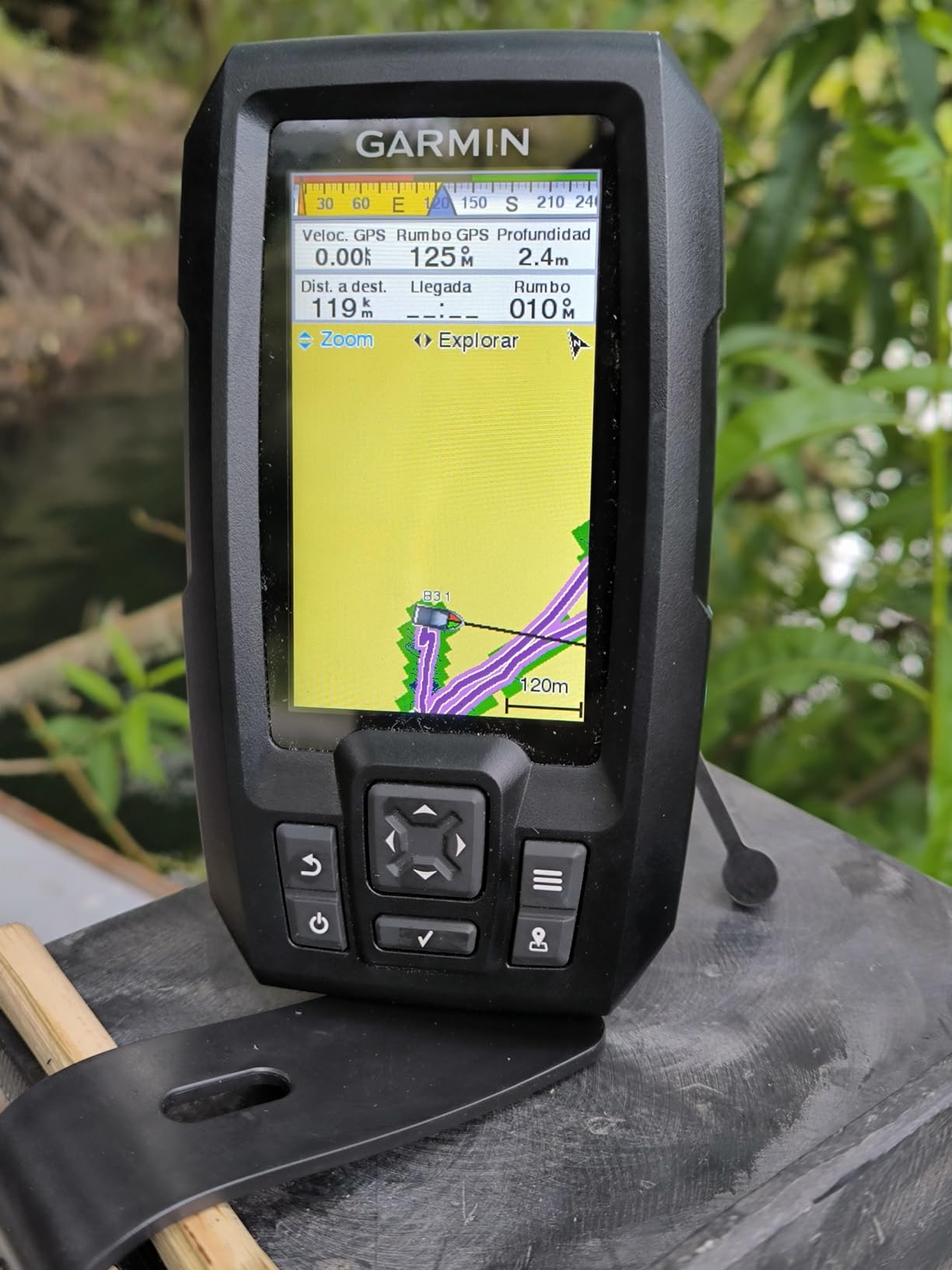
Garmin 010-01550-00 Striker 4 with Transducer — In-Depth Review
Best Overall Budget Pick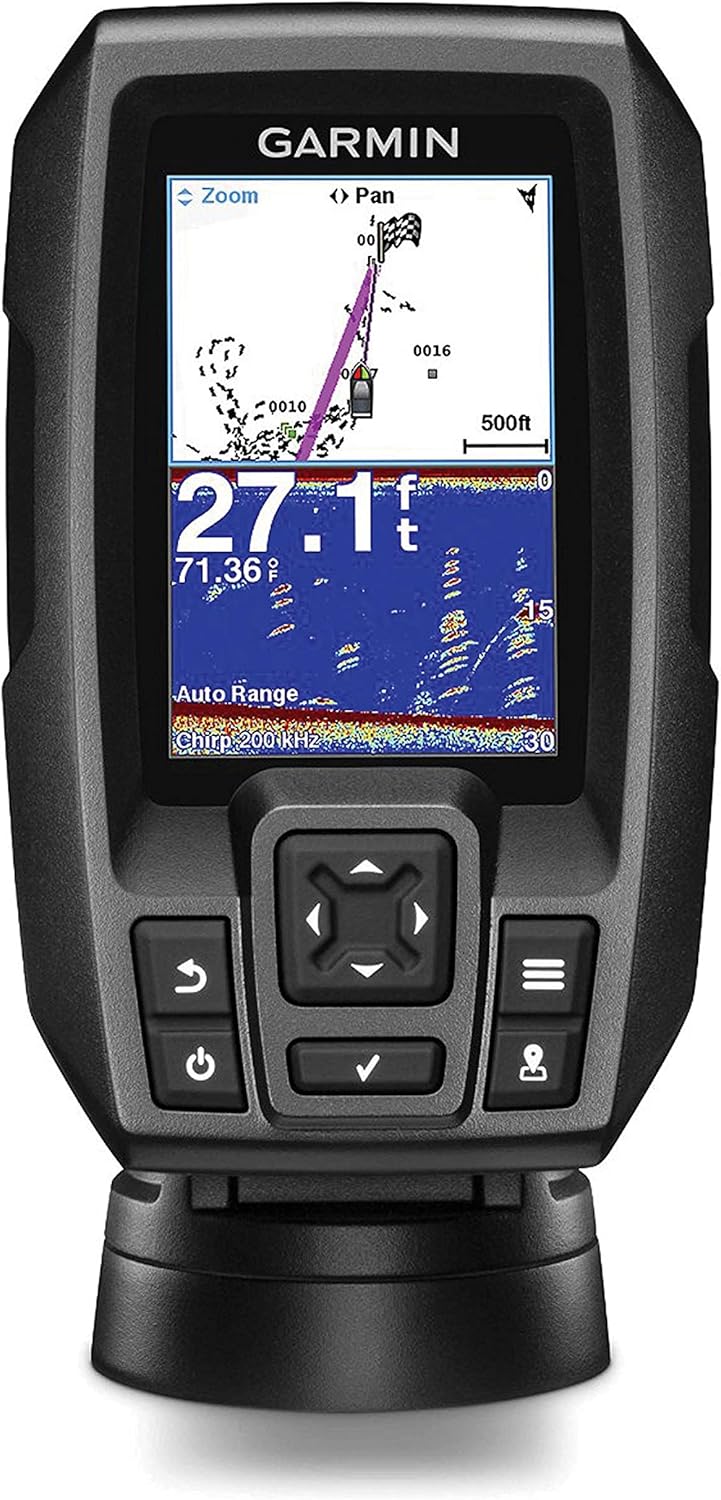
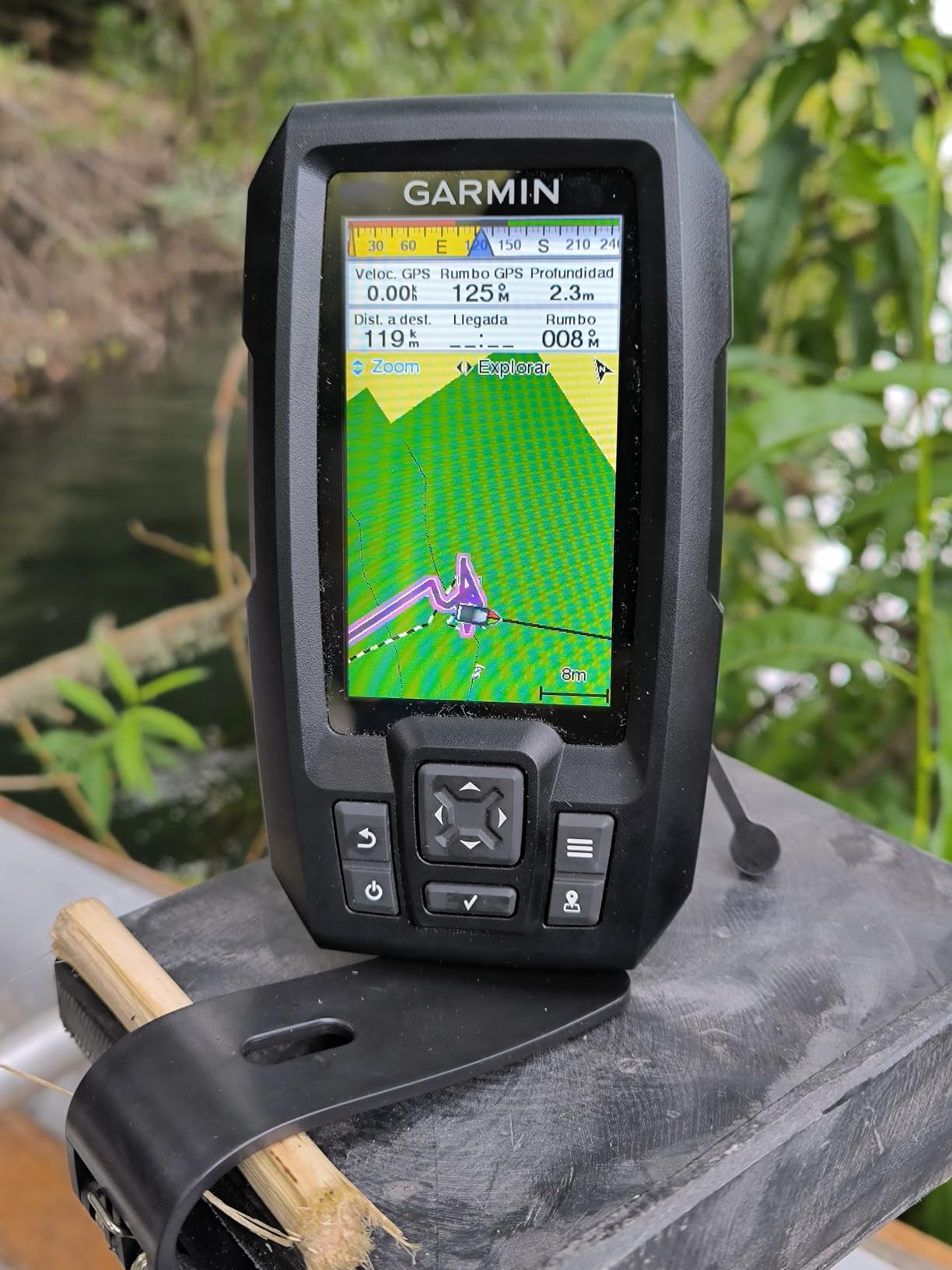
Garmin 010-01550-00 Striker 4
The Garmin Striker 4 has earned its reputation as the go-to fish finder for anglers who want reliable CHIRP sonar, a clear color display, and built-in waypoint marking — all at a price that will not break the bank. It is the unit we recommend most often to first-time fish finder buyers, and for good reason.
Design and Build Quality
The Striker 4 features a compact, rugged housing that feels solid in your hands. The 3.5-inch color display is bright enough to read in direct sunlight, though you may need to cup your hand around it on extremely bright days. The button layout is intuitive — a directional pad in the center surrounded by clearly labeled function buttons. There is no touchscreen, which some anglers actually prefer because physical buttons are easier to operate with wet or cold fingers.
The unit is rated IPX7 waterproof, meaning it can survive submersion in up to one meter of water for 30 minutes. In practical terms, rain, spray, and the occasional splash will not harm it. The included tilt/swivel mount lets you adjust the viewing angle quickly, and the quick-release design means you can pop the unit off the mount when you leave the boat for security.
Sonar Performance
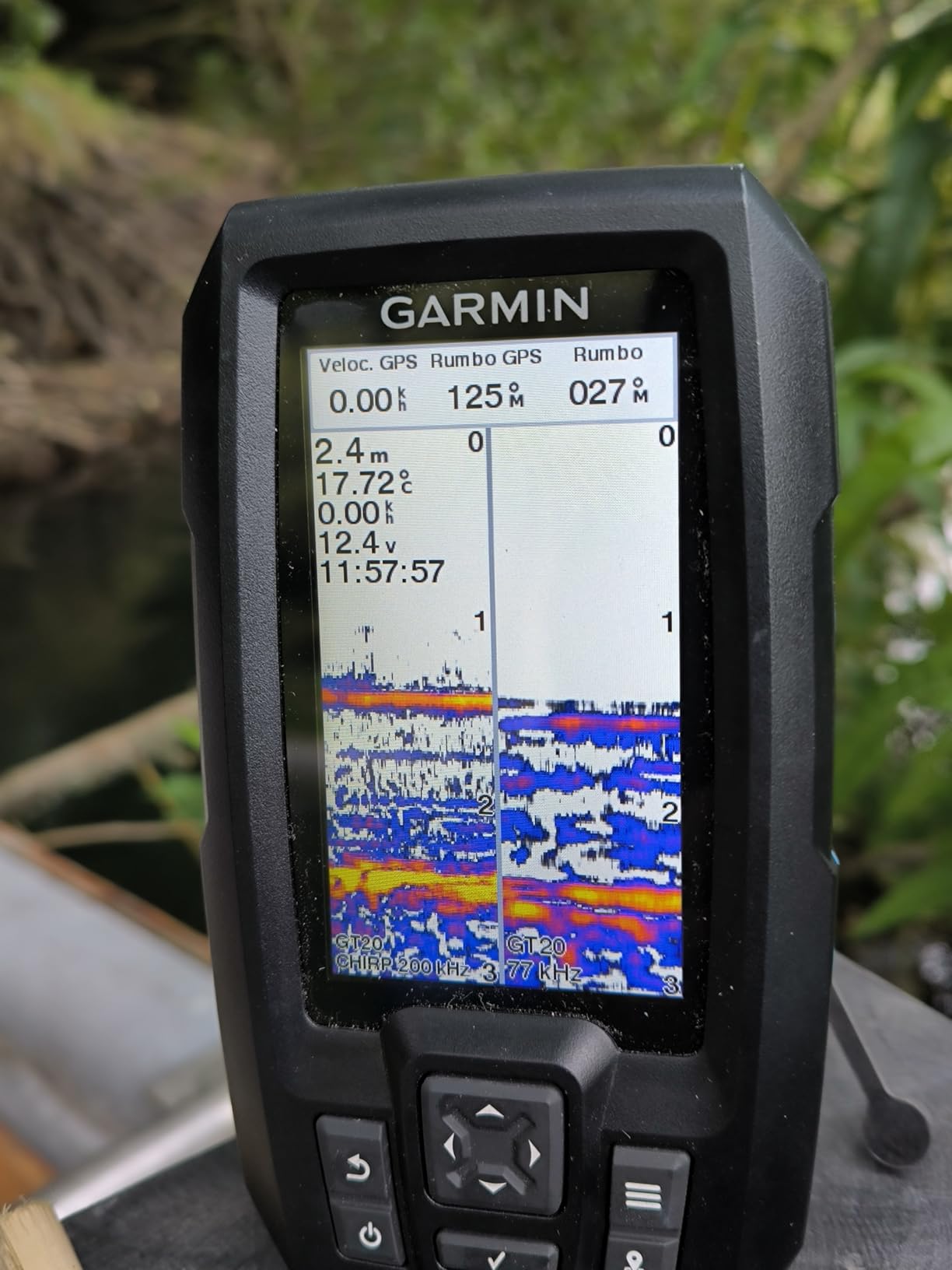
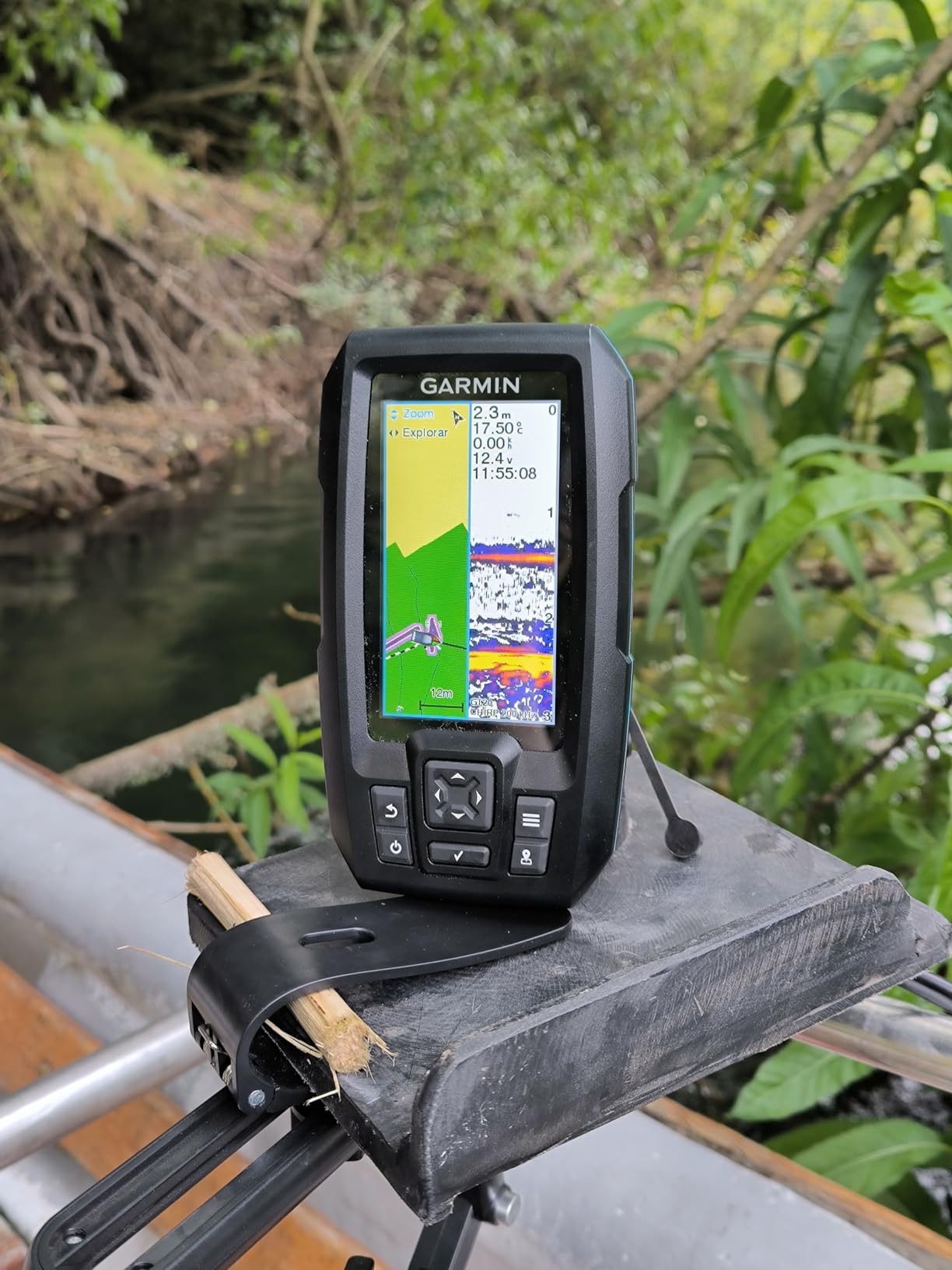
This is where the Striker 4 truly shines for its price. It uses Garmin’s CHIRP sonar technology, which sends a continuous sweep of frequencies rather than a single pulse. The result is significantly better target separation than traditional sonar. You can clearly distinguish individual fish suspended near the bottom, see the difference between a school of baitfish and a larger predator, and identify bottom composition — hard bottom shows as a thick, bright line while soft mud appears thinner and less intense.
The standard transducer provides traditional CHIRP sonar at 77/200 kHz with a maximum depth capability of 1,600 feet in freshwater and 750 feet in saltwater. For most recreational anglers, this is more than sufficient. The sonar updates quickly, providing a smooth, real-time picture of the water column as you move.
Waypoint Marking and GPS
While the Striker 4 does not include full chartplotting capabilities with preloaded maps, it does have a built-in GPS receiver that lets you mark waypoints. When you find a productive fishing spot — a brush pile, a drop-off, a school of fish — you can save it as a waypoint and navigate back to it later. The unit stores up to 5,000 waypoints, which is more than enough for even the most active angler.
The built-in flasher view is a bonus feature that ice anglers and vertical jigging enthusiasts will appreciate. It displays sonar data in a traditional circular format, making it easy to see your lure and any fish moving toward it in real time.
Key Features
- CHIRP sonar (77/200 kHz) for superior target separation
- 3.5-inch color display with keypad operation
- Built-in GPS for waypoint marking (up to 5,000 waypoints)
- Flasher mode for ice fishing and vertical jigging
- IPX7 waterproof rating
- Maximum depth: 1,600 ft (freshwater) / 750 ft (saltwater)
- Ultrascroll feature for high-speed sonar readings
- Tilt/swivel mount with quick-release bracket
Pros
- Excellent CHIRP sonar clarity at an entry-level price
- Simple, intuitive interface — great for beginners
- Compact size fits any boat, kayak, or ice fishing setup
- Built-in GPS waypoint marking
- Flasher mode adds versatility for ice fishing
- Durable, waterproof construction
Cons
- 3.5-inch screen can feel small for detailed reading
- No preloaded maps or chartplotting
- No down imaging or side imaging
- Limited to one sonar frequency at a time
Our Verdict
The Garmin Striker 4 is the best fish finder you can buy on a budget. It delivers CHIRP sonar clarity that rivals units costing twice as much, the GPS waypoint feature is genuinely useful, and the compact design works on virtually any watercraft. If you are buying your first fish finder or need a reliable backup unit, this is the one to get. For a more detailed breakdown, read our full Garmin Striker 4 review.
Garmin Striker 4 with Transducer
CHIRP sonar, GPS waypoints, and a bright color display — all at an unbeatable price.
Garmin Striker Vivid 4cv Fishfinder with Transducer — In-Depth Review
Best Imaging on a Budget
Garmin Striker Vivid 4cv
The Striker Vivid 4cv takes everything that made the original Striker 4 great and adds Garmin’s ClearVü scanning sonar for a near-photographic view of the bottom. If you have ever wished you could actually see structure, fish, and vegetation in crisp detail rather than just interpreting sonar arches, this unit delivers that experience at a remarkably accessible price point.
Design and Display
The Vivid 4cv features a 4.3-inch display — a noticeable step up from the 3.5-inch screen on the standard Striker 4. The larger screen makes a real difference when you are trying to read bottom structure or identify fish targets at a glance. Garmin’s “Vivid” color palettes are a standout feature: you can choose from multiple color schemes optimized for different water conditions and lighting situations. The new palette options make it easier to distinguish between fish, structure, and bottom composition compared to the older Striker models.
The physical design follows the same rugged, waterproof formula as the rest of the Striker line. Button layout is nearly identical, so if you have used any Garmin fish finder before, you will feel right at home. The included tilt/swivel mount and quick-release bracket are standard Garmin fare — solid, adjustable, and easy to remove.
ClearVü Scanning Sonar
The headline feature of the Vivid 4cv is the included GT20-TM transducer, which provides both traditional CHIRP sonar and Garmin’s ClearVü scanning sonar. ClearVü is Garmin’s version of down imaging — it uses high-frequency beams to create a nearly photographic view of the bottom directly beneath your boat. Instead of the arches and lines you see on traditional sonar, ClearVü shows you actual shapes: the outline of a submerged log, the contour of a rock pile, the individual fish holding near structure.
In testing, ClearVü made a significant difference when fishing around heavy cover. On traditional CHIRP sonar, a brush pile looks like a cluster of returns that could be fish or could be wood. With ClearVü, you can clearly see the branches and distinguish the fish sitting among them. This is incredibly valuable for bass anglers who spend their time fishing around docks, laydowns, and man-made fish attractors.
Traditional CHIRP Performance
Beyond ClearVü, the traditional CHIRP sonar on the Vivid 4cv is excellent. It operates at 77/200 kHz with the same crisp target separation that Garmin’s CHIRP systems are known for. The sonar updates quickly and provides smooth, continuous readings even at higher boat speeds. You can switch between traditional sonar and ClearVü views, or display them side by side in a split-screen layout.
GPS and Waypoint Features
Like the standard Striker 4, the Vivid 4cv includes a built-in GPS receiver for waypoint marking but does not offer full chartplotting with preloaded maps. You can mark up to 5,000 waypoints and create routes to navigate between them. The built-in speed display is handy for maintaining optimal trolling speeds, and the unit tracks your path so you can retrace productive routes.
Key Features
- CHIRP traditional sonar (77/200 kHz)
- ClearVü scanning sonar for near-photo bottom images
- 4.3-inch color display with Vivid color palettes
- GT20-TM transducer included (transom mount)
- Built-in GPS with waypoint marking
- Split-screen sonar views
- IPX7 waterproof
- Maximum depth: 1,600 ft (traditional) / 750 ft (ClearVü)
Pros
- ClearVü scanning sonar at an entry-level price
- Larger 4.3-inch screen vs. standard Striker 4
- Vivid color palettes improve readability
- Excellent target separation with CHIRP
- Same user-friendly Garmin interface
- Versatile for freshwater and saltwater
Cons
- No preloaded maps or chartplotting
- No side imaging (only down imaging via ClearVü)
- Screen still relatively small for split-screen use
- ClearVü requires slower boat speeds for best results
Our Verdict
The Garmin Striker Vivid 4cv is the best fish finder for anglers who want scanning sonar without spending a fortune. The ClearVü capability alone justifies the modest price increase over the standard Striker 4, and the larger screen with Vivid color palettes makes the whole experience more enjoyable. If you fish around structure and want to actually see what is down there, this is the unit to buy.
Garmin Striker Vivid 4cv Fishfinder
ClearVü scanning sonar and vivid color palettes — see the bottom like never before.
Humminbird 411660-1 Helix 5 CHIRP GPS G3 Fish Finder — In-Depth Review
Best Mid-Range Combo
Humminbird Helix 5 CHIRP GPS G3
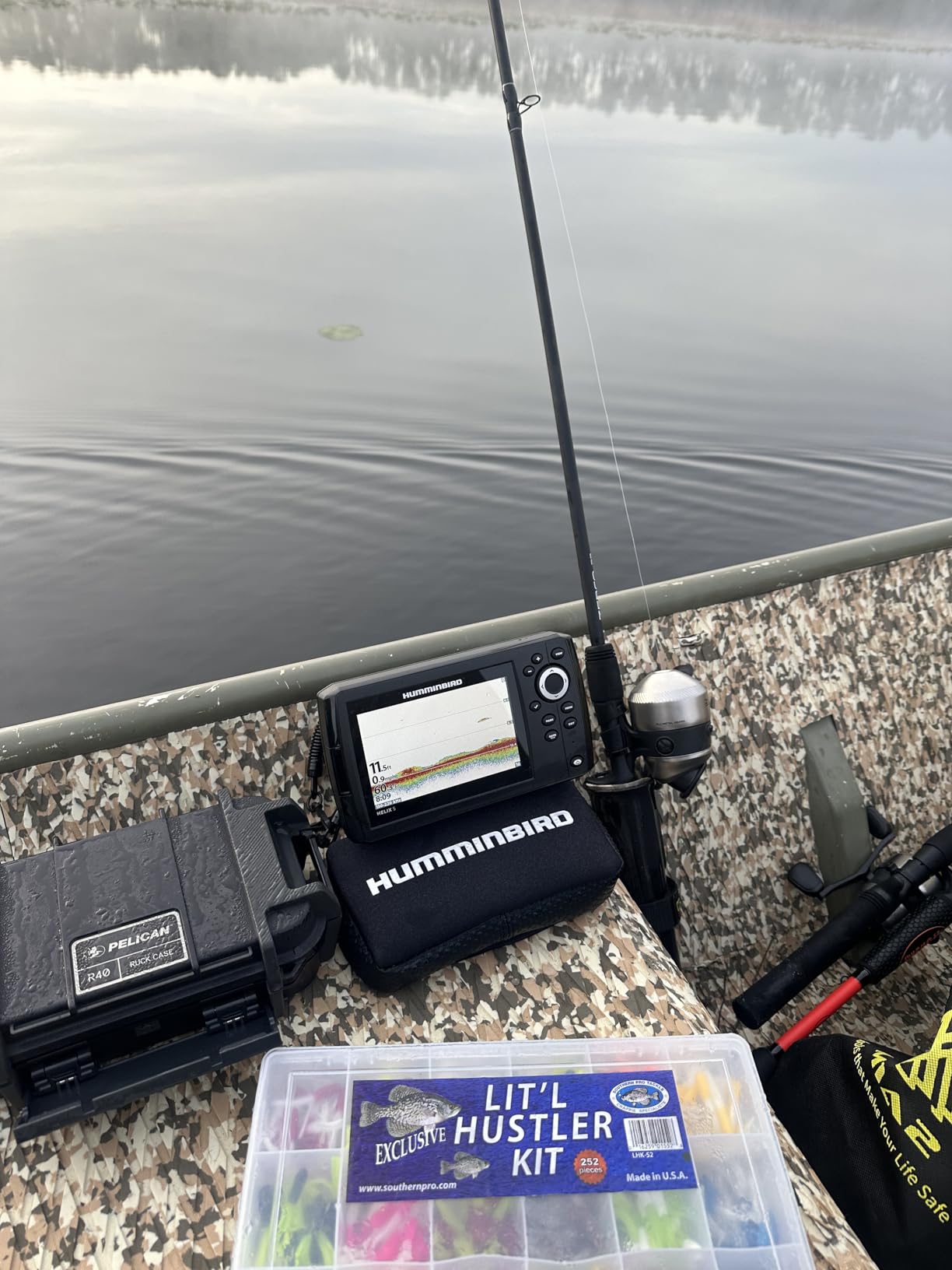
The Humminbird Helix 5 is the sweet spot in the fish finder market. It combines a generous 5-inch display, CHIRP sonar, and a full-featured GPS chartplotter with preloaded Humminbird basemap maps into a single, well-designed unit. For anglers who want a complete fish finding and navigation solution without jumping to premium pricing, the Helix 5 is exceptionally hard to beat.
Design and Display
The 5-inch color display on the Helix 5 is a significant upgrade over the 3.5-inch and 4.3-inch screens found on the Garmin Striker models. The extra screen real estate makes split-screen viewing genuinely practical — you can display sonar and map side by side without feeling like you are squinting at postage stamps. The 800×480 pixel resolution provides crisp, clear imagery, and the backlight is bright enough for comfortable viewing in all conditions.
Humminbird’s menu system is well-organized and relatively intuitive, though it does have a steeper learning curve than Garmin’s simpler interface. The keypad includes a dedicated Pages button that lets you quickly cycle through different screen layouts, and the menu structure is logically grouped. Once you spend a few hours with it, navigation becomes second nature.
CHIRP Sonar Performance
The Helix 5 uses Humminbird’s Dual Spectrum CHIRP sonar, which offers two modes: Wide Mode for broad coverage and Narrow Mode for detailed target separation. Wide Mode sweeps a broader frequency range to cover more water, while Narrow Mode focuses on a tighter band for maximum detail. In practice, Wide Mode is great for searching and covering water, while Narrow Mode excels when you have found fish and want to study their behavior and position relative to structure.
The included XNT 9 20 T transducer provides traditional CHIRP sonar at 200 kHz (narrow) and 83 kHz (wide), with a maximum depth rating of 1,500 feet. Target separation is excellent — the Helix 5 can distinguish individual fish in a school with impressive precision, and the bottom lock feature lets you focus on the area just above the bottom where many species feed.
GPS Chartplotter and Mapping
This is where the Helix 5 pulls ahead of the Garmin Striker models. It includes a full GPS chartplotter with Humminbird’s built-in basemap, which covers charts for coastal and inland waters across the United States. You can view your position on a map, create routes, mark waypoints, and track your path — all features that the Striker models lack.
The unit supports optional premium charts from Humminbird (LakeMaster, Navionics) via the microSD card slot, letting you upgrade to highly detailed lake maps with depth contours, navigation aids, and bottom hardness information. For serious anglers who fish multiple bodies of water, this expandability is a major advantage.
AutoChart Live
One of the Helix 5’s most impressive features is AutoChart Live, which lets you create your own real-time bathymetric maps as you drive. The unit uses sonar data to map bottom contours and hardness on the fly, building a custom map of any lake you fish — even unmapped farm ponds and small rivers. These maps are stored on the unit and can be shared with other Humminbird users. For anglers who fish uncharted waters, this feature alone can be worth the price of the unit.
Key Features
- 5-inch color display (800×480 resolution)
- Dual Spectrum CHIRP sonar (200/83 kHz)
- Full GPS chartplotter with built-in basemap
- AutoChart Live — create your own lake maps
- MicroSD card slot for optional premium charts
- Maximum depth: 1,500 feet
- Split-screen capability
- Waterproof design with gimbal mounting bracket
Pros
- Full GPS chartplotter with preloaded maps
- 5-inch screen is ideal for split-screen viewing
- AutoChart Live creates custom lake maps
- Dual Spectrum CHIRP for versatile sonar
- Expandable with optional premium charts
- Excellent build quality and waterproofing
Cons
- Menu system has a steeper learning curve
- No down imaging or side imaging in this model
- Larger physical size may not suit small kayaks
- Premium charts sold separately
Our Verdict
The Humminbird Helix 5 CHIRP GPS G3 is the best mid-range fish finder for anglers who want a complete sonar and navigation package. The 5-inch screen, full chartplotter, and AutoChart Live make it a genuine step up from budget models. If you fish multiple lakes and want the ability to create your own maps, this is the unit to choose. Read our comprehensive Humminbird Helix review for even more detail.
Humminbird Helix 5 CHIRP GPS G3
CHIRP sonar, GPS chartplotter, and AutoChart Live — the complete mid-range package.
Humminbird 410150-1 PiranhaMAX 4 — In-Depth Review
Best Entry-Level Unit
Humminbird PiranhaMAX 4
The PiranhaMAX 4 is Humminbird’s answer for anglers who want a no-nonsense fish finder that simply works. It does not have CHIRP sonar, GPS, or scanning imaging — and that is entirely the point. This is a straightforward, reliable unit that shows you fish, depth, and bottom structure on a clear 4.3-inch color display. For the angler who wants to get on the water without spending a lot or reading a thick manual, the PiranhaMAX 4 delivers.
Design and Display
The 4.3-inch color TFT display is bright and easy to read, with 272×480 pixel resolution that provides clear imagery for fish targets and bottom contour. The color palette is customizable — you can choose from several display color schemes to match your preference or lighting conditions. The unit itself is compact and lightweight, making it suitable for boats of all sizes, including kayaks and canoes.
The button layout is simple and straightforward. A directional pad handles menu navigation, and dedicated buttons provide quick access to key functions like sensitivity, zoom, and chart speed. The tilt-mount base lets you adjust the viewing angle, and the unit detaches easily for storage.
Dual Beam Sonar
Rather than CHIRP technology, the PiranhaMAX 4 uses traditional dual beam sonar operating at 200 kHz (narrow beam) and 455 kHz (wide beam). The 200 kHz narrow beam provides a focused, 28-degree cone that gives detailed readings directly beneath the boat. The 455 kHz wide beam covers a broader 16-degree area for wider coverage. You can view either beam individually or combine them for a comprehensive picture.
While dual beam sonar does not match the target separation of CHIRP, it is perfectly adequate for most recreational fishing situations. You can clearly see fish arches, distinguish the bottom contour, and identify major structure like drop-offs and submerged objects. The maximum depth rating is 600 feet, which covers the vast majority of freshwater and inshore saltwater scenarios.
Fish ID and Alarms
The PiranhaMAX 4 includes Humminbird’s Fish ID feature, which interprets sonar returns and displays fish icons on the screen instead of raw arches. While experienced anglers often prefer to read the raw sonar data, Fish ID is helpful for beginners who are still learning to interpret what they see. The unit also includes fish and depth alarms that alert you when fish are detected or when the water reaches a specified depth — useful for avoiding shallow areas or knowing when you have moved over a deep hole.
Key Features
- 4.3-inch color TFT display
- Dual beam sonar (200/455 kHz)
- Down Imaging with Fish ID
- Maximum depth: 600 feet
- Adjustable sonar sensitivity and chart speed
- Fish and depth alarms
- Compact, lightweight design
- Tilt-mount base included
Pros
- Extremely affordable — great first fish finder
- Clear 4.3-inch color display
- Simple, intuitive operation
- Compact enough for kayaks and small boats
- Reliable Humminbird build quality
- Fish ID mode helps beginners
Cons
- No CHIRP sonar — less detail than competitors
- No GPS or waypoint marking
- No scanning (down/side) imaging
- Limited to 600-foot depth
Our Verdict
The Humminbird PiranhaMAX 4 is the ideal fish finder for beginners, casual anglers, or anyone who needs a simple, affordable unit for a secondary boat or kayak. It does not have the advanced features of CHIRP or GPS-equipped models, but it does the fundamentals — showing fish and depth — reliably and clearly. If your budget is tight and you just want to stop guessing, the PiranhaMAX 4 is a solid choice.
Humminbird PiranhaMAX 4
Simple, reliable, and affordable — the perfect first fish finder.
Lowrance Eagle Eye Fishfinder — In-Depth Review
Best Compact Option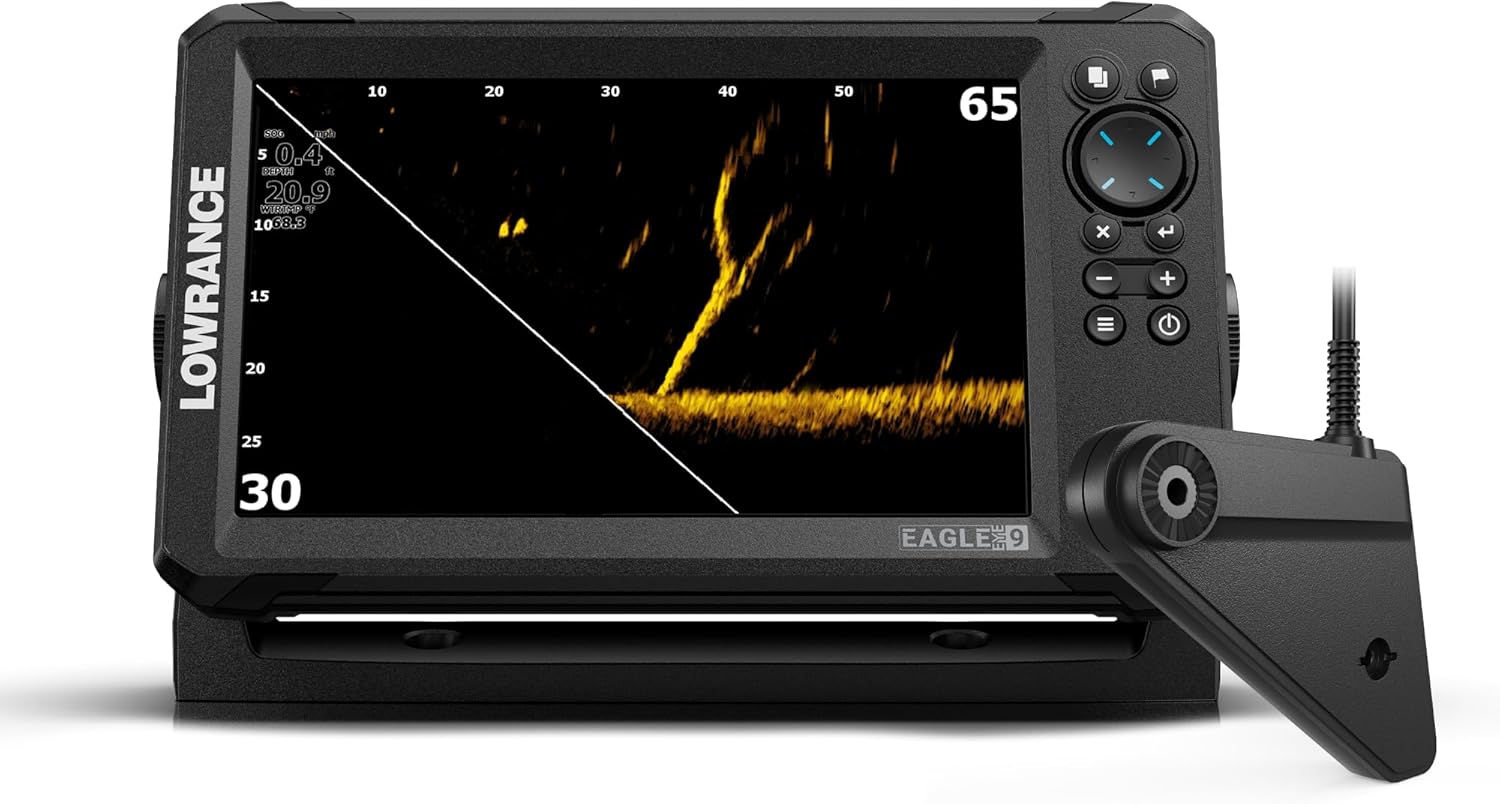
Lowrance Eagle Eye Fishfinder
The Lowrance Eagle Eye brings Lowrance’s decades of sonar expertise into a compact, affordable package. This unit is designed for anglers who want reliable fish-finding performance from a trusted brand without paying for features they will not use. It is a particularly strong choice for smaller boats, jon boats, and kayaks where space is at a premium.
Design and Build
The Eagle Eye features a 4-inch color display that strikes a good balance between readability and compact size. The screen is bright and clear, with good contrast that makes it easy to read even in challenging lighting conditions. The overall footprint is small — it will not dominate the console of a small boat or take up valuable deck space on a kayak.
Build quality is what you would expect from Lowrance: solid, durable, and designed to handle the marine environment. The unit is waterproof and built to withstand salt spray, rain, and the occasional dunking. The mounting system is straightforward and includes a tilt base for angle adjustment.
CHIRP Sonar
The Eagle Eye uses CHIRP sonar technology, which is impressive at this price point. The CHIRP capability provides better target separation and clearer bottom definition than traditional single-frequency sonar. You get a crisp view of fish targets, bottom contour, and structure, with the improved clarity that CHIRP delivers across the water column.
The transducer is designed for transom mounting and provides reliable readings across a wide range of depths. While it does not match the imaging capabilities of more expensive Lowrance models, the traditional CHIRP sonar performance is excellent for the price. Fish arches are well-defined, bottom structure is clearly rendered, and the sonar updates smoothly as you move.
Ease of Use
One of the Eagle Eye’s strongest attributes is its simplicity. The menu system is clean and logical, with clearly labeled options that do not require a manual to understand. Sensitivity, zoom, and other key adjustments are easily accessible, and the auto settings do a good job of optimizing the display for most conditions. This is a unit you can mount, power up, and start using effectively within minutes.
Key Features
- 4-inch color display
- CHIRP sonar technology
- Compact, space-saving design
- Transom-mount transducer included
- Simple, intuitive menu system
- Waterproof construction
- Tilt-mount base
- Auto-adjusting sonar settings
Pros
- CHIRP sonar at a budget-friendly price
- Compact design ideal for small boats and kayaks
- Trusted Lowrance brand quality
- Very easy to set up and use
- Clear, bright display
- Good auto-adjusting sonar settings
Cons
- No GPS or waypoint marking
- No scanning (down/side) imaging
- Smaller screen than some competitors
- Limited advanced customization options
Our Verdict
The Lowrance Eagle Eye is a no-frills fish finder that delivers solid CHIRP sonar performance in a compact, affordable package. It is perfect for anglers who want Lowrance quality without the premium price tag, and its small footprint makes it an excellent choice for kayaks, jon boats, and other space-constrained setups. If simplicity and reliability are your priorities, the Eagle Eye delivers.
Lowrance Eagle Eye Fishfinder
Compact CHIRP sonar from a trusted brand — perfect for small boats and kayaks.
Lowrance HOOK Reveal 5 SplitShot — In-Depth Review
Best Screen Size for the Price
Lowrance HOOK Reveal 5 SplitShot
The Lowrance HOOK Reveal 5 is a feature-packed fish finder that offers a 5-inch SolarMAX display, CHIRP sonar, DownScan Imaging, and a full GPS chartplotter — all at a price that competes with units offering far less. It represents arguably the best value in the mid-range fish finder market, combining screen size, sonar capability, and mapping in a way that few competitors can match at this price point.
Display and SolarMAX Technology
The 5-inch SolarMAX display is one of the HOOK Reveal 5’s standout features. SolarMAX is Lowrance’s proprietary screen technology that delivers exceptional brightness and clarity, even in direct sunlight. Where some fish finder screens wash out and become unreadable under bright conditions, the SolarMAX display remains vivid and easy to read. This makes a real difference during midday fishing when the sun is high and you need to keep an eye on the screen.
The display resolution is crisp enough to show detailed sonar imagery and map features without visible pixelation. The color reproduction is accurate, and the viewing angles are wide enough that you can read the screen from different positions in the boat without significant color shift.
SplitShot Transducer
The included SplitShot transducer provides both traditional CHIRP sonar and DownScan Imaging in a single unit. CHIRP sonar handles the standard fish-finding duties with excellent target separation and bottom definition. DownScan Imaging adds a near-photographic view of the bottom, similar to what Garmin’s ClearVü offers. You can display both views simultaneously in a split-screen layout, using CHIRP to find fish and DownScan to identify the structure they are relating to.
The combination of CHIRP and DownScan is incredibly effective. CHIRP shows you fish arches with excellent separation, while DownScan reveals the actual shape and texture of the bottom — you can see individual rocks, logs, weed edges, and other features that fish use as cover. Together, they give you a complete picture of the underwater environment.
GPS Chartplotter and C-MAP Contour+
The HOOK Reveal 5 includes a full GPS chartplotter with preloaded C-MAP Contour+ inland maps. These maps cover more than 15,000 U.S. lakes with 1-foot depth contours, making them some of the most detailed preloaded maps available in this price range. You can mark waypoints, create routes, and navigate with confidence using accurate, detailed chart data.
The mapping capability is a major advantage over units like the Garmin Striker models, which lack preloaded maps entirely. Having detailed depth contours available on the screen while you fish helps you identify promising structure — points, humps, creek channels, and drop-offs — before you even wet a line.
Autotuning Sonar
One of the HOOK Reveal 5’s most user-friendly features is Autotuning sonar. This automatically adjusts sonar settings as conditions change, optimizing the display for the current depth, bottom type, and water conditions. For beginners, this eliminates the need to manually tweak sensitivity, noise rejection, and other settings. For experienced anglers, it provides a solid baseline that you can fine-tune if desired.
Key Features
- 5-inch SolarMAX display for superior sunlight readability
- CHIRP sonar + DownScan Imaging (SplitShot transducer)
- Full GPS chartplotter with C-MAP Contour+ maps
- Autotuning sonar for automatic optimization
- 15,000+ preloaded inland lake maps with 1-foot contours
- Split-screen display capability
- MicroSD card slot for chart upgrades
- IPX7 waterproof
Pros
- Excellent value — CHIRP + DownScan + GPS at this price
- SolarMAX display is outstanding in bright sunlight
- Preloaded C-MAP Contour+ maps with 15,000+ lakes
- Autotuning sonar simplifies operation
- 5-inch screen is ideal for split-screen viewing
- Expandable with optional chart cards
Cons
- No side imaging (only down imaging)
- Menu system can feel cluttered with options
- Transducer cable could be longer for some installations
- Touchscreen not available — button-only operation
Our Verdict
The Lowrance HOOK Reveal 5 SplitShot is the best value in the mid-range fish finder market. You get a 5-inch SolarMAX display, CHIRP sonar, DownScan Imaging, and a full GPS chartplotter with detailed preloaded maps — a combination that would have cost significantly more just a few years ago. If you want the most features for your money, this is the unit to beat. Check out our detailed Lowrance HOOK Reveal review for more information.
Lowrance HOOK Reveal 5 SplitShot
CHIRP + DownScan + GPS with 15,000+ lake maps — unbeatable value.
Venterior Portable Rechargeable Fish Finder — In-Depth Review
Best Portable / Kayak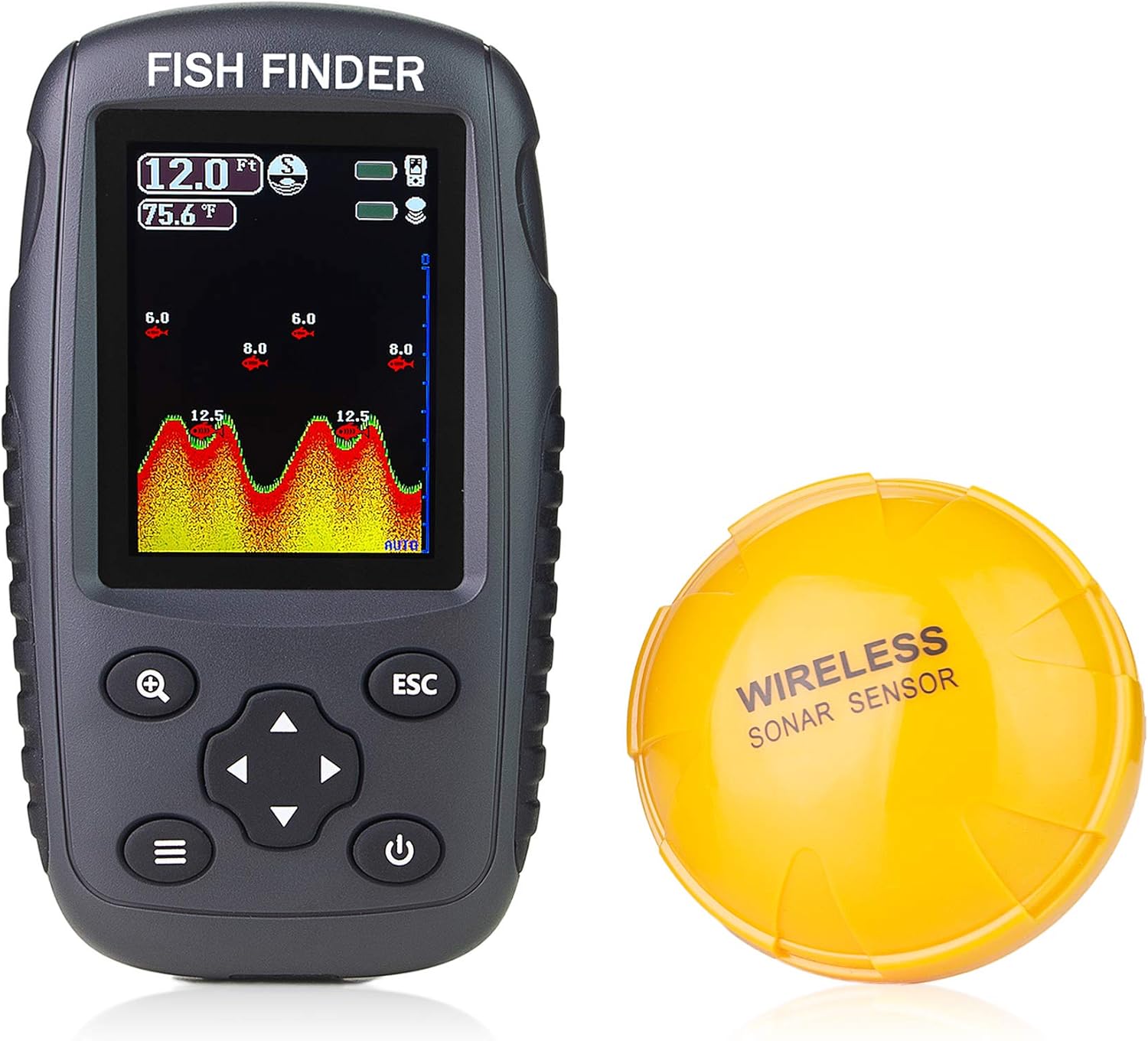
Venterior Portable Rechargeable Fish Finder
The Venterior Portable Fish Finder is a completely wireless, rechargeable sonar system designed for anglers who need maximum portability. The sonar sensor is a small, buoyant pod that you cast into the water or tow behind your kayak, and it transmits depth, temperature, and fish data wirelessly to a handheld display. It is the ultimate grab-and-go fish finder — no wires, no mounting, no installation required.
Wireless Design
The standout feature of the Venterior is its completely wireless operation. The sonar sensor is a small, round pod roughly the size of a tennis ball. You attach it to your fishing line, cast it out, and it begins scanning immediately. The sensor communicates with the handheld display via wireless signal, transmitting depth readings, water temperature, bottom contour, and fish detection data in real time.
The wireless range is sufficient for most shore fishing and kayak applications. You can cast the sensor 100 feet or more and still receive a clear signal on the display. The sensor is buoyant and floats on the surface, scanning downward as it drifts or is retrieved. For kayak anglers, you can simply drop the sensor over the side and let it trail alongside your boat as you paddle.
Display and Readability
The handheld display unit features a clear LCD screen that shows depth, water temperature, fish icons, and bottom contour. The display is not color — it uses a high-contrast grayscale that is actually quite readable in bright sunlight. The information is presented in a straightforward format that is easy to interpret at a glance, even for first-time fish finder users.
The display unit is rechargeable via USB, which is a significant advantage over battery-powered competitors. A single charge provides several hours of continuous use, and you can top it off from a portable power bank if needed. The compact size means it fits easily in a tackle box, pocket, or kayak storage compartment.
Practical Applications
The Venterior excels in situations where a traditional mounted fish finder is impractical. Shore anglers can cast the sensor to scout depth and fish activity before committing to a spot. Kayak anglers who do not want to drill holes for transducer mounting can simply drop the sensor over the side. Ice fishermen can lower the sensor through a hole and get instant readings. Renters and travelers who use different boats can carry one fish finder that works everywhere.
The water temperature reading is a valuable bonus feature. Water temperature is one of the most important factors in fish behavior — knowing the temperature helps you choose the right lures, presentations, and depths to target. Having a temperature reading available at a glance, without needing a separate thermometer, is genuinely useful.
Key Features
- Completely wireless sonar sensor — no cables or mounting
- Rechargeable USB display unit
- Depth, temperature, fish detection, and bottom contour
- Castable or towable sensor design
- Clear grayscale LCD display
- Compact, pocket-sized handheld unit
- Wireless range up to 100+ feet
- Works for shore, kayak, ice, and boat fishing
Pros
- Completely wireless — zero installation required
- Ultra-portable — fits in a tackle box or pocket
- Rechargeable battery (USB charging)
- Water temperature reading included
- Works for multiple fishing styles (shore, kayak, ice)
- Very affordable price point
Cons
- No GPS or waypoint marking
- Grayscale display (not color)
- Less detailed sonar than mounted units
- Wireless signal can be affected by interference
- Sensor can drift in current — needs monitoring
Our Verdict
The Venterior Portable Fish Finder is the best option for anglers who need a truly portable, zero-installation sonar solution. It will not match the detail and features of a mounted unit, but that is not the point. For shore fishing, kayak trips, ice fishing, or any situation where a traditional fish finder is impractical, the Venterior provides genuinely useful sonar data in a package you can carry in your pocket.
Venterior Portable Rechargeable Fish Finder
Wireless, rechargeable, and ultra-portable — fish anywhere without installation.
Full Comparison Table: All 7 Fish Finders Head to Head
Now that we have reviewed each unit individually, let us put them all side by side so you can compare specifications, features, and capabilities at a glance. This table covers every important specification and feature category, making it easy to see which fish finder best matches your specific needs and budget.
| Feature | Garmin Striker 4 | Garmin Vivid 4cv | Humminbird Helix 5 | Humminbird PiranhaMAX 4 | Lowrance Eagle Eye | Lowrance HOOK Reveal 5 | Venterior Portable |
|---|---|---|---|---|---|---|---|
| Screen Size | 3.5″ | 4.3″ | 5″ | 4.3″ | 4″ | 5″ | Handheld LCD |
| Display Type | Color TFT | Color TFT | Color TFT | Color TFT | Color TFT | SolarMAX Color | Grayscale LCD |
| Sonar Type | CHIRP | CHIRP + ClearVü | Dual Spectrum CHIRP | Dual Beam | CHIRP | CHIRP + DownScan | Wireless Sonar |
| Down Imaging | No | Yes (ClearVü) | No | No | No | Yes (DownScan) | No |
| Side Imaging | No | No | No | No | No | No | No |
| GPS | Waypoints Only | Waypoints Only | Full Chartplotter | No | No | Full Chartplotter | No |
| Preloaded Maps | No | No | Yes (Basemap) | No | No | Yes (C-MAP Contour+) | No |
| Max Depth | 1,600 ft | 1,600 ft | 1,500 ft | 600 ft | Varies | Varies | Varies |
| Waterproof | IPX7 | IPX7 | IPX7 | IPX7 | IPX7 | IPX7 | IPX7 (sensor) |
| MicroSD Slot | No | No | Yes | No | No | Yes | No |
| Water Temp | Yes | Yes | Yes | Yes | Yes | Yes | Yes |
| Best For | Budget CHIRP | Budget Imaging | Mid-Range Combo | Entry Level | Compact Boats | Best Value | Portable/Kayak |
Which Fish Finder Wins Each Category?
To help you make the final decision, here is a quick breakdown of which unit wins in each key category:
- Best Overall Budget Pick: Garmin Striker 4 — unbeatable CHIRP sonar quality for the price
- Best Imaging on a Budget: Garmin Striker Vivid 4cv — ClearVü scanning sonar at an entry-level price
- Best Mid-Range Combo: Humminbird Helix 5 — full GPS chartplotter with AutoChart Live
- Best Entry-Level Unit: Humminbird PiranhaMAX 4 — simple, reliable, and very affordable
- Best Compact Option: Lowrance Eagle Eye — CHIRP sonar in a space-saving design
- Best Screen Size for the Price: Lowrance HOOK Reveal 5 — 5-inch SolarMAX display with CHIRP + DownScan + GPS
- Best Portable / Kayak: Venterior Portable — completely wireless, zero installation
Compare Prices on All Top Fish Finders
See current deals and read verified reviews from real anglers on Amazon.
How to Choose the Right Fish Finder: A Complete Buyer’s Guide
With so many fish finders on the market, choosing the right one can feel overwhelming. The key is to match the device to your specific fishing style, boat type, and budget. Here is a systematic approach to narrowing down your options and finding the perfect fish finder for your needs.
Step 1: Determine Your Fishing Style
How and where you fish should be the primary factor in your decision. A bass angler fishing from a fiberglass boat has very different needs than a kayak angler or an ice fisherman. Consider these scenarios:
- Bass boat / general freshwater boat: A combo unit with CHIRP sonar and GPS chartplotter is ideal. The Humminbird Helix 5 or Lowrance HOOK Reveal 5 are excellent choices.
- Kayak fishing: Space is limited, so a compact unit like the Garmin Striker 4 or Lowrance Eagle Eye works well. For zero-installation portability, the Venterior Portable is unbeatable.
- Ice fishing: Look for units with flasher mode. The Garmin Striker 4 includes a dedicated flasher view that is perfect for vertical jigging through the ice.
- Shore fishing: A castable or portable unit like the Venterior is your best bet since you cannot mount a traditional transducer.
- Saltwater / offshore: You will want a unit with higher power output and deeper depth capability. The Garmin Striker 4 and Striker Vivid 4cv both handle saltwater effectively.
Step 2: Set Your Budget
Fish finders range from under a hundred dollars to several thousand. For most recreational anglers, the sweet spot is between $100 and $400, where you can get excellent CHIRP sonar, a decent screen, and useful features like GPS. Here is a general budget breakdown:
- Under $100: Basic portable units (Venterior) or entry-level mounted finders (PiranhaMAX 4)
- $100–$200: CHIRP sonar with GPS waypoints (Garmin Striker 4, Striker Vivid 4cv, Lowrance Eagle Eye)
- $200–$400: Full combo units with GPS chartplotter and scanning sonar (Humminbird Helix 5, Lowrance HOOK Reveal 5)
- $400+: Premium units with side imaging, networking, and large displays
Step 3: Prioritize Your Must-Have Features
Not every angler needs every feature. Identify which capabilities matter most to you and prioritize accordingly:
- CHIRP sonar: Essential for clear fish targeting. Available on most modern units and worth the upgrade over traditional sonar.
- GPS / chartplotter: Critical if you fish large lakes or unfamiliar waters. Lets you mark productive spots and navigate safely.
- Down imaging: Valuable for seeing actual bottom structure. Helps distinguish fish from cover.
- Side imaging: Scans to the sides of the boat for a wider view. More common in premium units.
- Screen size: Larger screens (5″+) are easier to read and better for split-screen viewing.
- Portability: If you fish from multiple boats or locations, a portable unit eliminates installation hassles.
Step 4: Consider Your Boat Type and Mounting Options
The physical installation of a fish finder matters more than most people think. Before buying, consider where and how you will mount the unit and transducer:
- Console mounting: Most combo units come with a gimbal mount that attaches to the boat console. Make sure you have enough flat space for the unit’s footprint.
- Transom mounting: The transducer typically mounts on the transom (back) of the boat. Check that you have a suitable flat surface near the waterline.
- Trolling motor mounting: Some transducers can mount to the trolling motor shaft for hands-free scanning while moving.
- Kayak mounting: Kayak anglers often use RAM mounts, gear tracks, or scupper-mount transducers. Compact units work best here.
For detailed installation guidance, see our guide on how to use a fish finder, which covers mounting, setup, and first-time configuration.
Understanding Sonar Technology: CHIRP, DownScan, SideScan, and More
The sonar technology inside a fish finder is the single most important factor in how well it performs. Modern fish finders use several distinct sonar technologies, and understanding the differences will help you choose a unit that matches your fishing needs.
Traditional Sonar
Traditional sonar sends a single-frequency pulse into the water and interprets the returning echoes. It has been the standard for decades and is still found in entry-level units like the Humminbird PiranhaMAX 4. Traditional sonar displays fish as arches on the screen — the shape and thickness of the arch indicate the size and movement of the fish relative to the sonar beam. While it works, traditional sonar has limitations in target separation and detail compared to newer technologies.
CHIRP Sonar
CHIRP (Compressed High-Intensity Radiated Pulse) sonar represents a fundamental improvement over traditional sonar. Instead of sending a single-frequency pulse, CHIRP sweeps through a range of frequencies — typically from low to high — with each pulse. This provides several key advantages:
- Better target separation: CHIRP can distinguish individual fish in a school where traditional sonar would show a single mass.
- Improved bottom definition: The bottom line appears sharper and more detailed, making it easier to identify bottom composition.
- Greater depth penetration: CHIRP’s wider frequency range provides better signal-to-noise ratio at depth.
- Cleaner signal: Less surface noise and interference, resulting in a clearer picture overall.
CHIRP is available on the Garmin Striker 4, Striker Vivid 4cv, Lowrance Eagle Eye, Lowrance HOOK Reveal 5, and Humminbird Helix 5. If you are buying a new fish finder, CHIRP should be a non-negotiable requirement.
DownScan / ClearVü Imaging
DownScan Imaging (Lowrance’s term) and ClearVü (Garmin’s term) use high-frequency sonar beams to create a near-photographic image of the bottom directly beneath the boat. Instead of the arches and lines of traditional sonar, DownScan shows actual shapes — you can see the outline of a submerged log, the texture of a rock pile, and the individual fish holding near structure.
DownScan operates at higher frequencies (typically 455 kHz and 800 kHz) than traditional CHIRP, which provides incredible detail but at the expense of depth range. It is most effective in shallow to moderate depths (under 200 feet) where the detail is most valuable. The Garmin Striker Vivid 4cv and Lowrance HOOK Reveal 5 both include DownScan capability.
SideScan / Side Imaging
SideScan (Lowrance) and Side Imaging (Humminbird) extend the scanning beam to the sides of the boat, creating a wide, detailed view of the bottom on either side. This lets you scan large areas without driving directly over them — you can identify structure, fish, and bottom features hundreds of feet to each side. SideScan is incredibly powerful for searching new water and mapping structure, but it is typically found in higher-end units and was not included in the models reviewed here.
Dual Beam vs. Triple Beam
Some sonar systems use multiple beams at different frequencies and cone angles simultaneously. Dual beam systems (like the PiranhaMAX 4) offer a narrow beam for detail and a wide beam for coverage. Triple beam systems add a third beam for even more comprehensive scanning. While not as advanced as CHIRP, multi-beam systems provide more information than single-beam sonar and are a step up from basic traditional sonar.
Which Sonar Technology Do You Need?
For most recreational anglers, CHIRP sonar provides the best balance of performance and value. If you fish around heavy cover and want to see actual bottom structure, add DownScan/ClearVü to your requirements. If you need to search large areas of water efficiently, consider stepping up to a unit with SideScan. The key is matching the technology to your fishing style rather than paying for capabilities you will not use.
Experience CHIRP Sonar Clarity
Upgrade to CHIRP technology and see the underwater world in stunning detail.
Fish Finder Installation Tips: Getting It Right the First Time
A fish finder is only as good as its installation. A poorly mounted transducer or sloppy wiring can turn a great unit into a frustrating experience. Here are the essential installation tips to ensure your fish finder performs at its best from day one.
Transducer Placement
The transducer is the most critical component to install correctly. It needs a clean flow of water across its face to produce accurate readings. Here are the key rules:
- Mount on the transom: The transom (back of the boat) is the most common and generally best location. Mount the transducer so it is always submerged, even when the boat is on plane.
- Avoid turbulence: Keep the transducer away from water intake holes, propellers, strakes, and anything else that creates bubbles or turbulent water. Air bubbles in the sonar beam will cause false readings and gaps in the display.
- Level mounting surface: The transducer face should be parallel to the water surface. A tilted transducer will produce skewed readings and uneven bottom returns.
- Test before drilling: Most transducers come with a temporary mounting option (suction cup or clamp). Use this to test different positions before committing to a permanent installation. Drive at various speeds and check the sonar display for clean readings.
Wiring and Power
Proper wiring ensures reliable operation and prevents electrical interference that can degrade sonar performance:
- Use the correct fuse: Always install the inline fuse that comes with the unit. This protects both the fish finder and your boat’s electrical system.
- Direct to battery: For the cleanest power, connect the fish finder directly to the battery rather than through a shared circuit. This minimizes voltage fluctuations and electrical noise.
- Route cables carefully: Keep power cables and transducer cables separated to reduce interference. Avoid running them alongside trolling motor cables or other high-current wires.
- Use marine-grade connectors: If you need to extend cables or make connections, use marine-grade heat-shrink connectors that resist corrosion and moisture.
- Waterproof all connections: Apply dielectric grease to electrical connections and use waterproof connectors wherever possible. Saltwater environments are especially harsh on exposed wiring.
Display Mounting
The display unit should be mounted where you can see it easily while fishing but where it is protected from damage:
- Eye level: Mount the display at a comfortable viewing angle — you should not have to lean or strain to read it.
- Protected location: Avoid mounting where the unit will be hit by fishing rods, tackle boxes, or other gear.
- Quick removal: Use the quick-release bracket that comes with most units so you can remove the display for security when the boat is unattended.
- Sun visibility: Position the screen where it will be shaded from direct sunlight when possible, even though most modern screens are designed for bright conditions.
How to Read Your Fish Finder Like a Pro
Buying a fish finder is only half the equation — knowing how to interpret what it shows you is what actually puts fish in the boat. Many anglers mount their unit, turn it on, and then struggle to make sense of the screen. Here is a practical guide to reading your fish finder effectively.
Understanding the Water Column
The fish finder display shows a vertical slice of the water column. The top of the screen represents the surface, and the bottom represents the lake or river floor. Everything in between is the water column where fish live. The display scrolls from right to left, with the most recent sonar reading on the right side and older readings scrolling to the left.
Identifying Fish
On traditional and CHIRP sonar, fish appear as arches (sometimes called “hooks” or “crescents”). The shape of the arch depends on several factors:
- Full arch: A fish that swims through the entire sonar cone from edge to edge produces a full, well-defined arch. This typically indicates the fish passed directly under the boat.
- Half arch / partial arch: A fish that only passes through part of the sonar cone produces a partial arch. This is common when fish are on the edge of the beam.
- Thick arch: A thicker arch generally indicates a larger fish or a fish that moved slowly through the beam, giving the sonar more time to paint its return.
- Thick dots / dashes: In some cases, fish appear as thick dots or dashes rather than arches. This often happens when fish are stationary or moving vertically (like fish suspended at a specific depth).
Reading Bottom Structure
The bottom line on your fish finder tells you a lot about the underwater terrain:
- Hard bottom: A thick, bright, well-defined bottom line indicates a hard surface — rock, gravel, clay, or concrete. Hard bottom areas often attract fish because they support more life.
- Soft bottom: A thinner, less intense bottom line suggests a soft surface — mud, silt, or sand. These areas can still hold fish, but they are generally less productive than hard bottom.
- Transitions: Where the bottom line changes from thick to thin (or vice versa), you have found a transition zone. These edges between hard and soft bottom are prime fish-holding areas.
- Drop-offs and ledges: A sudden change in the depth line indicates a drop-off, ledge, or channel edge. These are among the most productive structures in any body of water.
Identifying Vegetation and Cover
Submerged vegetation appears on the sonar display as a “grassy” or “fuzzy” return rising from the bottom. Thick vegetation shows as a dense, textured area with an irregular top edge. Individual weed stalks may appear as thin vertical lines. Fish holding in vegetation often appear as distinct targets within or above the grass — look for solid, well-defined returns that stand out from the surrounding vegetation texture.
Using Sensitivity and Zoom
Two of the most useful adjustments on any fish finder are sensitivity and zoom:
- Sensitivity: Controls how much detail the sonar displays. Higher sensitivity shows more detail but also more noise. Lower sensitivity produces a cleaner picture but may miss smaller fish or subtle bottom features. Start at the default setting and adjust up or down based on conditions.
- Zoom: Magnifies a specific depth range, letting you focus on the area where fish are holding. Bottom zoom (which magnifies the area just above the bottom) is particularly useful for seeing fish that are hugging the bottom.
For a complete visual guide to interpreting your screen, check out our article on how to read a fish finder.
Common Fish Finder Mistakes (and How to Avoid Them)
Even experienced anglers make mistakes with their fish finders that cost them fish. Here are the most common errors we see and how to avoid them.
Mistake 1: Running the Sensitivity Too Low
Many anglers set their sensitivity too low because they want a “clean” screen. While this reduces noise, it also hides fish and bottom detail. Modern CHIRP sonar systems are designed to operate at high sensitivity levels — trust the technology and keep your sensitivity at or near the maximum. If you are seeing too much noise, adjust the noise rejection or clutter settings instead of reducing sensitivity.
Mistake 2: Ignoring the Transducer Angle
A transducer that is not level with the water surface will produce inaccurate readings. If your bottom line looks uneven or you are getting inconsistent returns, check the transducer angle. It should be parallel to the water when the boat is at rest. Small adjustments can make a big difference in sonar clarity.
Mistake 3: Not Using Split Screen
If your fish finder supports split-screen viewing, use it. Displaying traditional sonar alongside DownScan (or map alongside sonar) gives you much more information than a single view. You can use traditional sonar to identify fish and DownScan to see the structure they are relating to — the combination is far more powerful than either view alone.
Mistake 4: Driving Too Fast
Sonar needs time to send a pulse, receive the echo, and process the data. At high speeds, the transducer creates turbulence and the sonar cannot keep up with accurate readings. For the best sonar data, slow down to a trolling speed (2–5 mph). DownScan and SideScan imaging require even slower speeds for clear results.
Mistake 5: Not Marking Waypoints
If your fish finder has GPS capability, mark every productive spot you find. That brush pile where you caught three bass? Mark it. That drop-off where the crappie were schooled? Mark it. Over time, you will build a library of productive spots that you can return to again and again. Anglers who do not mark waypoints are essentially starting from scratch every time they hit the water.
Mistake 6: Relying Solely on Fish ID
Most fish finders offer a Fish ID mode that displays fish icons instead of raw sonar arches. While this is helpful for beginners, it is not always accurate. Fish ID can misidentify bottom clutter, baitfish, or even thermoclines as fish. Learn to read the raw sonar display — it provides far more information and is more reliable once you know what to look for.
Mistake 7: Neglecting Software Updates
Fish finder manufacturers regularly release software updates that improve sonar performance, fix bugs, and add new features. Check the manufacturer’s website periodically and install updates when available. Many units support updates via the microSD card slot or USB connection.
Mistake 8: Forgetting About Water Temperature
Water temperature is one of the most valuable pieces of data your fish finder provides. Fish are cold-blooded, and their behavior is directly influenced by water temperature. Pay attention to temperature changes as you move around a lake — even a one- or two-degree difference can concentrate fish in specific areas. Temperature breaks (where warm and cool water meet) are prime fishing spots.
Fish Finder Maintenance and Care: Making Your Investment Last
A quality fish finder should last for many years with proper care. Here are the essential maintenance practices to keep your unit performing at its best.
After Every Trip
- Rinse the transducer: After saltwater use, rinse the transducer with fresh water to remove salt deposits. Salt buildup can degrade the transducer’s performance over time.
- Wipe down the screen: Use a soft, damp cloth to clean the display screen. Avoid harsh chemicals or abrasive materials that could damage the screen coating.
- Check connections: Visually inspect the power and transducer connections for corrosion, loose pins, or damage. Catching problems early prevents bigger issues later.
- Remove the display: If you leave your boat outdoors, remove the display unit and store it inside. UV exposure and temperature extremes can shorten the life of the screen and electronics.
Monthly Maintenance
- Inspect the transducer face: Check for scratches, chips, or marine growth on the transducer face. Even small imperfections can affect sonar performance. Clean the face with a soft cloth and mild soap.
- Check the mount: Verify that the display mount and transducer mount are tight and secure. Vibration from boating can loosen hardware over time.
- Inspect wiring: Look for chafed, cracked, or corroded wiring. Pay special attention to areas where cables pass through bulkheads or rub against sharp edges.
Seasonal Maintenance
- Software updates: Check for and install any available software updates at the start of each season.
- Chart updates: If your unit uses chart cards, check for updated charts that may include new depth contours, navigation aids, or lake coverage.
- Full inspection: At the start of each season, do a thorough inspection of all components — display, transducer, cables, mounts, and connections. Replace any worn or damaged parts before they fail on the water.
- Calibration: Some units benefit from periodic calibration, especially after software updates or transducer replacement. Check your owner’s manual for specific calibration procedures.
Storage
During the off-season, store your fish finder in a cool, dry place away from direct sunlight. Remove the display from the boat and store it in its original box or a padded case. If you cannot remove the transducer, cover it to protect the face from UV damage and debris. Disconnect the power cable to prevent parasitic battery drain.
Freshwater vs. Saltwater Fish Finders: What You Need to Know
While most modern fish finders work in both freshwater and saltwater, there are important differences in how you should choose and use your unit depending on the environment.
Saltwater Considerations
Saltwater environments are significantly more demanding on electronics. The salt is corrosive, and the marine growth (barnacles, algae) can quickly foul a transducer. If you fish in saltwater, prioritize these features:
- Corrosion-resistant hardware: Stainless steel mounting bolts and marine-grade connectors are essential. Standard hardware will corrode quickly in salt air.
- Higher power output: Saltwater absorbs sonar energy more than freshwater, so higher power output helps maintain signal strength at depth.
- Deeper depth ratings: If you fish offshore or in deep coastal waters, make sure the unit’s maximum depth rating exceeds the depths you will encounter.
- Chart compatibility: For coastal navigation, ensure the unit supports coastal charts with tide data, navigation aids, and port information.
Freshwater Considerations
Freshwater is easier on equipment, but there are still factors to consider:
- Shallow water performance: Many freshwater anglers fish in shallow water (under 20 feet). Units with good shallow-water sonar performance and the ability to distinguish fish from bottom clutter in shallow depths are important.
- Lake map coverage: If you fish multiple lakes, a unit with preloaded maps or the ability to create your own maps (like the Humminbird Helix 5 with AutoChart Live) is extremely valuable.
- Vegetation penetration: Weedy lakes are common in freshwater. Sonar that can distinguish fish from vegetation is a significant advantage.
- Ice fishing compatibility: If you ice fish, look for units with flasher mode and portable power options. The Garmin Striker 4’s flasher mode makes it versatile for both open water and ice fishing.
Can You Use the Same Fish Finder for Both?
Absolutely. All seven units reviewed in this guide are designed for use in both freshwater and saltwater. The key is to rinse the transducer and hardware with fresh water after every saltwater trip and to use corrosion-resistant mounting hardware. With proper care, a single fish finder can serve you well in any environment.
The Garmin Striker 4 and Striker Vivid 4cv are particularly versatile because their CHIRP sonar performs well in both shallow freshwater and deeper saltwater applications. The Humminbird Helix 5 and Lowrance HOOK Reveal 5 add mapping capabilities that are valuable in any environment.
Fish Finder Budget Guide: What You Get at Every Price Point
Fish finder prices range from under fifty dollars to several thousand. Understanding what you get at each price point helps you set realistic expectations and avoid overspending on features you do not need — or underspending and ending up with a unit that cannot do what you need.
Under $50: Basic Portable Units
In this range, you will find basic portable fish finders like the Venterior. These units provide fundamental sonar data — depth, temperature, fish detection, and basic bottom contour. They lack GPS, color displays, and advanced sonar technologies, but they give you more information than fishing blind. This is a good starting point for casual anglers or those who want to try a fish finder before committing to a larger investment.
$50–$150: Entry-Level Mounted Units
This is where you start seeing color displays, dual beam sonar, and basic CHIRP technology. The Humminbird PiranhaMAX 4 and Lowrance Eagle Eye fall in this range. You get a permanently mounted unit with a clear color display and reliable sonar, but GPS and scanning imaging are typically not included. This price range is ideal for anglers who want a dedicated fish finder on a small boat or kayak without spending a lot.
$150–$250: CHIRP Sonar with GPS
This is the sweet spot for most recreational anglers. The Garmin Striker 4, Striker Vivid 4cv, and comparable units from other brands offer CHIRP sonar, GPS waypoint marking, and in some cases, basic scanning imaging. You get significantly better sonar clarity and useful navigation features. If you fish regularly and want a unit that will grow with you, this is the range to target.
$250–$400: Full Combo Units
In this range, you get everything: CHIRP sonar, scanning imaging (DownScan or ClearVü), full GPS chartplotter with preloaded maps, larger screens, and expandable storage. The Humminbird Helix 5 and Lowrance HOOK Reveal 5 are the standout models here. These units provide a complete fish-finding and navigation solution that satisfies the vast majority of recreational anglers.
$400+: Premium Features
Above $400, you enter the territory of side imaging, networking, touchscreen displays, and large screen sizes (7 inches and up). These features are valuable for tournament anglers, guides, and serious enthusiasts, but they are overkill for most recreational fishing. If you are considering a premium unit, make sure you will actually use the extra features before spending the money.
Find a Fish Finder in Your Budget
Browse fish finders at every price point and find the best value for your money.
Fish Finder Brands Compared: Garmin vs. Humminbird vs. Lowrance
The fish finder market is dominated by three major brands — Garmin, Humminbird, and Lowrance — each with distinct strengths and design philosophies. Understanding what each brand does best will help you choose not just the right model, but the right ecosystem for your fishing needs.
Garmin: Best User Experience and CHIRP Technology
Garmin has become the most popular fish finder brand among recreational anglers, and for good reason. Their Striker series offers arguably the best CHIRP sonar quality at each price point, with crisp target separation and clear bottom definition that rivals more expensive competitors. Garmin’s user interface is widely regarded as the most intuitive in the industry — menus are logically organized, settings are easy to find, and the learning curve is gentle enough for first-time users.
Garmin’s ClearVü scanning sonar (their version of down imaging) is available even in their budget-friendly Striker Vivid models, making scanning technology accessible to anglers at every price point. The Striker line uses waypoint-only GPS rather than full chartplotting, which keeps costs down but limits navigation capabilities. For anglers who want full mapping, Garmin’s ECHOMAP series adds chartplotting with preloaded maps, but at a higher price.
Where Garmin truly excels is in the consistency of their sonar performance across their product line. Whether you buy the entry-level Striker 4 or a premium ECHOMAP unit, the CHIRP sonar quality is excellent. This consistency means you can trust that even their most affordable models deliver genuinely useful sonar data.
Humminbird: Best Mapping and Innovation
Humminbird has a long history of innovation in the fish finder space. They were among the first to introduce side imaging technology, and their AutoChart Live feature — which lets you create your own real-time lake maps — remains unique in the industry. For anglers who fish uncharted waters or want the most detailed mapping available, Humminbird is the brand to beat.
The Helix series represents Humminbird’s mainstream product line, offering a range of screen sizes and feature sets from basic CHIRP sonar to full-featured units with MEGA Imaging (their premium scanning sonar). The Helix 5 reviewed in this guide is an excellent mid-range option that combines CHIRP sonar, GPS chartplotting, and AutoChart Live at a competitive price.
Humminbird’s Dual Spectrum CHIRP sonar is competitive with Garmin’s CHIRP, offering both Wide Mode for coverage and Narrow Mode for detail. The menu system is more complex than Garmin’s, with more settings and options to configure. Experienced anglers appreciate this flexibility, but beginners may find it overwhelming at first.
One of Humminbird’s strongest advantages is their LakeMaster chart ecosystem. LakeMaster charts provide incredibly detailed lake maps with depth contours, bottom hardness data, and vegetation information. For serious freshwater anglers, LakeMaster charts are a significant competitive advantage.
Lowrance: Best Value and Professional Heritage
Lowrance has been building fish finders since the 1950s and has a deep heritage in competitive and professional fishing. Their products are known for excellent build quality, reliable performance, and innovative features that often appear in Lowrance products before trickling down to competitors.
The HOOK series is Lowrance’s mainstream product line, and the HOOK Reveal 5 reviewed here represents exceptional value. The SolarMAX display technology, Autotuning sonar, and preloaded C-MAP Contour+ maps make it one of the most feature-rich fish finders in its price range. Lowrance’s DownScan Imaging provides clear, detailed bottom views that complement the traditional CHIRP sonar.
Lowrance’s Eagle series targets the budget-conscious angler with simplified features and compact designs. The Eagle Eye reviewed here is a great example — it delivers CHIRP sonar quality in a no-frills package that prioritizes simplicity and reliability.
Where Lowrance particularly shines is in their networking capabilities for higher-end units. Their HDS and Elite series offer extensive networking options that let you build a comprehensive electronics system with multiple displays, radar, and other sensors. While this is beyond the scope of most recreational anglers, it demonstrates the depth of Lowrance’s product ecosystem.
Which Brand Should You Choose?
All three brands produce excellent fish finders, and the “best” brand depends on your priorities:
- Choose Garmin if you want the most intuitive user experience, excellent CHIRP sonar at every price point, and a brand with widespread availability and support.
- Choose Humminbird if mapping is your priority, you fish uncharted waters, or you want the most detailed lake charts available through the LakeMaster ecosystem.
- Choose Lowrance if you want the best value for features, you appreciate professional-grade build quality, or you plan to build a networked electronics system over time.
The good news is that you cannot go wrong with any of these brands. Each has earned its reputation through decades of reliable performance on the water. Focus on the specific features and price point that match your needs, and you will end up with a fish finder that serves you well for years to come.
Expert Tips for Getting the Most From Your Fish Finder
After years of testing and using fish finders in every condition imaginable, we have compiled our best tips for maximizing the value of your investment. These are the techniques that separate anglers who merely own a fish finder from those who truly use it to catch more fish.
Tip 1: Learn to Interpret Raw Sonar Before Using Fish ID
Fish ID and fish icon modes are convenient, but they are approximations. The raw sonar display provides far more information — you can see fish size, movement direction, bottom composition, vegetation density, and baitfish schools. Spend time learning to read the raw display, and you will catch more fish because you will understand what is actually happening beneath your boat.
Tip 2: Use Your Fish Finder to Find Structure, Not Just Fish
The most valuable use of a fish finder is identifying structure — drop-offs, humps, creek channels, rock piles, weed edges, and transitions between hard and soft bottom. Fish relate to structure, and if you can identify productive structure, you will find fish. Use your sonar to map the bottom contour and mark structural features as waypoints. Over time, you will build a detailed map of every lake you fish.
Tip 3: Pay Attention to Baitfish
Where there is bait, there are predators. Use your fish finder to locate schools of baitfish — they appear as clouds or clusters of small returns. When you find bait, you have found the food chain. Predatory fish like bass, walleye, pike, and stripers will be nearby, often positioned just below or to the side of the bait school. Focus your fishing efforts in these areas.
Tip 4: Adjust Chart Speed to Match Your Speed
Chart speed controls how fast the sonar display scrolls. At low speeds (trolling or drifting), use a slower chart speed so the display does not stretch out the returns. At higher speeds, increase the chart speed so you do not compress the returns into an unreadable mess. Matching chart speed to boat speed produces the most accurate and readable sonar display.
Tip 5: Use the Temperature Reading Strategically
Water temperature directly affects fish behavior. In cold water, fish are lethargic and prefer slow-moving presentations near the bottom. In warm water, they are more active and willing to chase faster-moving lures. Temperature breaks — areas where the temperature changes by even one or two degrees — concentrate fish because they create boundaries between different water masses. Use your fish finder’s temperature reading to identify these breaks and fish them hard.
Tip 6: Create Waypoint Patterns
Over time, your waypoints will reveal patterns. You might notice that most of your productive spots are on points, or that they all have a specific depth range, or that they share a common bottom type. These patterns are incredibly valuable because they help you predict where fish will be on unfamiliar lakes. Look for similar structure and depth on new water, and you will find fish faster.
Tip 7: Combine Sonar with Your Other Senses
A fish finder is a tool, not a crystal ball. Combine what it tells you with your other observations — wind direction, current flow, water clarity, time of day, and seasonal patterns. The best anglers use their fish finder to confirm and refine what they already know about fish behavior, rather than relying on it exclusively.
Tip 8: Invest Time in Learning Your Specific Unit
Every fish finder has its own menu system, settings, and quirks. The time you spend reading the manual and experimenting with settings on the water will pay dividends in fish caught. Learn where every setting is, what it does, and how it affects the display. The anglers who get the most from their fish finders are the ones who know their unit inside and out.
For more detailed guidance on using your fish finder effectively, see our comprehensive guide on how to use a fish finder.
Essential Fish Finder Accessories and Add-Ons
A fish finder is the centerpiece of your electronics setup, but the right accessories can dramatically improve its performance, usability, and longevity. From mounting solutions to power management, here are the accessories worth considering once you have your fish finder picked out.
Mounting Solutions
The mount that comes with your fish finder is usually adequate for basic console mounting, but many anglers benefit from upgrading or supplementing it with specialized mounting hardware:
- RAM Mounts: RAM ball-and-socket mounts are the gold standard for adjustable fish finder positioning. They let you tilt, swivel, and rotate the display to any angle, and they absorb vibration better than rigid mounts. RAM offers mounts for virtually every boat type, including track-mounted systems for kayaks and universal ball bases for custom installations.
- Gimbal mounts: Most fish finders include a gimbal mount that allows tilt adjustment. If yours does not, or if you need a replacement, aftermarket gimbal mounts are available for all major brands. Look for mounts with quick-release capability so you can remove the display for security.
- Kayak-specific mounts: Kayak anglers have unique mounting needs due to limited space and the need for a low, stable platform. Gear track mounts, rail mounts, and scupper-hole transducer mounts are all popular solutions. Many kayak manufacturers now include built-in gear tracks specifically designed for fish finder mounting.
- Dash mounts and flush mounts: For boats with larger consoles, a flush-mount or dash-mount kit lets you recess the fish finder into the console for a clean, professional installation. This protects the unit and provides a more integrated look.
Power Solutions
Reliable power is essential for consistent fish finder performance. Here are the power accessories to consider:
- Dedicated battery: For kayaks, canoes, and small boats without a built-in electrical system, a dedicated 12V battery is a must. Sealed lead-acid (SLA) batteries are affordable and widely available. Lithium iron phosphate (LiFePO4) batteries are lighter, last longer, and provide more consistent voltage, but they cost more. A 7–10 amp-hour battery is sufficient for most fish finders and will provide a full day of fishing on a single charge.
- Battery box: A battery box protects your battery from moisture, impact, and accidental short circuits. Many battery boxes include built-in terminal connectors, circuit breakers, and even USB charging ports for your phone or other devices.
- Wiring kit: A proper marine wiring kit includes tinned copper wire (which resists corrosion), an inline fuse holder, marine-grade ring terminals, and heat-shrink connectors. Using quality wiring from the start prevents voltage drop, electrical noise, and corrosion issues down the road.
- Voltage regulator: If your boat’s electrical system experiences voltage fluctuations (common with older boats or those with high-draw accessories), a voltage regulator can provide stable power to your fish finder and prevent display flickering or shutdowns.
Transducer Accessories
The transducer is the most performance-critical component of your fish finder system, and several accessories can help you get the best possible readings:
- Trolling motor adapter: If you want to mount your transducer on your trolling motor instead of the transom, a trolling motor adapter bracket makes the job easy. This position provides excellent sonar coverage because the transducer is always in the water and moves with the motor.
- Transducer shield: A transducer shield or guard protects the transducer from impact with underwater obstacles, trailer bunks, or dock edges. This is especially important for transom-mounted transducers on boats that are frequently trailered.
- Ice fishing transducer mount: For ice fishing, a specialized transducer mount that sits in the ice hole provides stable, hands-free sonar readings. These mounts typically use a clamp or arm that attaches to the ice hole edge and positions the transducer just below the ice surface.
- Shoot-through hull kit: If you prefer not to mount the transducer on the exterior of your boat, a shoot-through hull kit lets you mount it inside the hull. The sonar signal passes through the fiberglass, eliminating the need for an external mount. This works best with single-layer fiberglass hulls and is not recommended for aluminum or wood boats.
Screen Protection and Visibility
Protecting your fish finder’s display extends its life and maintains readability:
- Screen protector: A tempered glass or film screen protector prevents scratches from hooks, tools, and general wear. Most fish finder manufacturers offer custom-fit screen protectors for their popular models.
- Sunshade: A sunshade or hood that attaches around the display reduces glare and improves visibility in bright conditions. While most modern screens are designed for sunlight readability, a sunshade can still make a noticeable difference during midday fishing.
- Protective cover: A fitted cover that goes over the entire fish finder when it is not in use protects against UV damage, dust, moisture, and impact. This is especially important for boats that are stored outdoors or on lifts.
Chart Cards and Software
If your fish finder has a microSD card slot, you can expand its capabilities with optional chart cards:
- Navionics+ — Detailed lake and coastal maps with sonar chart community data. Compatible with most Garmin, Lowrance, and Humminbird units.
- Garmin LakeVü g3 / g3 Ultra — High-definition lake maps with up to 1-foot contours for thousands of U.S. lakes. Exclusive to Garmin units.
- Humminbird LakeMaster — Detailed inland lake maps with depth contours, bottom hardness, and vegetation data. Exclusive to Humminbird units.
- Lowrance C-MAP — Comprehensive coastal and inland charts with detailed depth contours and navigation aids. Compatible with Lowrance and select other brands.
Investing in quality chart cards can transform your fishing experience. Detailed depth contours help you identify structure that is invisible on basic maps, and the ability to see bottom hardness and vegetation data gives you a significant advantage in finding fish-holding areas.
Complete Your Fish Finder Setup
Browse mounts, batteries, chart cards, and more on Amazon.
Frequently Asked Questions About Fish Finders
Here are answers to the most common questions we receive about fish finders. Whether you are a first-time buyer or looking to upgrade, these answers will help you make an informed decision.
The Garmin Striker 4 is the best fish finder for beginners. It offers excellent CHIRP sonar quality, an intuitive button-based interface, and a compact design that works on any boat. The learning curve is minimal — you can mount it, power it up, and start seeing fish within minutes. The built-in GPS waypoint feature is a bonus that lets you save productive spots as you learn. If you want scanning imaging as well, the Garmin Striker Vivid 4cv adds ClearVü capability for a modest price increase.
GPS is not strictly necessary, but it is extremely valuable. Even basic GPS waypoint marking (available on the Garmin Striker models) lets you save productive fishing spots and navigate back to them. Full GPS chartplotting (available on the Humminbird Helix 5 and Lowrance HOOK Reveal 5) adds detailed lake maps with depth contours, which helps you identify promising structure before you even start fishing. If you fish large or unfamiliar waters, GPS is highly recommended.
Traditional sonar sends a single-frequency pulse into the water. CHIRP sonar sweeps through a range of frequencies with each pulse, producing significantly clearer images with better target separation. CHIRP can distinguish individual fish in a school where traditional sonar would show a single mass, and it provides sharper bottom definition with less noise. CHIRP technology is available in fish finders at nearly every price point and should be a priority when choosing a new unit.
Absolutely. Many fish finders are designed with kayaks in mind. Compact units like the Garmin Striker 4 and Lowrance Eagle Eye fit easily on a kayak’s limited console space. For zero-installation portability, the Venterior Portable Fish Finder is completely wireless — you simply cast the sonar sensor into the water or drop it over the side of your kayak. Many kayak anglers use RAM mounts or gear track adapters to securely mount their fish finder and transducer.
Maximum depth varies by model and sonar type. The Garmin Striker 4 and Striker Vivid 4cv can read up to 1,600 feet in freshwater using traditional CHIRP sonar. The Humminbird Helix 5 reads up to 1,500 feet. Scanning imaging (ClearVü, DownScan) typically has a shorter maximum depth — around 750 feet — because it uses higher frequencies that do not penetrate as deep. For most recreational fishing, any of these units provide more than enough depth capability.
DownScan Imaging (Lowrance) and ClearVü (Garmin) use high-frequency sonar to create near-photographic images of the bottom. Instead of the arches and lines of traditional sonar, you see actual shapes — submerged logs, rock piles, weed edges, and individual fish. It is not essential, but it is extremely helpful for understanding the underwater environment. If you fish around heavy cover or want to identify specific bottom features, DownScan/ClearVü is worth the upgrade. The Garmin Striker Vivid 4cv and Lowrance HOOK Reveal 5 both include this capability.
Most transducers mount on the transom (back) of the boat using screws and a mounting bracket. The transducer should be positioned where it is always submerged and where water flows smoothly across its face — away from the propeller, water intakes, and any sources of turbulence. Before drilling permanent holes, use the temporary mounting option (suction cup or clamp) to test different positions. Drive at various speeds and check the sonar display for clean, consistent readings. For detailed installation guidance, see our guide on how to use a fish finder.
Yes, many fish finders work well for ice fishing. The Garmin Striker 4 is particularly popular among ice anglers because it includes a dedicated flasher mode that displays sonar data in a traditional circular format — ideal for watching your lure and fish in real time through an ice hole. Portable units like the Venterior are also excellent for ice fishing because they require no mounting and can be moved easily between holes. Some manufacturers sell ice fishing kits that include a portable carrying case, battery, and specialized transducer mount for the ice.
Screen size depends on your boat size and how you plan to use the fish finder. A 3.5-inch screen (like the Garmin Striker 4) is adequate for basic depth and fish readings, especially on small boats and kayaks where the screen is close to your eyes. A 4.3-inch screen provides a more comfortable viewing experience. A 5-inch screen (Humminbird Helix 5, Lowrance HOOK Reveal 5) is ideal for split-screen viewing and detailed map reading. If you plan to use split-screen layouts frequently, go with 5 inches or larger.
Yes, all seven fish finders reviewed in this guide work in both freshwater and saltwater. The key difference is maintenance — saltwater is corrosive, so you need to rinse the transducer and hardware with fresh water after every saltwater trip. Use stainless steel mounting hardware and marine-grade electrical connectors to prevent corrosion. The sonar technology itself works the same in both environments, though saltwater absorbs sonar energy more than freshwater, which can slightly reduce maximum depth readings.
For most recreational anglers, the sweet spot is between $100 and $300. In this range, you get CHIRP sonar, a color display, and useful features like GPS and scanning imaging. Budget-conscious anglers can get a capable unit for under $150 (Garmin Striker 4, PiranhaMAX 4), while those wanting the full package with GPS chartplotter and scanning imaging should budget $200–$350 (Humminbird Helix 5, Lowrance HOOK Reveal 5). Avoid spending more than you need — a $200 fish finder used effectively will catch more fish than a $1,000 unit that you never learn to operate properly.
The Venterior Portable Rechargeable Fish Finder is the best portable option for most anglers. It is completely wireless — the sonar sensor is a small pod that you cast into the water or tow behind your kayak, and it transmits data to a handheld display. There are no cables, no mounting, and no installation required. The rechargeable USB battery is convenient, and the unit provides depth, temperature, fish detection, and bottom contour readings. It is ideal for shore fishing, kayak fishing, ice fishing, and any situation where a mounted unit is impractical.
Final Thoughts: Which Fish Finder Should You Buy?
Choosing the best fish finder comes down to understanding your specific needs and matching them to the right unit. After thoroughly testing and reviewing all seven models, here is our final recommendation for each type of angler:
If you want the best overall value: The Garmin Striker 4 delivers CHIRP sonar clarity, GPS waypoint marking, and rock-solid reliability at a price that is hard to beat. It is the fish finder we recommend most often, and it has earned that recommendation through years of consistent performance on the water.
If you want scanning imaging on a budget: The Garmin Striker Vivid 4cv adds ClearVü scanning sonar and a larger screen for a modest price increase. If you fish around structure and want to see actual bottom features rather than interpreting sonar arches, this is the unit to choose.
If you want a complete combo unit: The Humminbird Helix 5 CHIRP GPS G3 and Lowrance HOOK Reveal 5 SplitShot are the best mid-range options. Both offer CHIRP sonar, scanning imaging, and full GPS chartplotting with preloaded maps. The Helix 5 edges ahead with AutoChart Live for creating custom maps, while the HOOK Reveal 5 offers a superior display with SolarMAX technology.
If you want simplicity: The Humminbird PiranhaMAX 4 and Lowrance Eagle Eye are straightforward, reliable units that do the fundamentals well. They are perfect for beginners, casual anglers, or anyone who wants a fish finder that just works without a lot of configuration.
If you need portability: The Venterior Portable Fish Finder is the clear winner for shore anglers, kayak fishermen, and anyone who needs a zero-installation sonar solution. It is not as detailed as a mounted unit, but it provides genuinely useful data in a package you can carry in your pocket.
No matter which fish finder you choose, the most important thing is to spend time learning how to use it. A fish finder is a tool — the more skilled you become at interpreting its data, the more fish you will catch. Take the time to read the manual, experiment with settings on the water, and practice reading the sonar display. The investment in learning will pay off every time you hit the water.
Ready to upgrade your fishing game? Click the button below to browse the best fish finders on Amazon and find the perfect match for your next adventure on the water.
Find Your Perfect Fish Finder Today
Shop the top-rated fish finders with free shipping on eligible orders.